D-14
(7) Automatic Document Feeder Main Scanning Registration Adjustment
<Reference>
NOTE
• Perform this adjustment after the Automatic Document Feeder sub-scanning zoom ratio
adjustment.
<Adjustment Procedure>
1. Print the test pattern.
2. Enter the “ADJUST” menu in the Service mode.
3. Load the test pattern into the Automatic Document Feeder and make a test copy.
NOTE
• The test pattern should be positioned vertically.
• Use A4 L or Letter L paper loaded into Tray 1 to make the test copy.
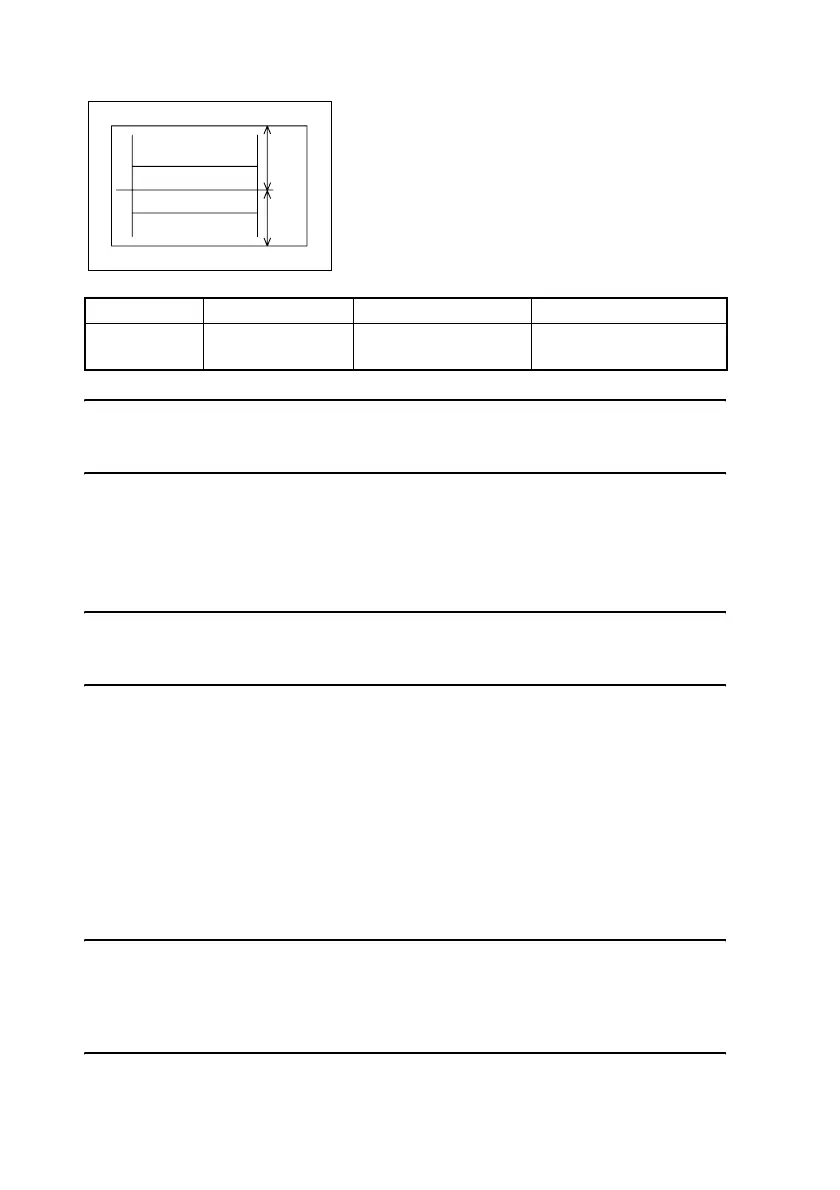
4. Fold the copy of the test pattern in half, and then check if the fold aligns with the center-
line.
If they are not aligned, adjust it according to the following procedure.
5. Change the setting.
If D is shorter . . . . . Decrease the setting.
If E is shorter . . . . . Increase the setting.
✽ If the shift cannot be adjusted to within the specification with a single adjustment, perform
the adjustment again to change the setting.
6. Press the Yes key to apply the setting.
NOTE
If the Stop key is pressed, instead of the Yes key, the main screen is displayed and the set-
ting returns to that before it was changed.
Load the test pattern into the Automatic Document Feeder again, make another test copy,
and check it.
Specification Mode Function Setting Range
0 ± 2.0 mm “ADJUST” menu ADF MAIN REGIST
90 to 110
1 increment = 0.5 mm
• Adjust the amount that widths D and E in the copy
of the test pattern are shifted so that the following
specification is met.
1382D011AA
E
D












 To Next Page