D-12
(6) Automatic Document Feeder Sub-Scanning Zoom Ratio Adjustment
<Reference>
<Adjustment Procedure>
1. Print the test pattern.
2. Enter the “ADJUST” menu in the Service mode.
3. Load the test pattern into the Automatic Document Feeder and make a test copy.
NOTE
• The test pattern should be positioned vertically.
• Use A4 L or Letter L paper loaded into Tray 1 to make the test copy.
4. If the length of C in the copy of the test pattern is not the same as the length of C in the
test pattern, adjust it according to the following procedure.
5. Change the setting.
If the width of C in the test pattern is longer than the specified width . . . . .
Decrease the setting.
If the width of C in the test pattern is shorter than the specified width . . . . .
Increase the setting.
✽ If the shift cannot be adjusted to within the specification with a single adjustment, perform
the adjustment again to change the setting.
6. Press the Yes key to apply the setting.
Zoom Ratio Specification Mode Function Setting Range
Full Size
(100%)
200 ± 0.5 mm “ADJUST” menu ADF SUB ZOOM
95 to 105
1 increment = 0.4%
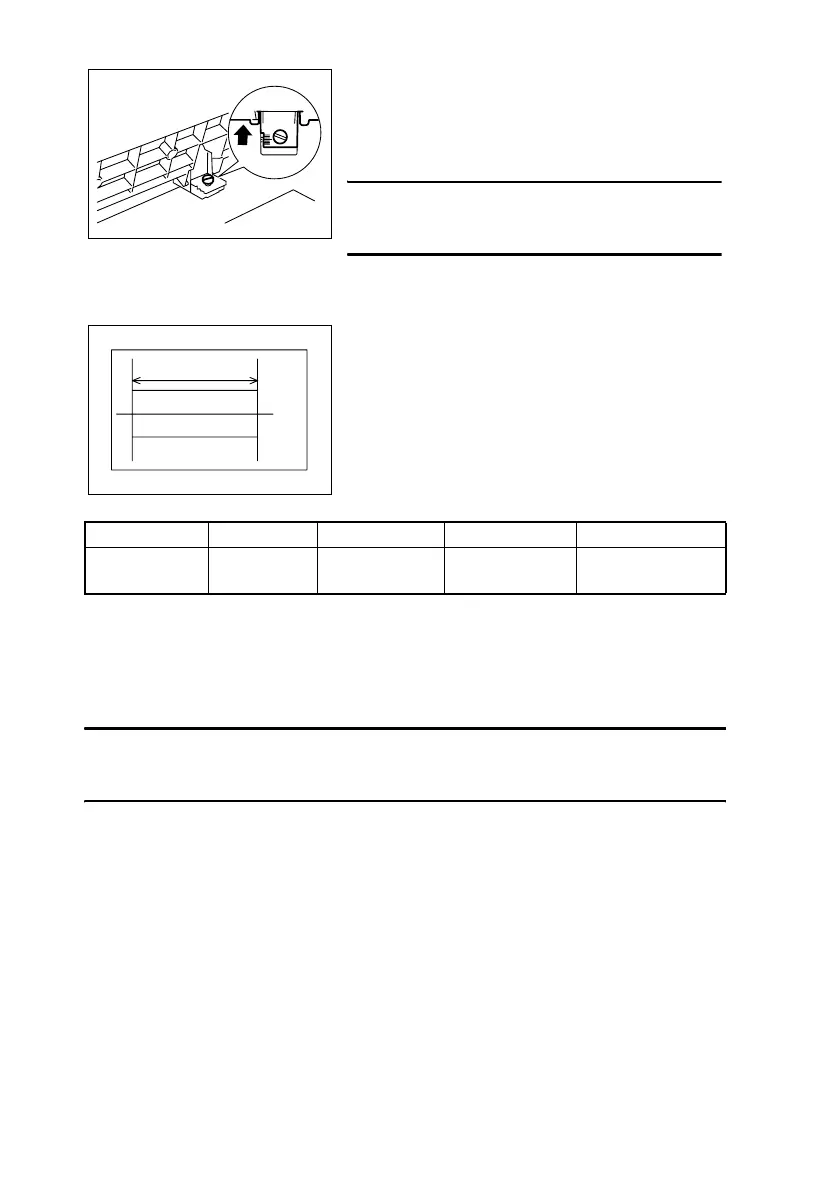
<If A is shorter than B>
Using a coin, loosen the shoulder screw shown in the
illustration, and then slide the scale on the Automatic
Document Feeder away from you.
NOTE
• After finishing the adjustment, be sure to tighten
the loosened shoulder screw.
1382U029AA
• Adjust the length of C in the copy of the test pat-
tern so that the following specification is met.
1382D009AA
C












 To Next Page