T- 3 9
(16) Printer system: Uneven image
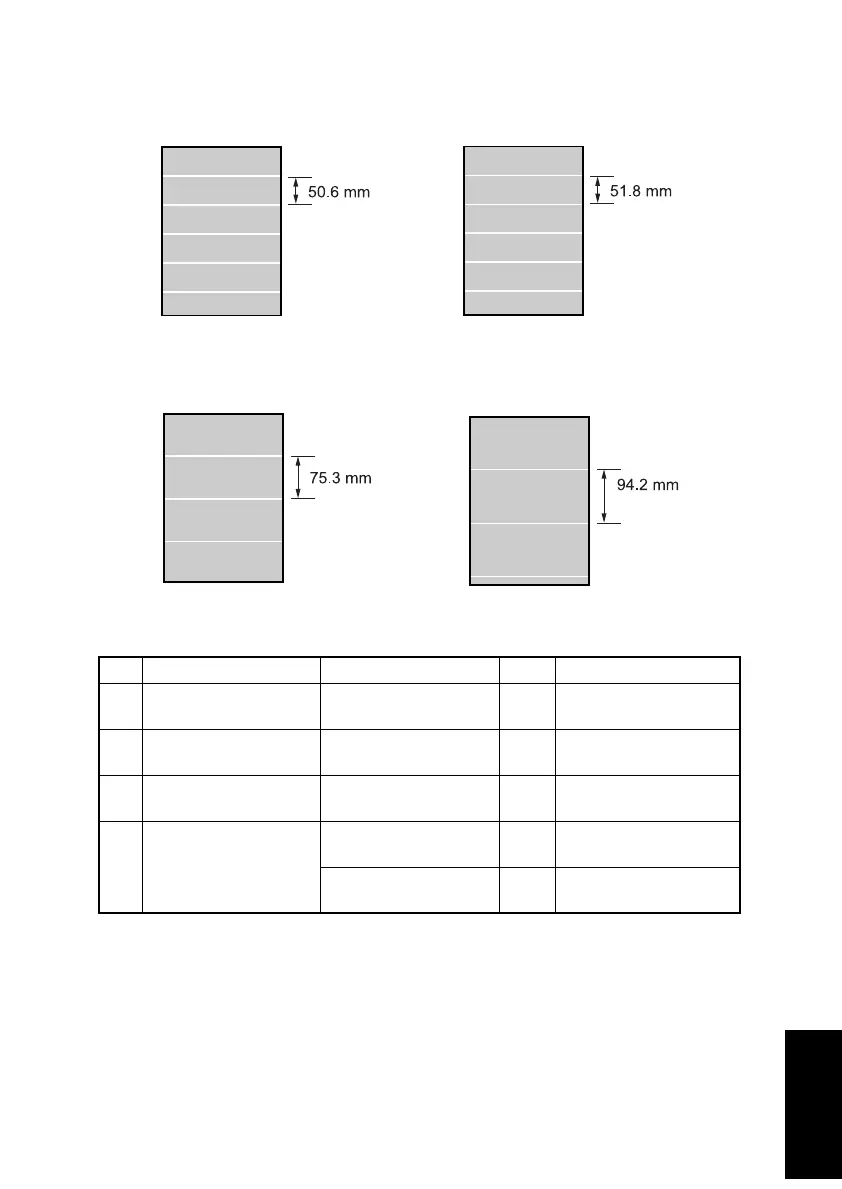
<Typical Faulty Images>
<Troubleshooting Procedures>
Step Check Cause Result Action
1 Is uneven image at a
pitch of 50.6 mm?
Image Transfer Roller is
scratchy or dirty.
YES Replace Image Transfer
Roller.
2 Is uneven image at a
pitch of 51.8 mm?
Flexible Sleeve is
scratchy or dirty.
YES Replace Toner Car-
tridge.
3 Is uneven image at a
pitch of 75.3 mm?
Pressure Roller is
scratchy or dirty.
YES Replace Fusing Unit.
4 Is uneven image at a
pitch of 94.2 mm?
PC Drum is scratchy or
dirty.
YES Replace Drum Cartridge.
Fusing Roller is
scratchy or dirty.
YES Replace Fusing Unit.
51-mm-pitch uneven image
4136T004AA
75.3-mm-pitch uneven image
4136T005AA
94.2-mm-pitch uneven image
4136T006AA
51.8-mm-pitch uneven image
4136T008AA












 To Next Page