ACTIVITIES
ECO Manual
120
If you want only Some Keys in an Activity to Move:
Perhaps you would like to have some keys predicted in an Activity, but not others. For example,
the MORE ITEMS key should always remain in its particular place and not move around.
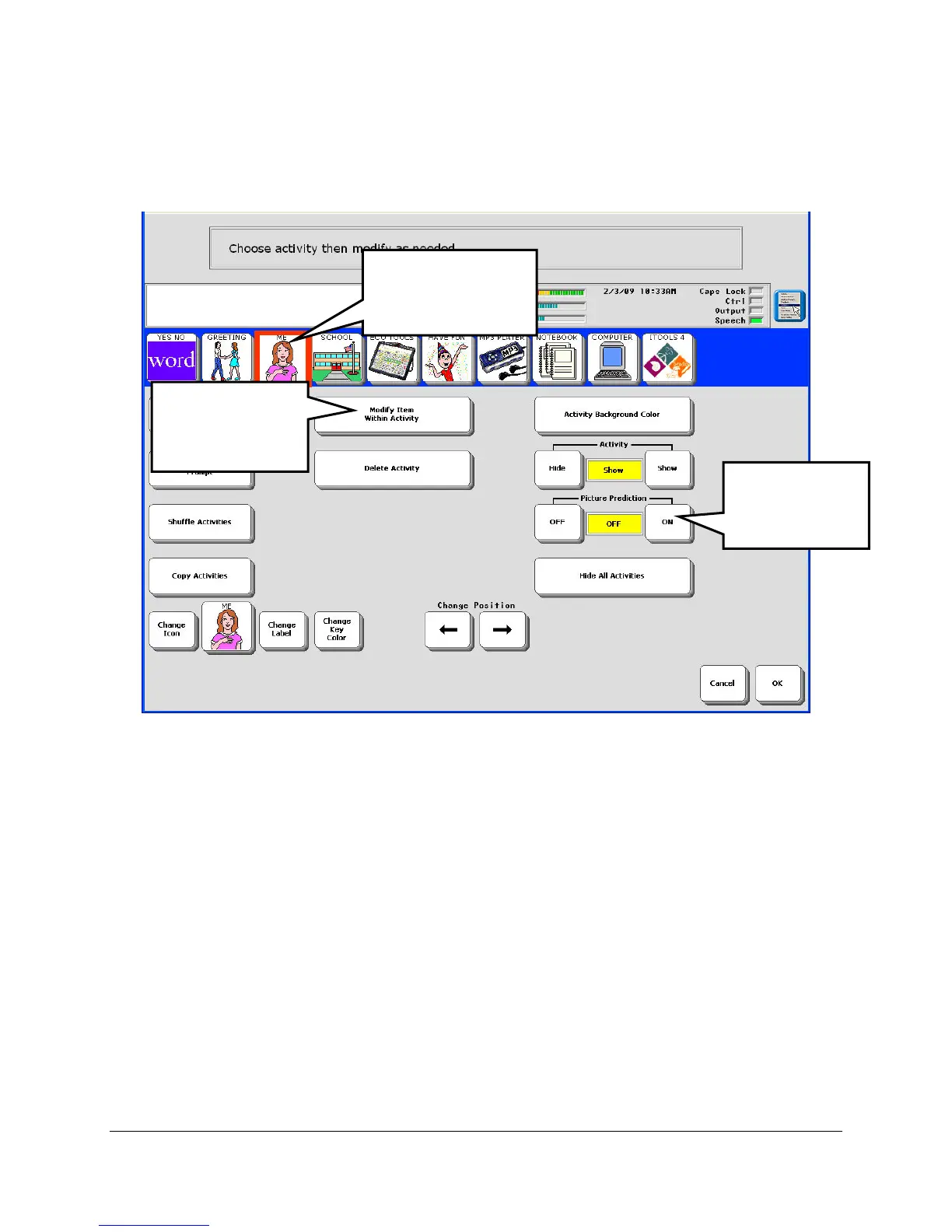
1. Open the MODIFY ACTIVITY MENU.
2. Select the Activity you want.
3. Turn Picture Prediction ON.
4. Select Modify Item Within Activity.
Step 3
Select this
option.
Step 1
Select the Activity
you want.
Step 2
Turn this
option ON.


 To Next Page