PAGES
ECO Manual
140
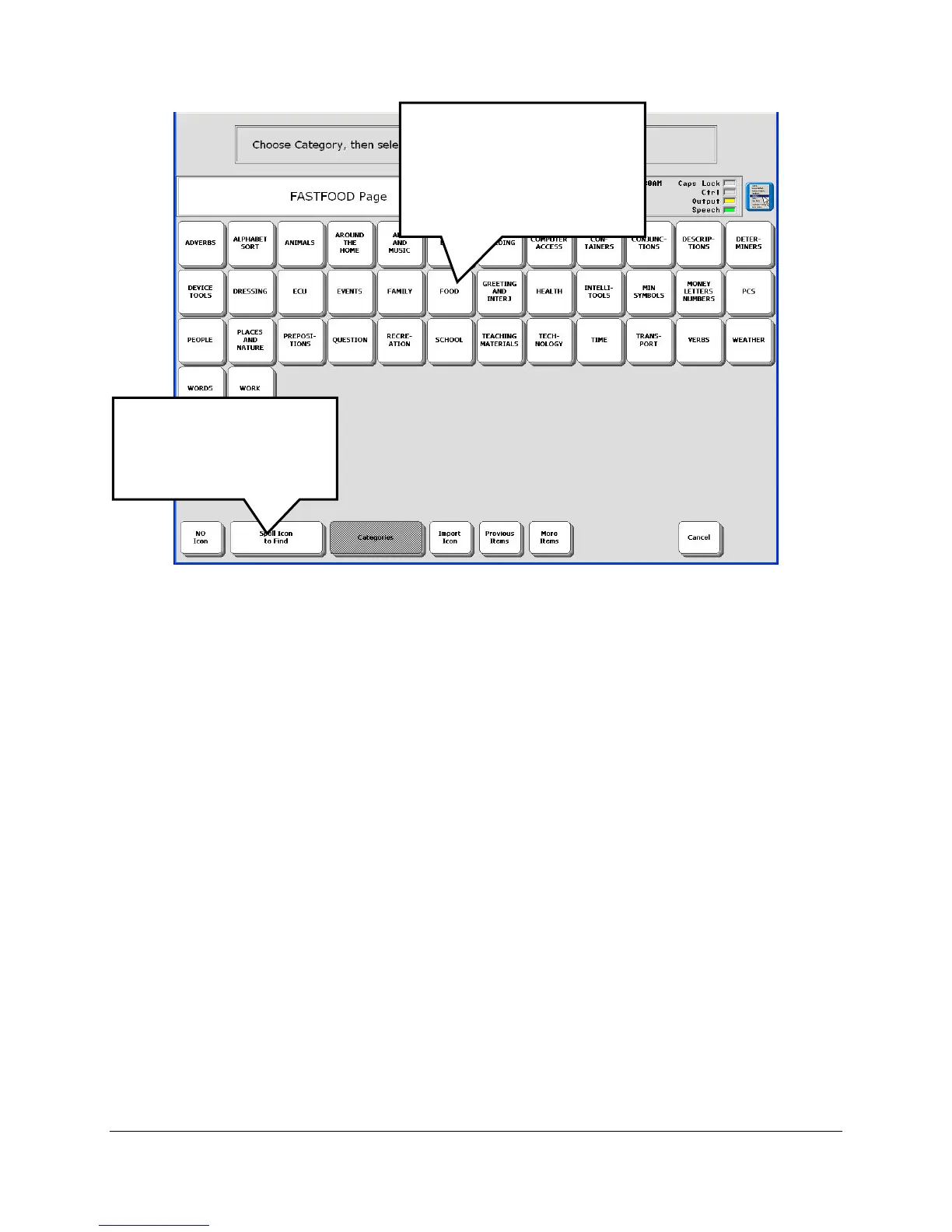
You see the Icon Category screen. Categories are in alphabetical order.
7. Select the category you want. For example, select the FOOD category, then select the
BREAKFAST category, then select the Pancake icon you want.
You can also select Spell Icon to Find, type "pancake" and then select the pancake icon you
want to use.
Select the FOOD
category; then the
BREAKFAST category;
then select a Pancake
icon.
You can also select
Spell Text to Find,
spell "pancake", then
select an icon.



 To Next Page