PAGES
ECO Manual
141
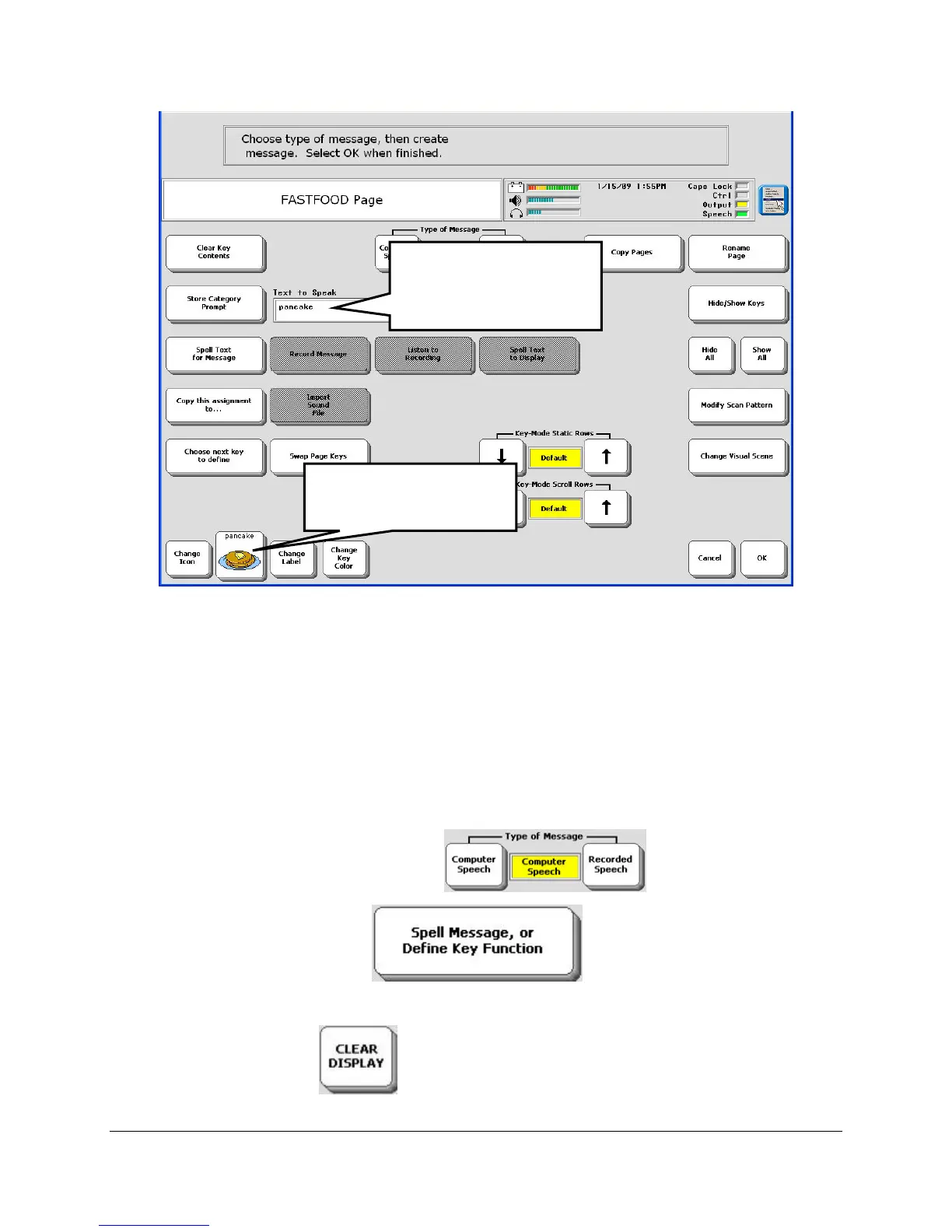
"Pancake" appears in the Text to Speak box and the pancake icon appears on the new key.
Now let's modify the message in the Text to Speak box.
If you want to record a message, select the Recorded Speech option rather than Computer
Speech. Follow the directions on your touch screen. Once your message is recorded you
can complete the following steps.
Set Type of Message to Computer Speech
Select the Spell Message… option
You see your Spelling overlay.
Select CLEAR DISPLAY
. This erases "Pancake" from the Text to Speak box.
"pancake" appears in
the Text to Speak
box.
You see the pancake
icon on the new key.



 To Next Page