PAGES
ECO Manual
142
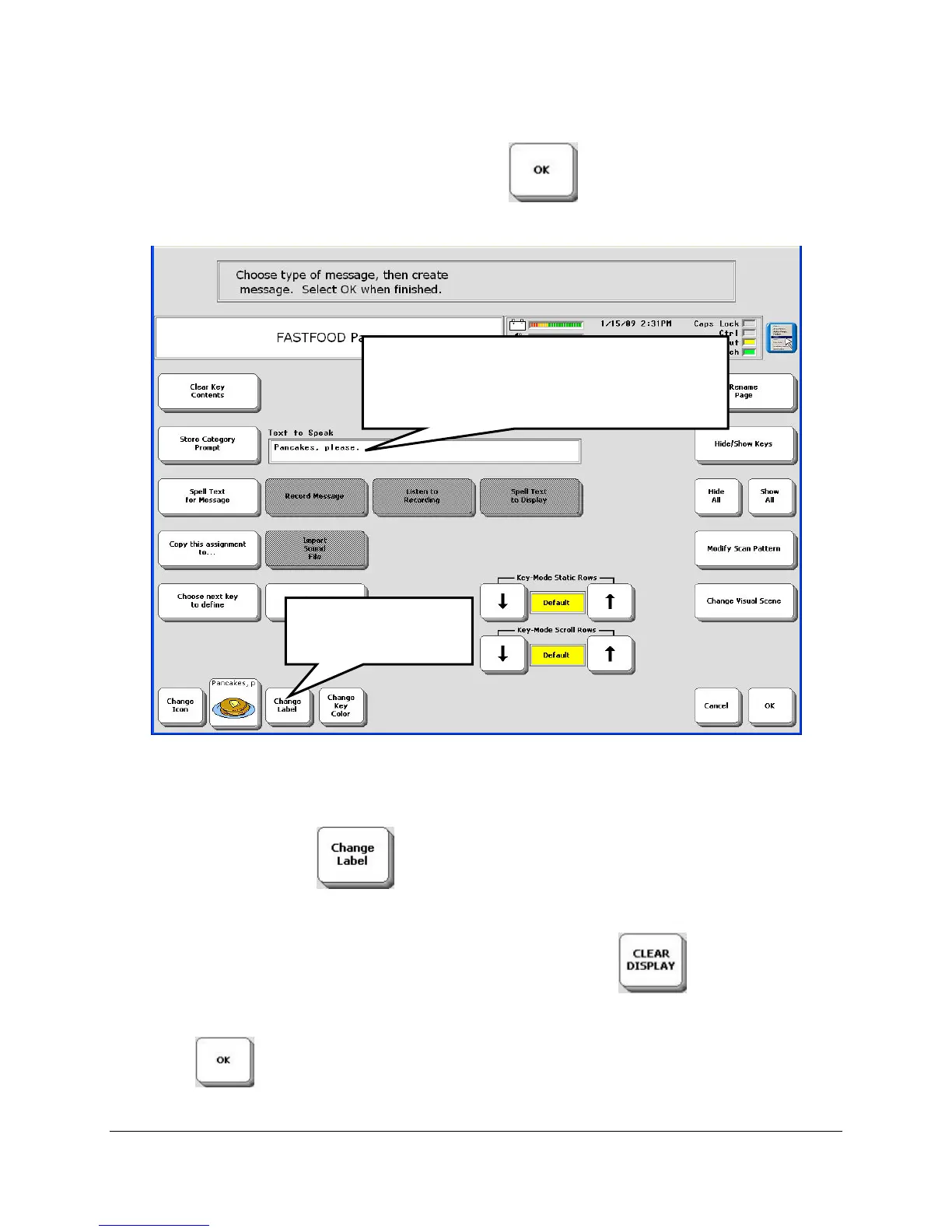
Type "Pancakes, please" and then select the OK key .
"Pancakes, please" shows up in the Text to Speak box. Part of "please" also shows up on your
icon label. Let's change that.
Select CHANGE LABEL .
You see your Spelling overlay.
If there is text in the Text Display Area, select CLEAR DISPLAY to erase it.
Type in "Pancakes."
Select OK
.
Your message appears here.
Notice that part of "please" also shows
up on your icon label.
Select CHANGE
LABEL



 To Next Page