PAGES
ECO Manual
150
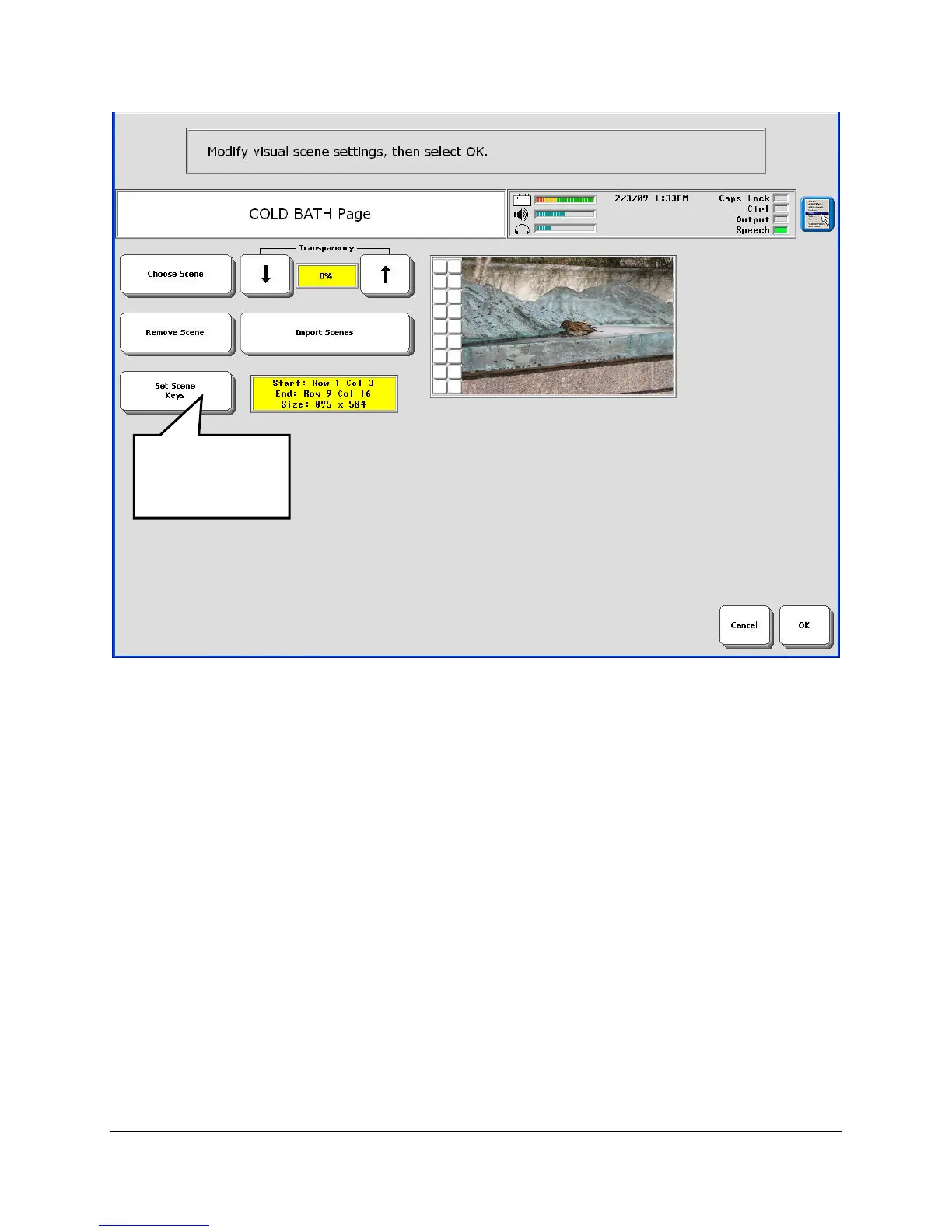
18. Now you can see how your page will look with the scene on it. You can select Set Scene
Keys again to change it, you can remove it, or you can choose a new scene. If you want
your client to be able to see the keys under the graphic, set the Transparency option to more
than 0%. Select OK when you are finished.
Select this to
change the
scene area.



 To Next Page