USING THE CORE VOCABULARY OVERLAY
ECO Manual
94
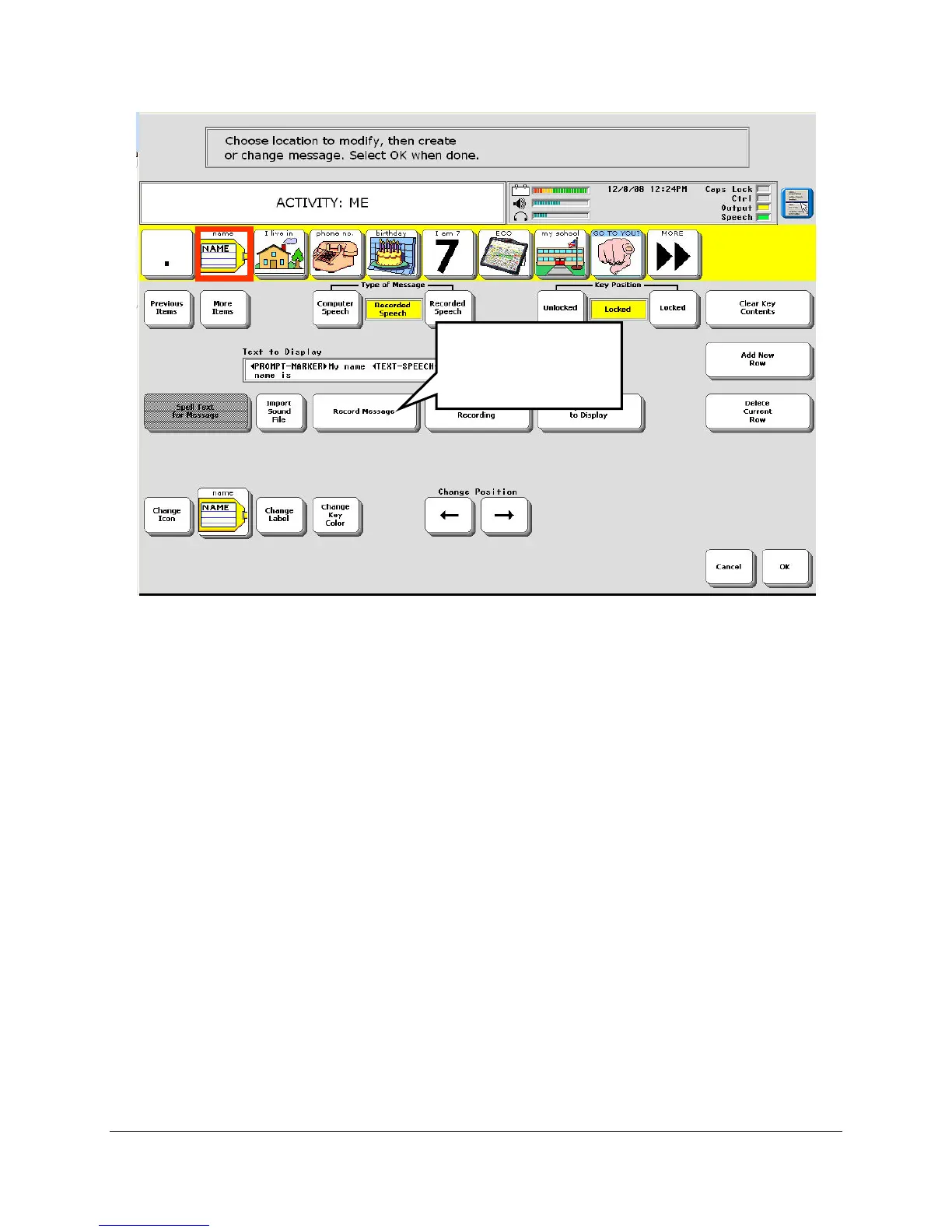
5. Select the Record Message key.
Note: If you want to include written text that will be displayed while your message is
spoken, set the Type of Message option to Computer Speech. Then activate the Spell Text to
Display key and type in the text you want to have displayed. Activate OK when you have
finished. Then set the Type of Message option to Recorded Speech.
Select Record
Message.



 To Next Page