Configuring Security
TIMS MVP™ Setup and Configuration Guide 77
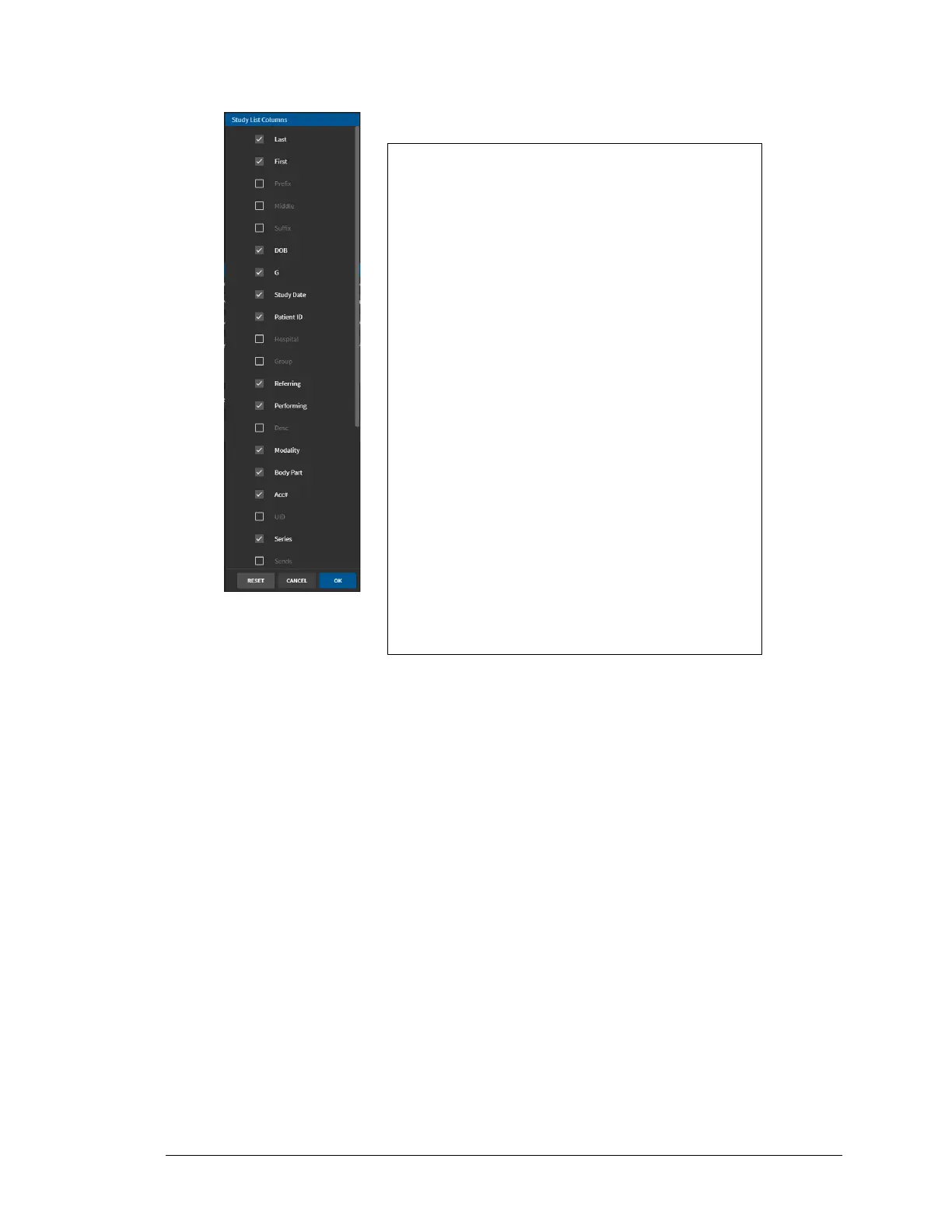
3. Click STUDY COLUMNS… button. The Study List Columns dialog appears.
By default, the following headings are selected:
Use the Study List columns dialog to: Last (Name),
First, DOB, G (Gender), Study Date. Patient ID,
Referring (Physician), Performing, Modality, Body
Part, Acc# (Account number), Series, Size (Mb)
and Keywords.
• Click the checkbox to add any additional
column headings you want to appear in the
Study Dashboard.
• Uncheck a checkbox if you want to remove
a column heading.
• Click Reset to reset the Study List Columns
to the original defaults listed above.
• Click OK to save changes.
• Click Cancel to cancel changes.



 To Next Page