Configuring Security
74 TIMS MVP™ Setup and Configuration Guide
Configuring Security
Change the Administrator Password
The TIMS MVP™ Administrator (Admin) password is the master password for the TIMS MVP™
software. (It is not related to the Windows Administrator password.)
The default password is: admin
Set the Admin Password
To set the Admin password:
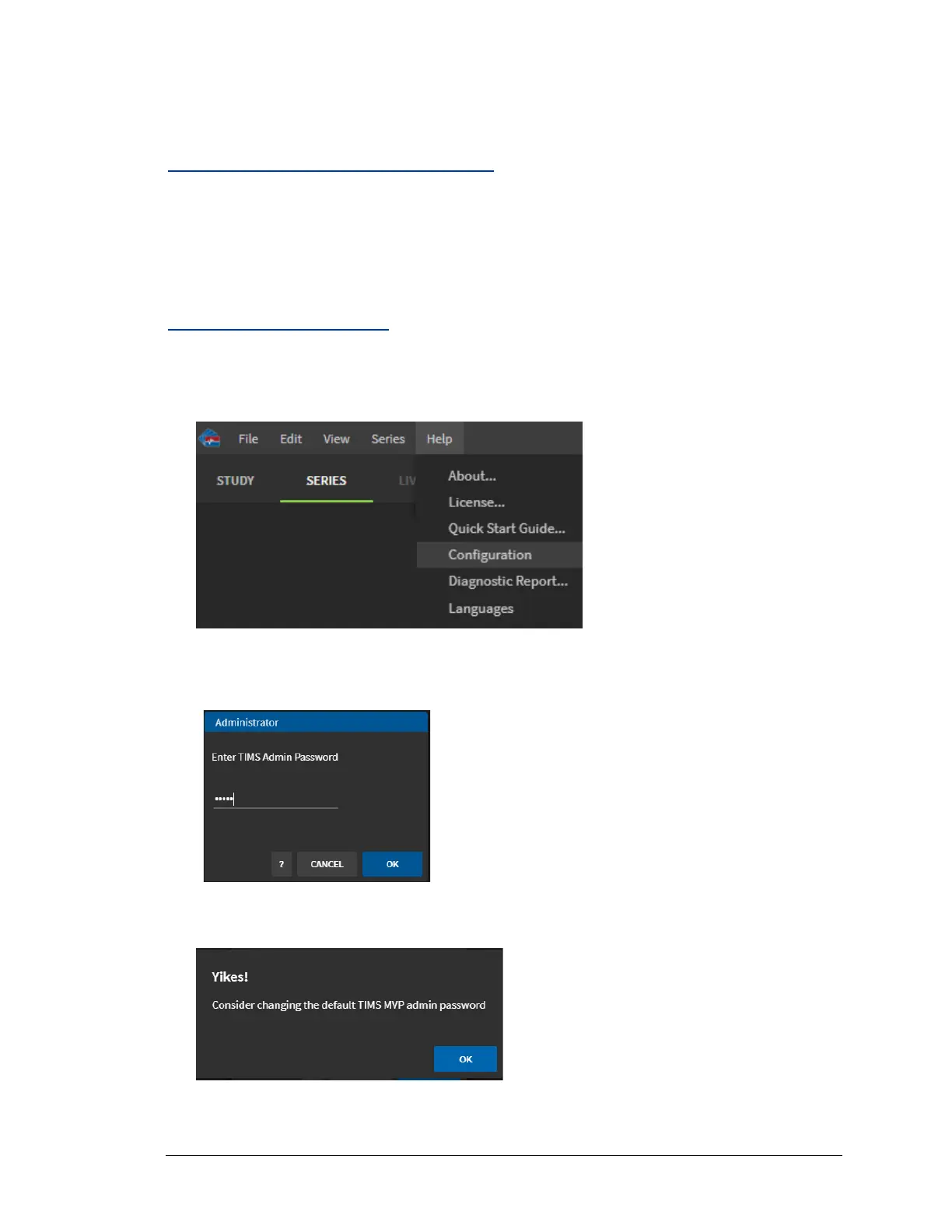
1. From the Help menu, select Configuration.
2. Enter the Administrator Password and click OK.
Make sure you do not have Caps Lock on when typing the password.
If you are using the default password admin, a message appears recommending you change
the password. Click OK.



 To Next Page