EasyManua.ls Logo

FORESIGHT TIMS MVP - Modality Connections; Power Supply Connection; To Make Modality Connections

FORESIGHT TIMS MVP
285 pages
Print Icon
To Next Page IconTo Next Page
To Previous Page IconTo Previous Page
Loading...
Get Connected
TIMS MVP Setup and Configuration Guide 7
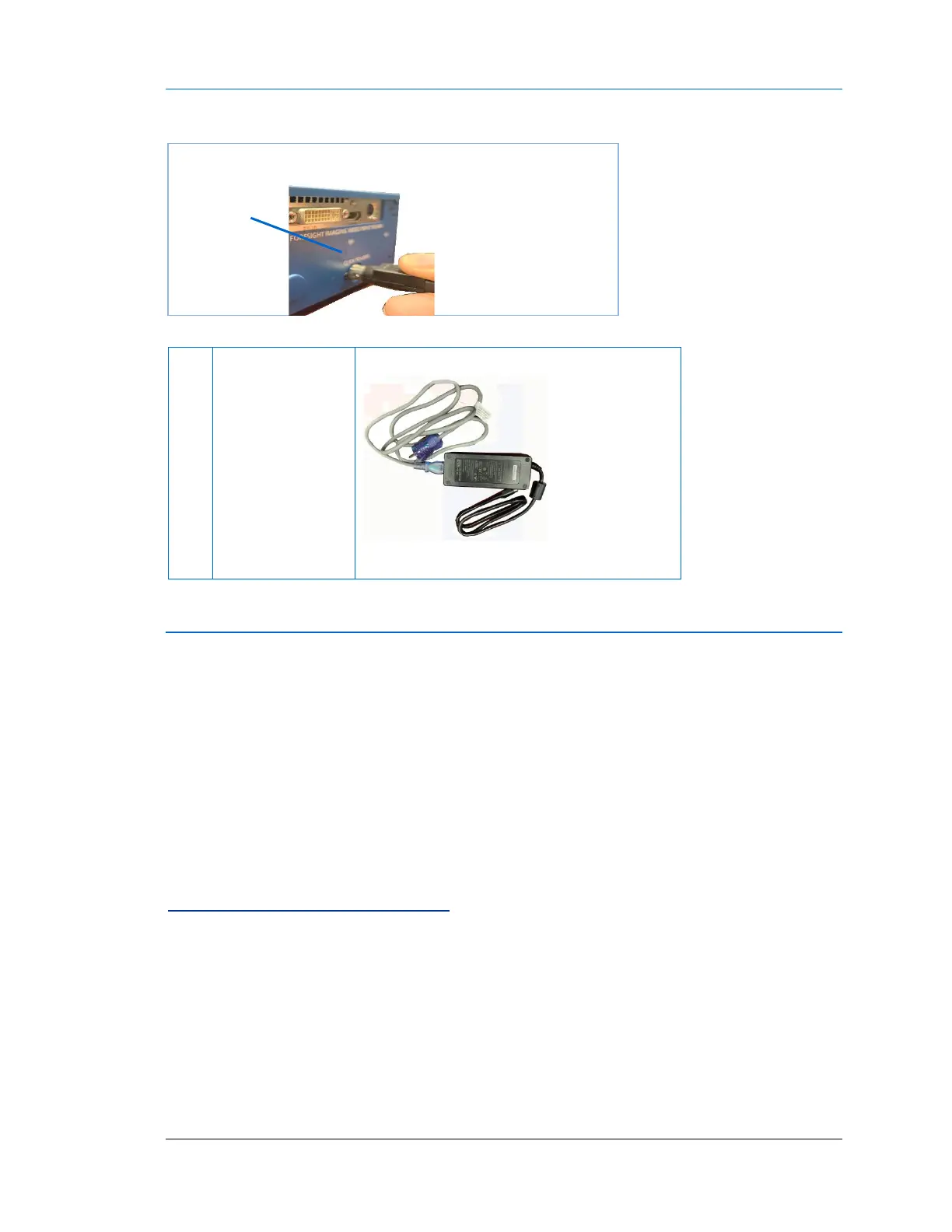
Power Supply Connection
External Power
Supply
IMPORTANT:
Make sure you
feel the cable
“click” into the
power connection
to ensure it is a
secure
connection.
Low voltage sealed connection
Modality Connections
Your TIMS MVP System is equipped with one high-performance video capture board. It is:
AccuStream HD+
For Standard and High Resolution RGB
For Standard and High-Resolution Monochrome
For NTSC / PAL - S-Video and Composite (requires an S-video to
Composite adapter)
To Make Modality Connections
To make modality connections, you must:
1. Determine the type of video source you are connecting to.
2. Determine the type of supplied connector to use.

Make sure you
feel the power
cable “click”
into the power
connection.

Table of Contents