Getting Started
44 TIMS MVP™ Setup and Configuration Guide
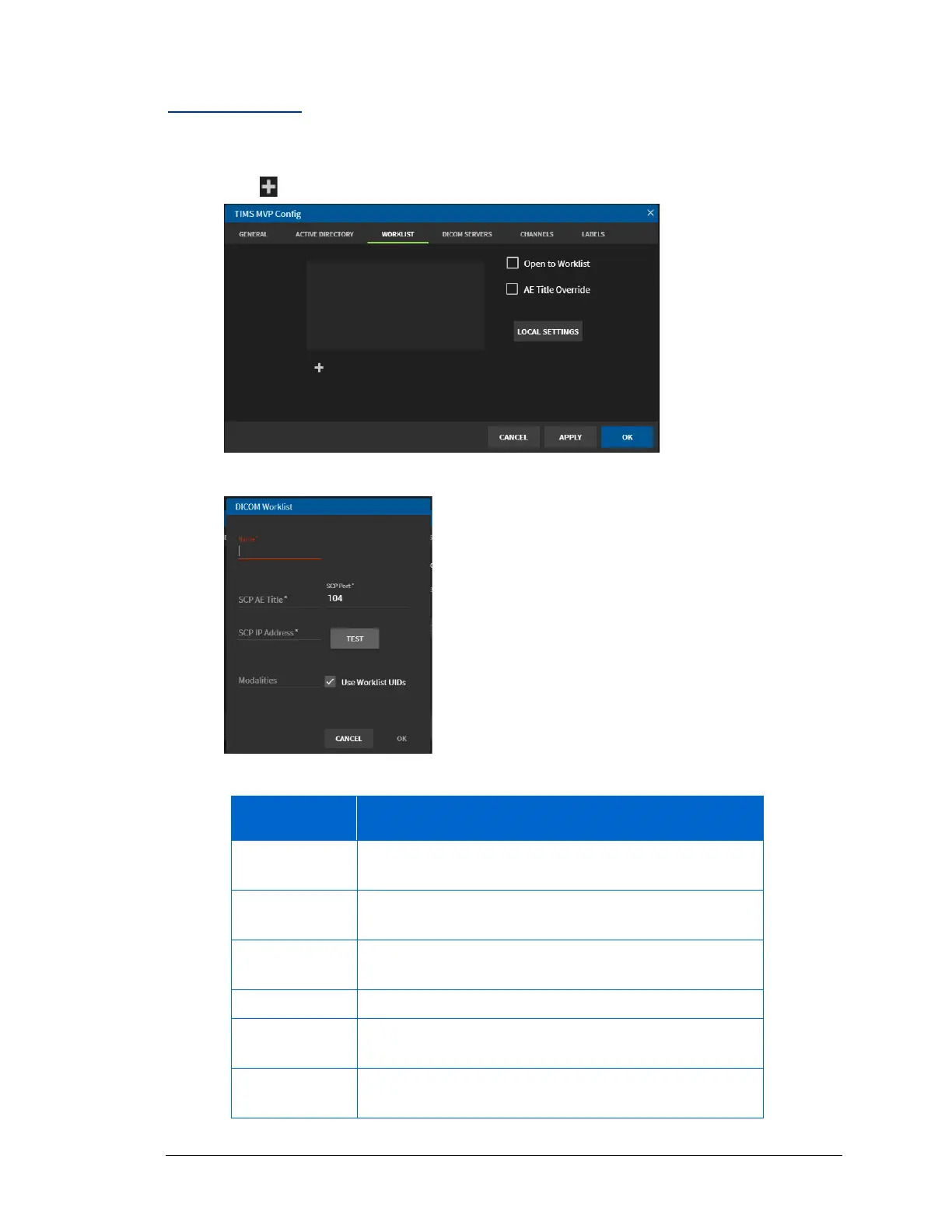
Add a Worklist
To add a worklist to the TIMS MVP™ system:
1. Click to add a Worklist.
2. Complete the fields in the DICOM Worklist page using the table below.
Provide a name which helps you identify the worklist.
For example, type the name Cardiology.
Type in a name for the Service Class Provider (SCP)
Application Entity (AE) Title of the receiving system.
Type in the port number for Service Class Provider of
the remote system. The default port is 104.
Type in the Service Class Provider IP address.
Type in the name of the modality that this worklist will
use.
Click to select if the Worklist uses Unique Identifiers
(UIDs),



 To Next Page