Get Connected
12 TIMS MVP™ Setup and Configuration Guide
For Monochrome Connections only
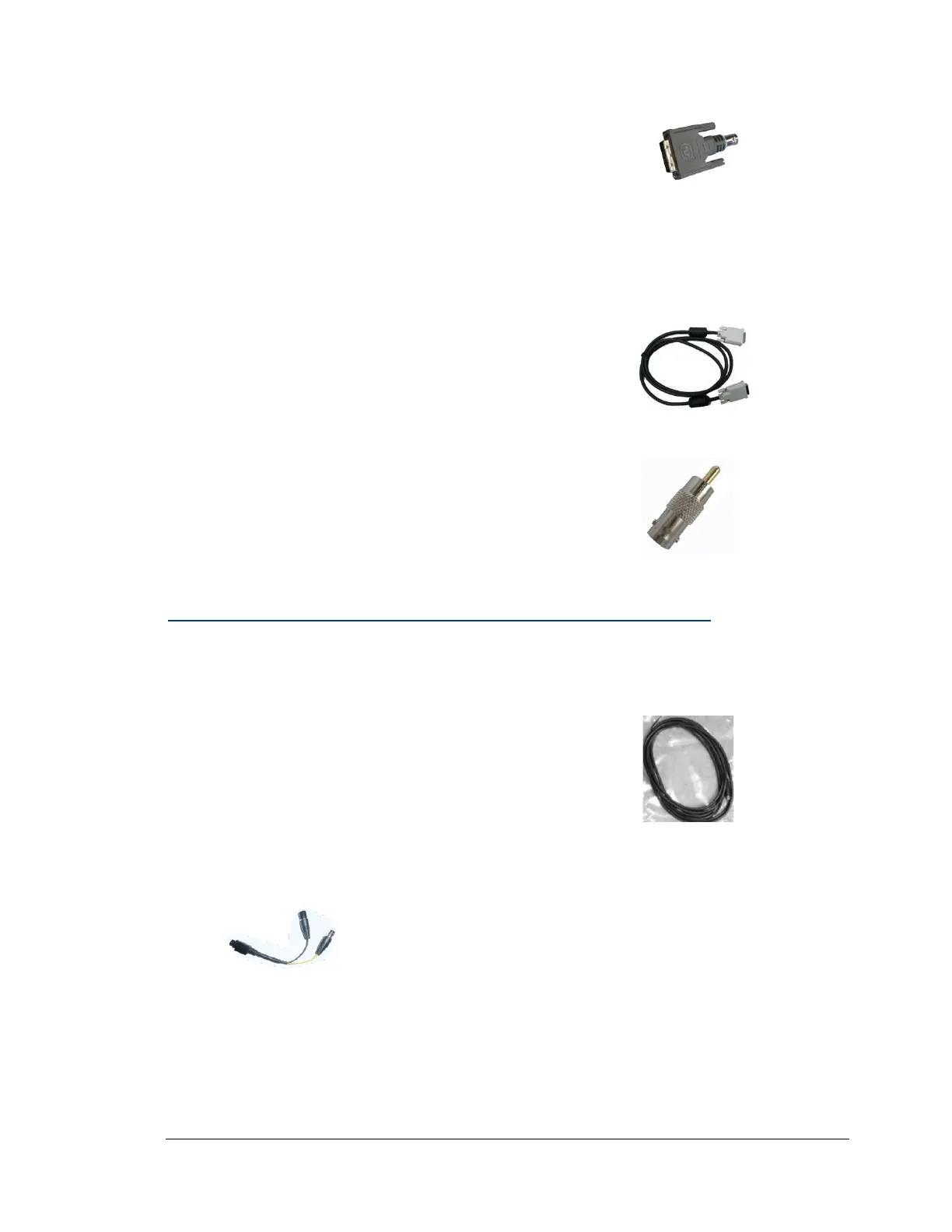
DVI to BNC Adaptor (P/N: 030175)
Connection Steps:
Using the DVI to BNC Adaptor:
1. Connect DVI end of the adaptor to TIMS .
2. Connect the BNC end of the adaptor to a BNC cable.
For DVI Connections
DVI-Digital to DVI-Digital, P/N: 030096
Connection Steps:
1. Connect DVI male to TIMS .
2. Make the DVI connection to the video source.
Optional Trigger
Connect to TIMS and to the trigger device.
Note: A trigger is a foot pedal or pushbutton device for
starting and stopping video capture.
S-Video (Y/C) Color Video Sources or Composite Color Video
S-Video cables are supplied for NTSC/PAL imaging devices:
For S-Video (Y/C) Connections
BNC Cable, Standard 4-Pin DIN, Male
BNC Cable, Standard 4-Pin DIN, Male to Composite Color Adaptor
Connection Steps:
1. Connect to TIMS .
2. Connect the S-video to Composite Color Video adaptor (P/N: 030193)



 To Next Page