Get Connected
TIMS MVP™ Setup and Configuration Guide 15
Network Setup
Your TIMS MVP™ System requires standard network configuration.
Consult your network administrator to determine the following:
• Whether the system is to be part of a domain or a workgroup.
• Whether the system is to have a dynamic or static IP address.
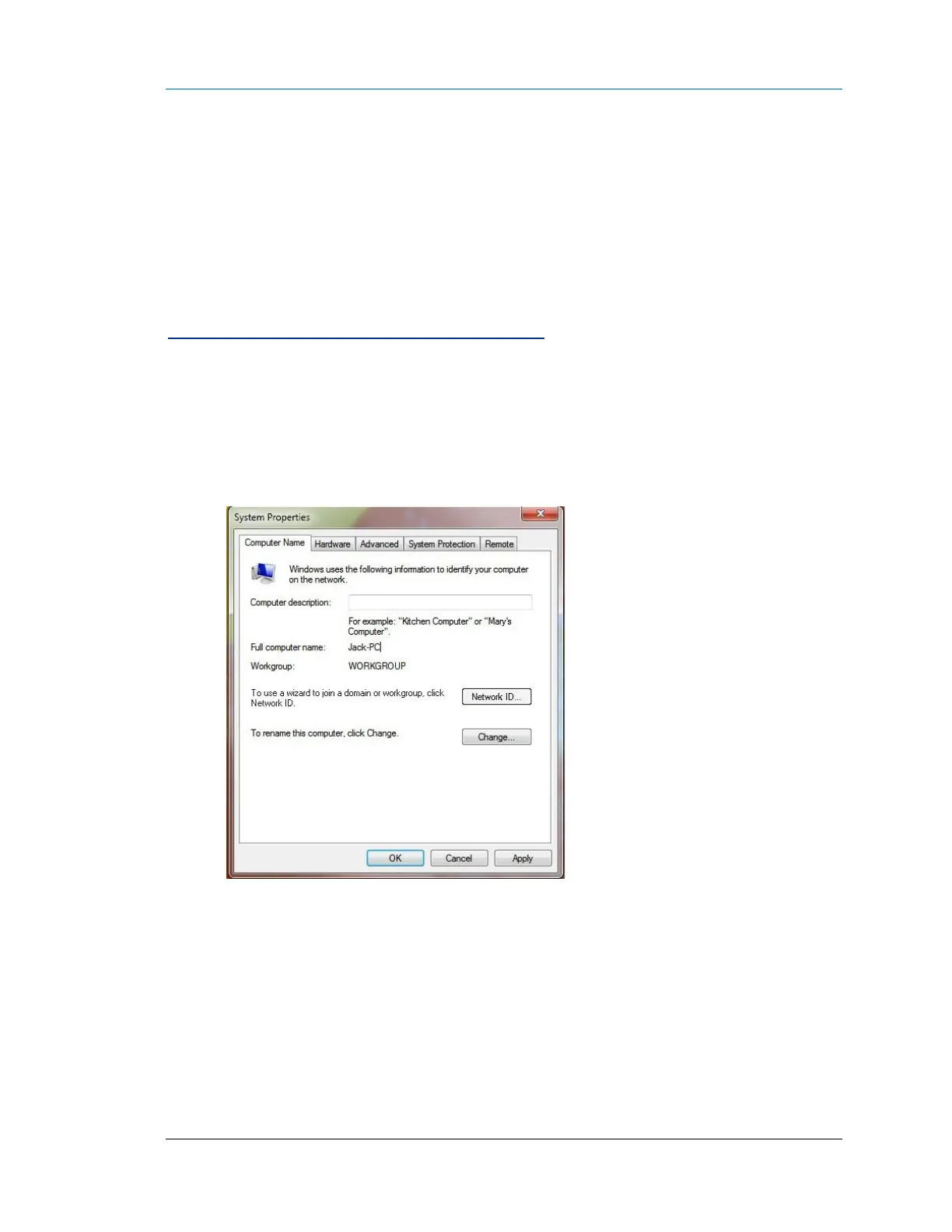
Set Computer Name, Domain/Workgroup
To set computer name, domain/workgroup:
1. Open Start menu > Control Panel > System > Advanced System Settings > Computer
Name tab.
2. To join a domain, use the Network Identification Wizard (click Network ID).



 To Next Page