TIMS MVP™ System Maintenance
TIMS MVP™ Setup and Configuration Guide 249
Verify Disk Space
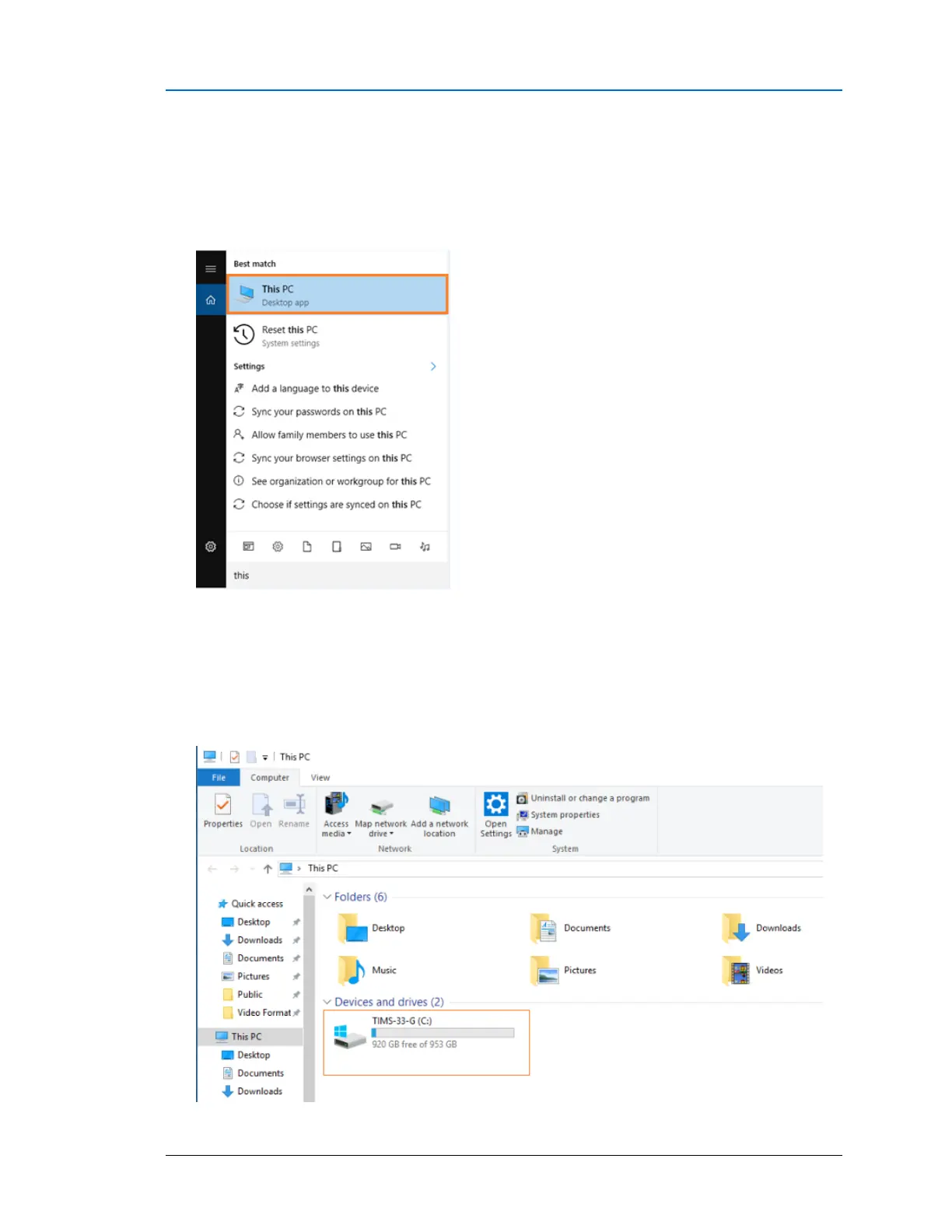
To verify the disk space:
1. Click the Windows Search bar in the bottom left-hand corner of the screen and type select
This PC.
2. Select the (C:) drive and note the amount of free disk space.
It is recommended that if there is less than 30% free disk space, then you need to consider
deleting files to keep the system running optimally.



 To Next Page