Using Auto-SYNC for Digital Input Connections
TIMS MVP™ Setup and Configuration Guide 171
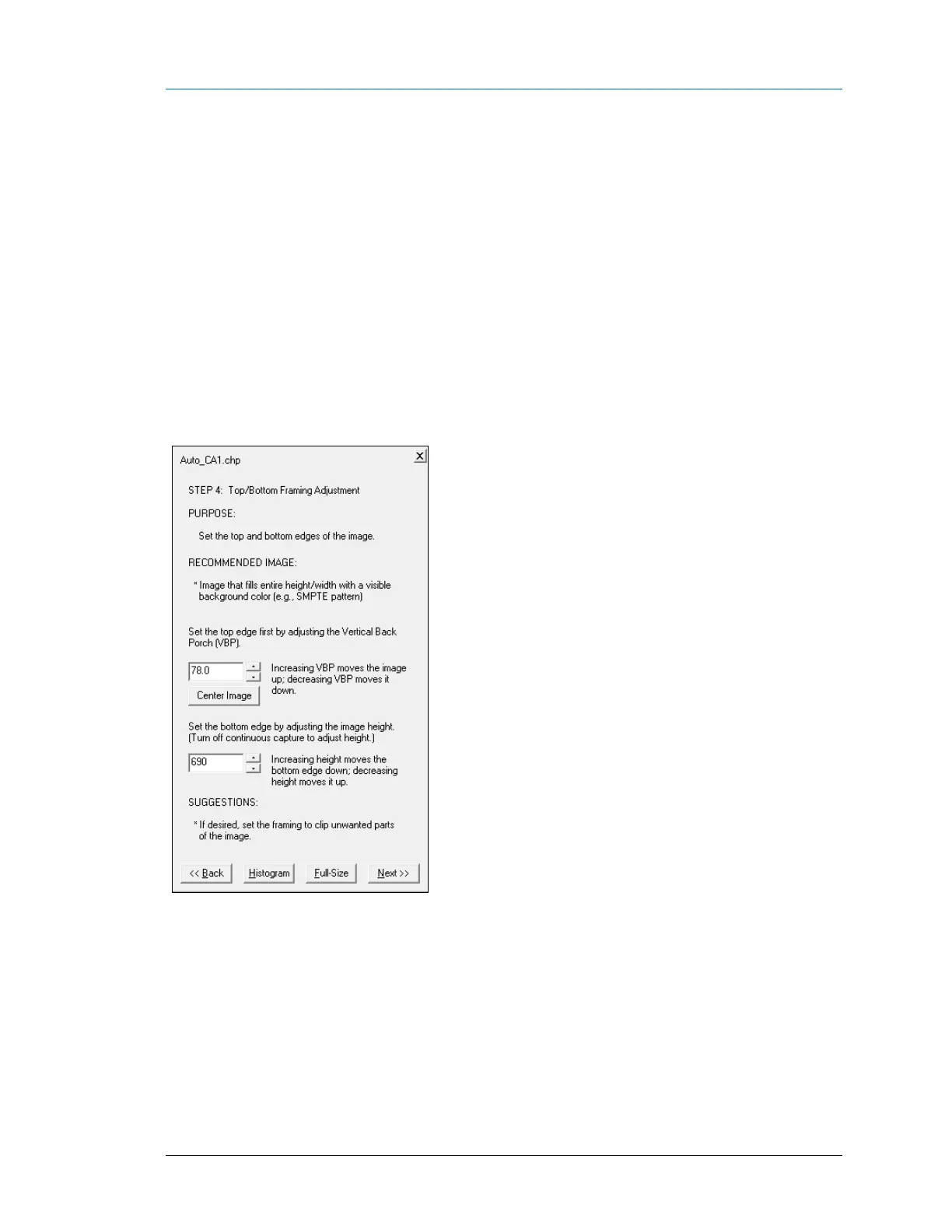
AccuStream Auto-SYNC Wizard Step 2: Adjust AOI Top/Bottom
Framing for Digital Connections
The next step is to adjust the top/bottom framing of the image.
To set an image height AOI, you need to adjust the VBP and HEIGHT.
Increasing the VBP (Vertical Back Porch) moves the image to UP.
Example
• To set the top starting position of the image: Increase VBP To 78
• To set the end position (HEIGHT) of the image: Decrease HEIGHT to 690.
If Auto-SYNC does not increase VBP beyond a certain value, then you need to decrease HEIGHT
some more.
Figure 74: Auto-SYNC Wizard Step 2



 To Next Page