Using Auto-SYNC for Digital Input Connections
172 TIMS MVP™ Setup and Configuration Guide
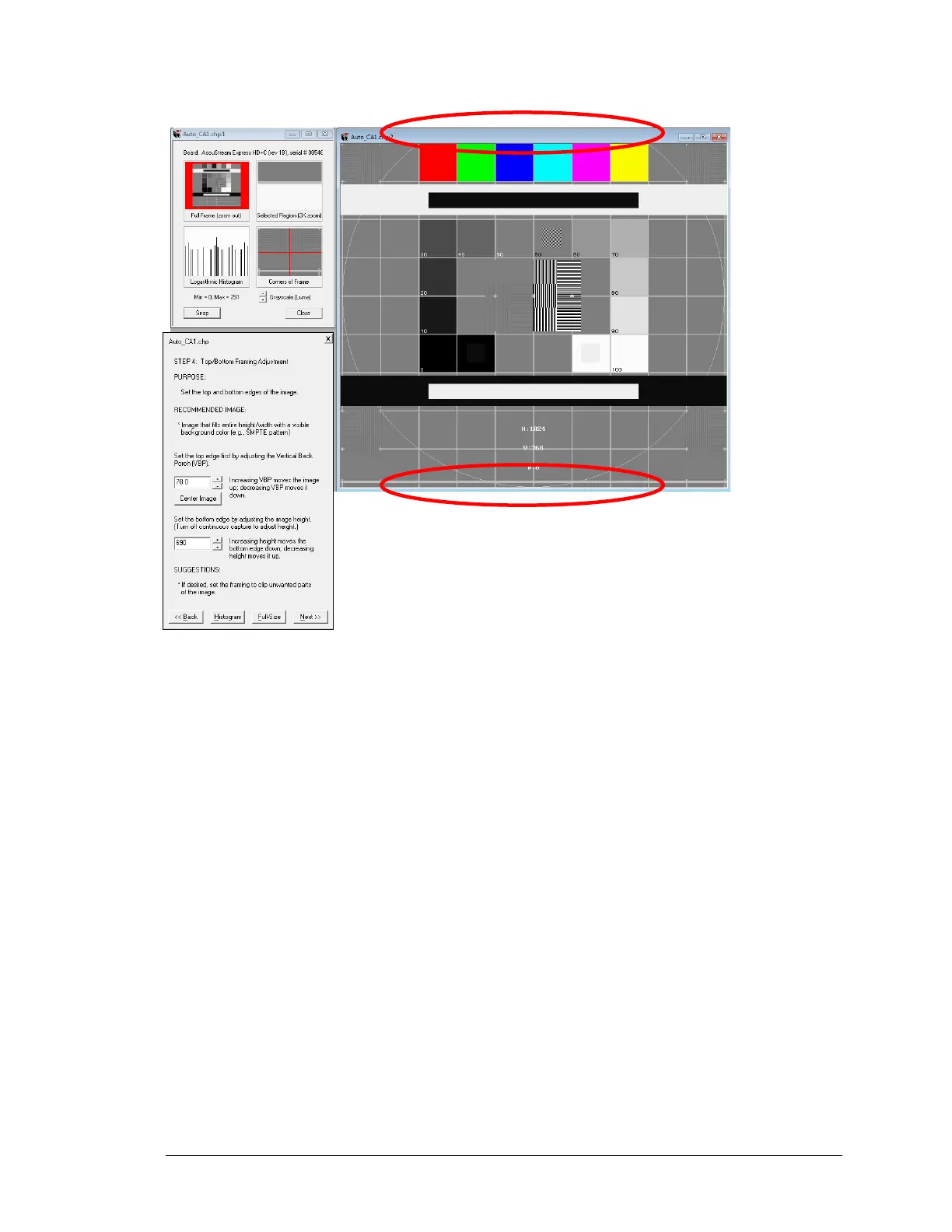
Original image 1024x768, AOI set to 778x690
Figure 75: Area of Interest Example
TIPS:
When making top/bottom framing adjustments:
▪ Adjust the top edge with VBP – increase VBP moves image up; decrease VBP moves
image down.
o Use to clip the top of image
o Use to define vertical AOI position
▪ Adjust bottom edge with height – increase height increases bottom edge; decrease
height decreases bottom edge.
o Use to clip edge of image
o Use to define vertical size of AOI



 To Next Page