IDEA Auto-SYNC with RGB/VGA/DVI Analog Video
TIMS MVP™ Setup and Configuration Guide 99
IDEA Auto-SYNC with RGB/VGA/DVI Analog Video
Select the Connection Type
Video Input Selection
Monochrome/RGB/VGA/DVI Analog
non standard high resolution video
connected to the DVI input
connection.
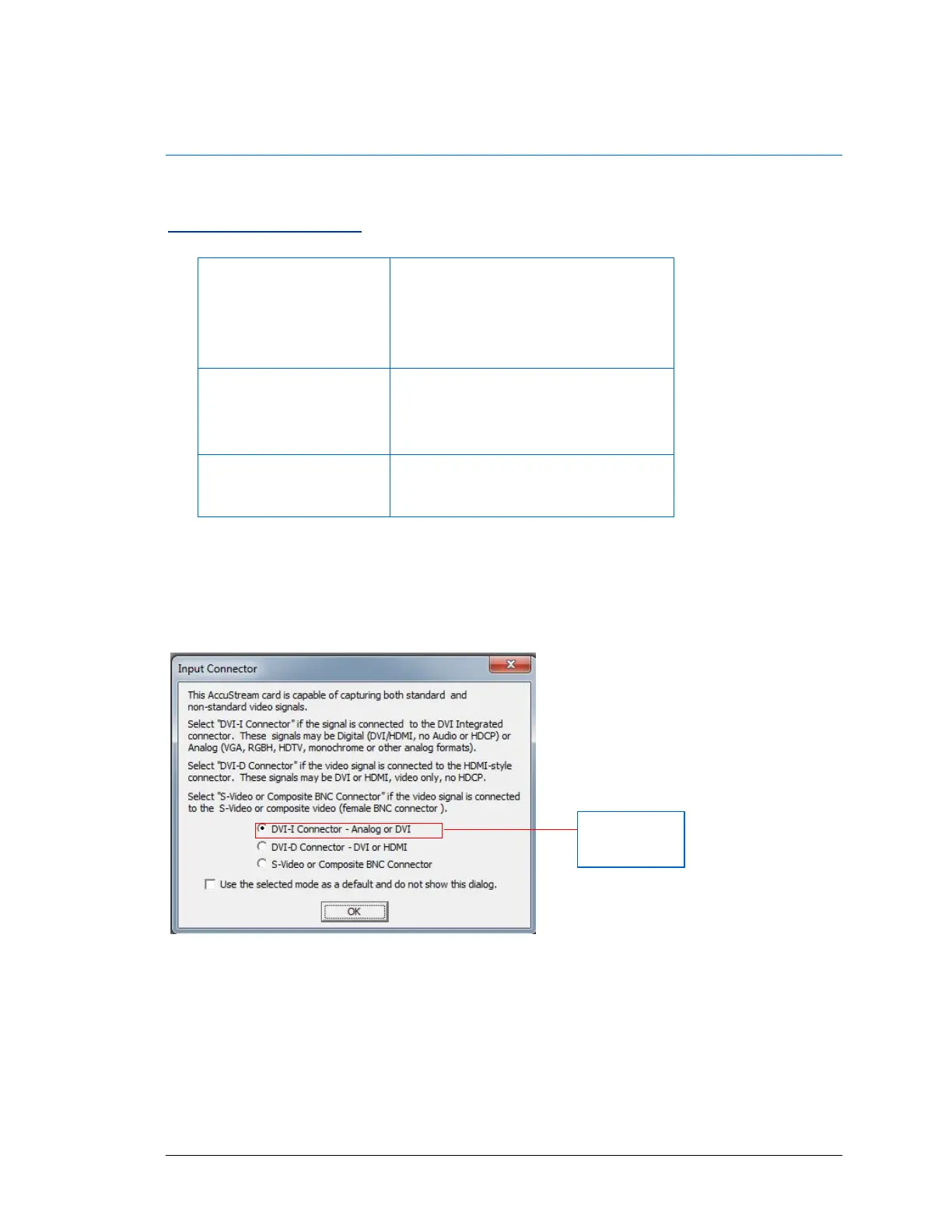
IDEA Auto-SYNC will first prompt you to identify the AccuStream board mode. Select the
connection you have to the AccuStream board and then click OK. If you want to keep the
selection as your default, click the checkbox below the connection selection so that this dialog
does not appear again.
Figure 7: AccuStream Input Connector
Note: In this example the AccuStream Express HD+C is used.
Video input selection option varies depending on the model frame grabber used.
After you make your selection and click OK, the Hints dialog appears. It is recommended that
you read the dialog and click OK. If you do not want this dialog to appear each time you start an
Auto-SYNC session, uncheck the Always display hints before an Auto-SYNC session box.



 To Next Page