IDEA Auto-SYNC with RGB/VGA/DVI Analog Video
130 TIMS MVP™ Setup and Configuration Guide
TIPS:
When making top/bottom framing adjustments:
▪ Adjust the top edge with VBP – increase VBP moves image up; decrease VBP moves image
down.
Use to clip the top of image
Use to define vertical AOI position
▪ Adjust bottom edge with height – increase height increases bottom edge; decrease height
decreases bottom edge.
Use to clip edge of image
Use to define vertical size of AOI
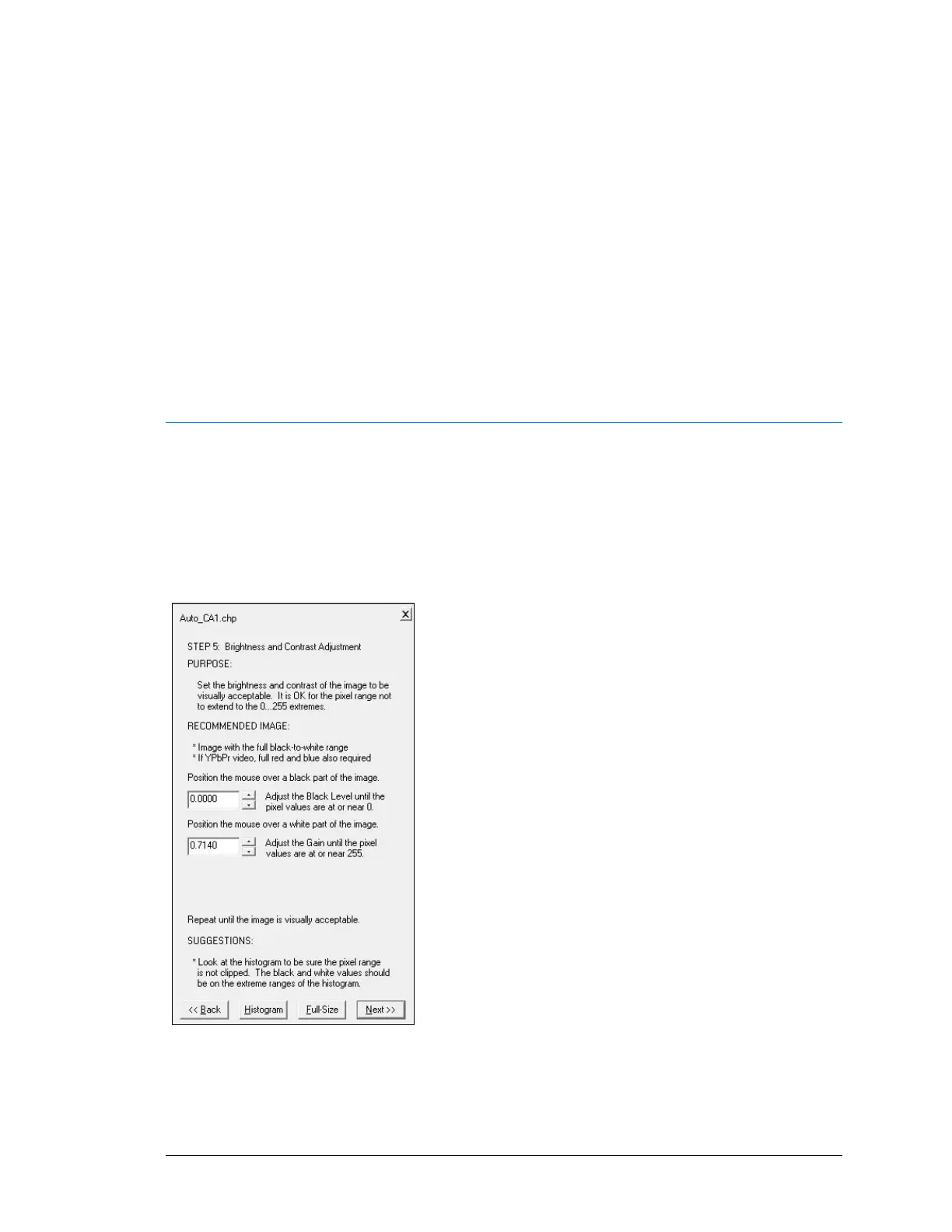
AccuStream Auto-SYNC Wizard Step 5: Adjust Brightness and
Contrast for Analog Connections
The next step is to adjust the brightness and contrast of the image. It is normal for the pixels to
range from 0 to 254 to insure you’re not clipping the white or black pixels. The frame grabber’s
maximum range is 0-255.
Figure 38: Auto-SYNC Wizard Step 5
Brightness and contrast adjustments require a video image that has the full black-to-white
range. Images with a text pattern are recommended. The histogram is very useful for this step
so the multi-view window is recommended.



 To Next Page