Advanced Settings
66 TIMS MVP™ Setup and Configuration Guide
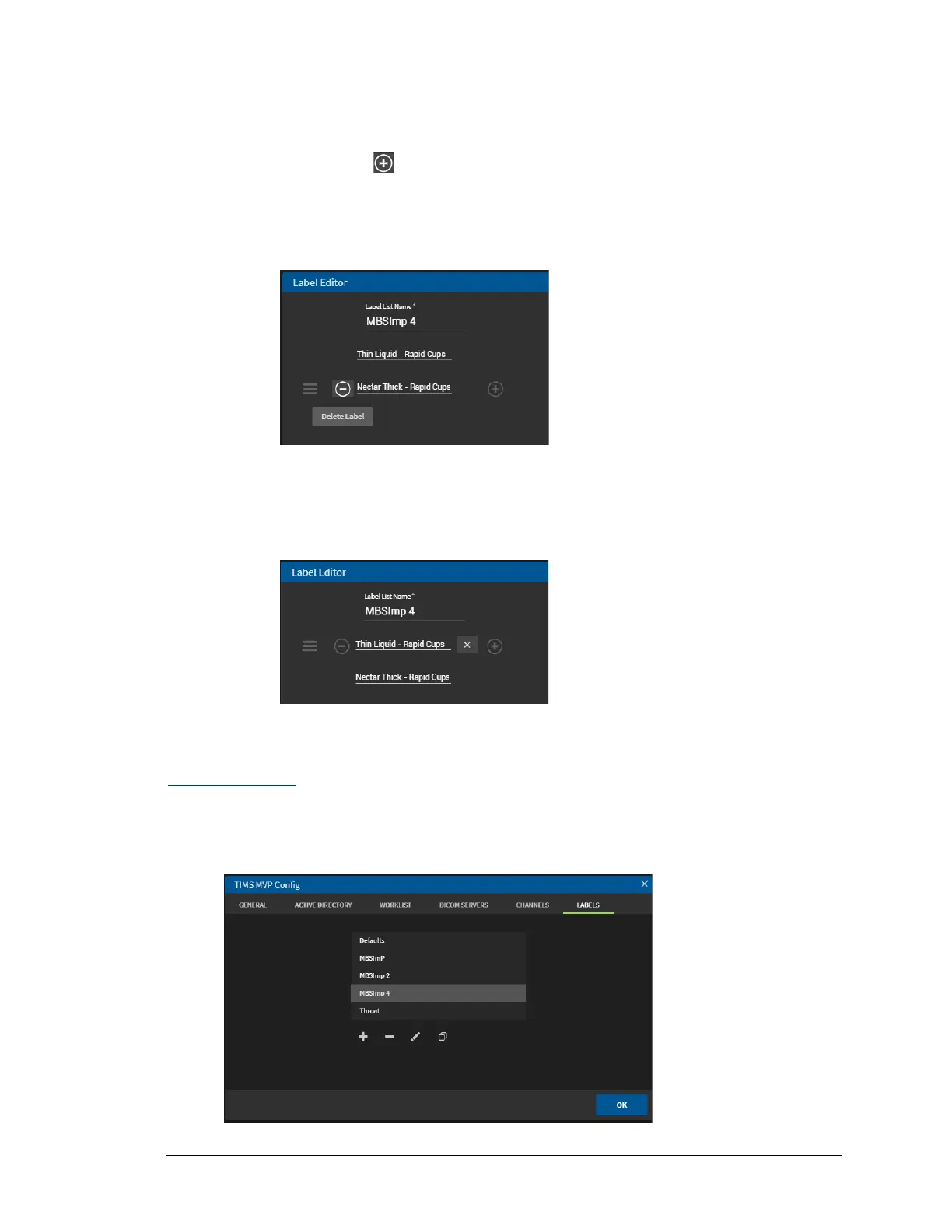
3. Edit the label by:
• Add a label: To add a label, move your mouse to the right of an existing label.
click the plus sign. Use the drop-down menu to select a label.
• Remove a label: To remove a label, move your mouse to the left of the label
you want to delete. Click the minus sign to remove it.
• Change the label: To change your label selection, move your mouse to the right
of the label you want to change. Click the X to display the drop-down menu of
labels and make a new selection.
4. Click OK to save your edits.
Delete a Label
To delete a label:
1. Select the label you want to delete from the menu.



 To Next Page