Getting Started
TIMS MVP™ Setup and Configuration Guide 41
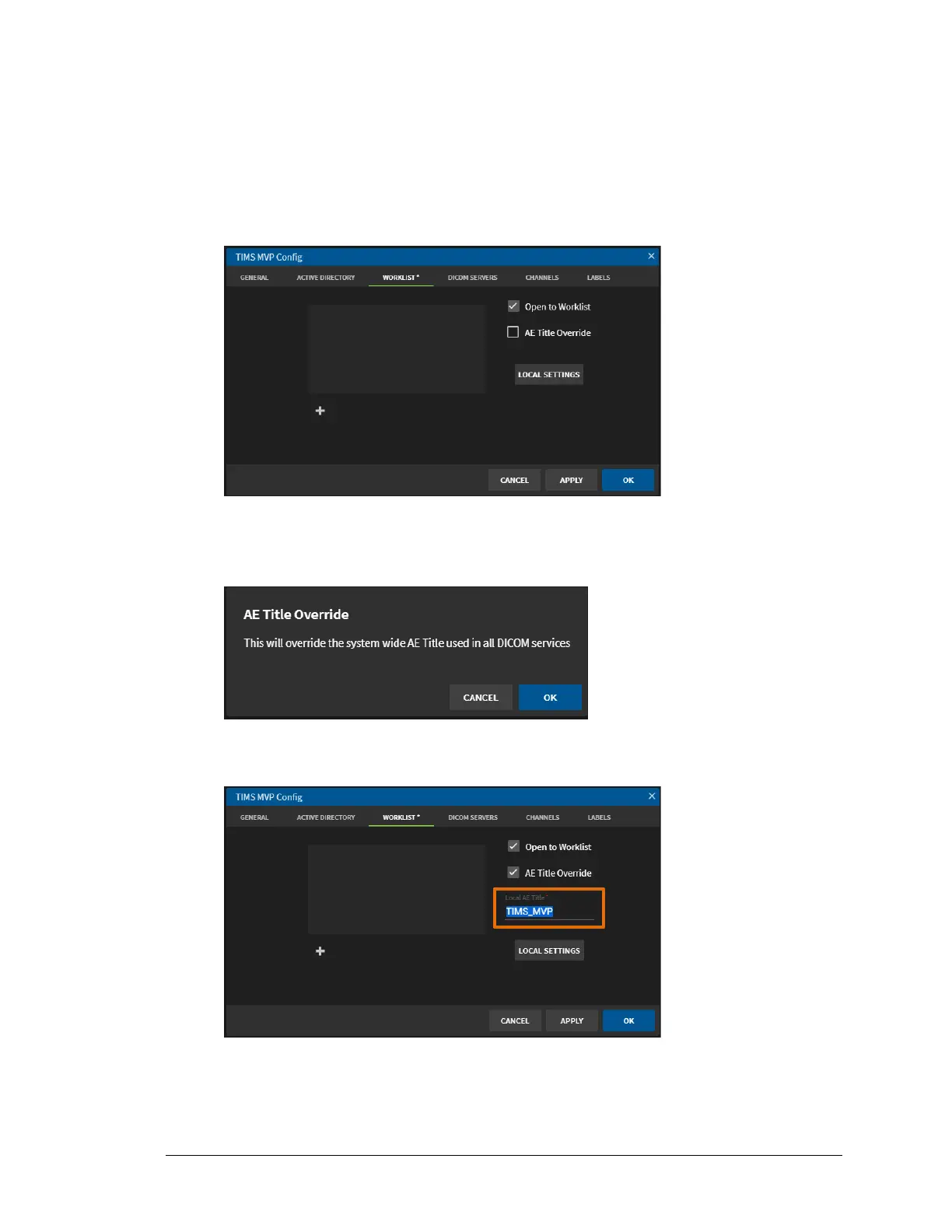
Override the Application Entity Title
IMPORTANT: This will override the system wide Application Entry (AE) Title used in all DICOM
services.
To override the AE Title:
1. Go to the Worklist tab on the TIMS MVP Config page.
2. Click the AE Title Override checkbox to enable the override.
Result: A message appears warning you about the change.
3. Click OK and the AE Title Override is selected and a Local AE Title name field opens
where you can type in the name change.



 To Next Page