TIMS MVP™ System Maintenance
254 TIMS MVP™ Setup and Configuration Guide
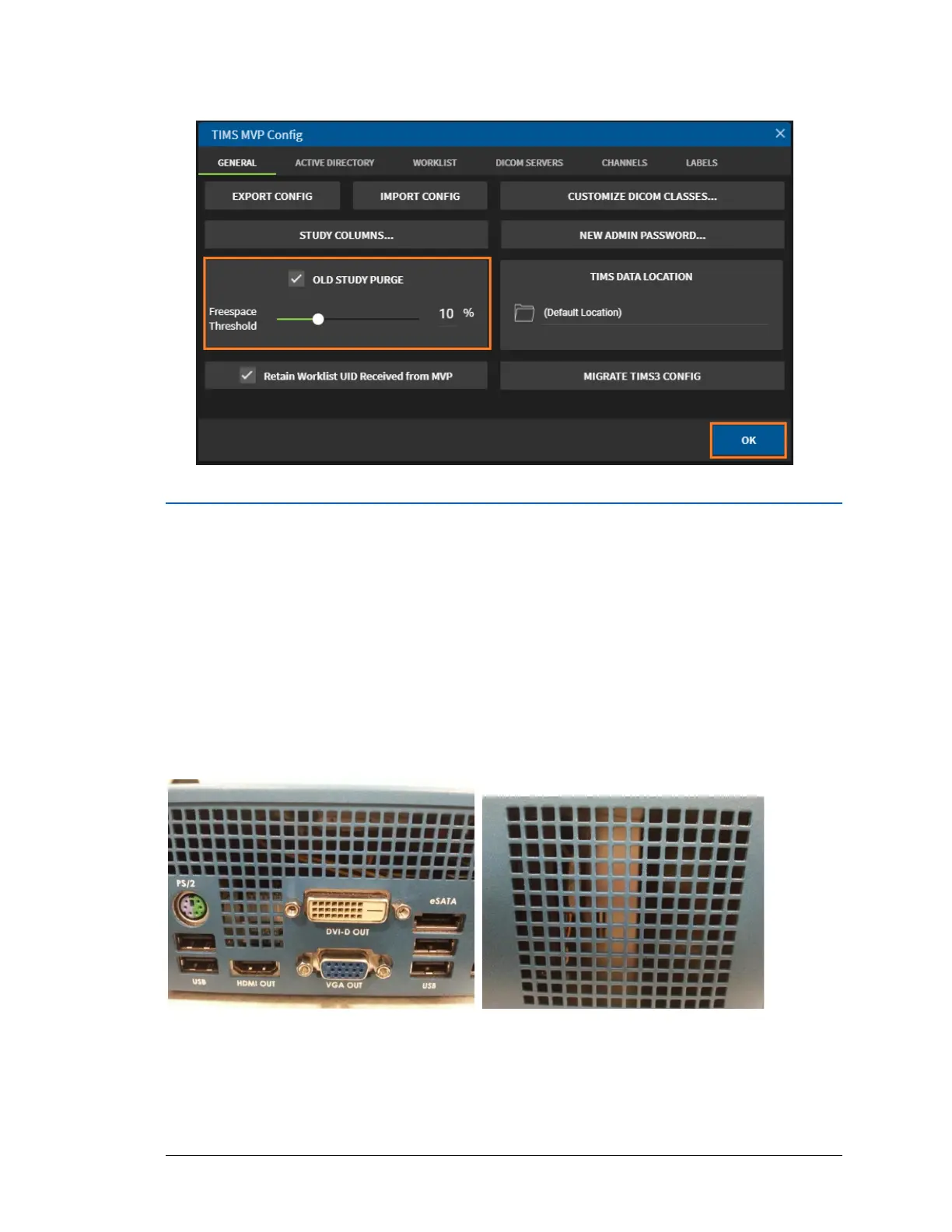
3. On the TIMS MVP Config page, enable OLD STUDY PURGE and set it to 15%. Click OK.
Clean TIMS Computer Air Grills
To clean the TIMS computer air grills:
IMPORTANT: Perform this step in three (3) intervals.
1. Ensure that the grill of the TIMS computer system is not blocked.
2. Shut down the TIMS computer system and then direct the compressed air (from the
canister) towards the grill to remove dust particles.
NOTE: TIMS computer shown. For TIMS Review computer, clean as per manufacturer’s
recommendations.
3. Upon completion of Preventive Maintenance, affix a label to the TIMS computer indicating
date of preventative maintenance.



 To Next Page