EasyManua.ls Logo

FORESIGHT TIMS MVP - Changing SDTV Settings

FORESIGHT TIMS MVP
285 pages
Print Icon
To Next Page IconTo Next Page
To Previous Page IconTo Previous Page
Loading...
Using Auto-SYNC for Digital Input Connections
TIMS MVP Setup and Configuration Guide 239
Changing SDTV Settings
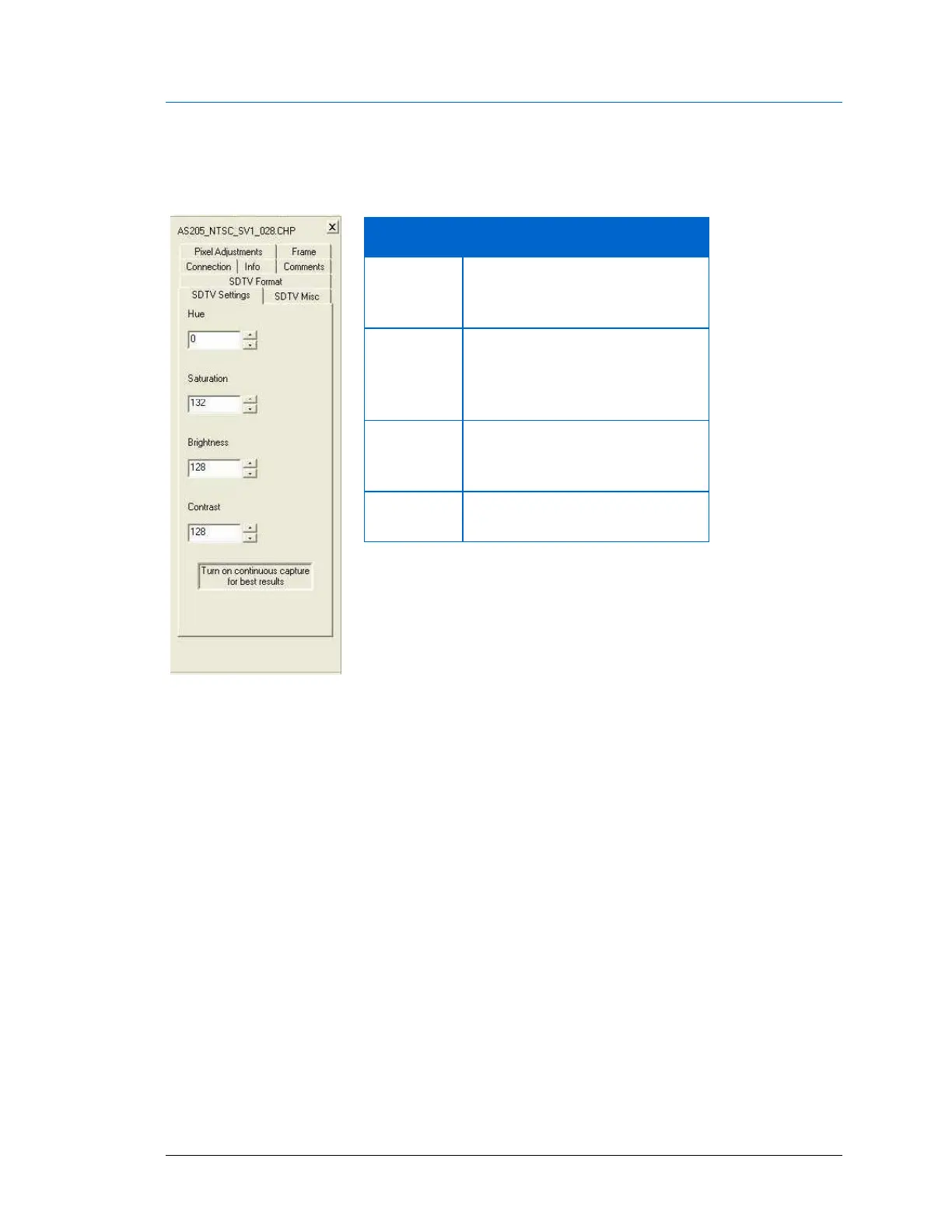
Use the SDTV Settings tab to edit the following video settings:
Figure 134: SDTV Settings
It is easiest to adjust these video settings when continuous capture is active. Updating the
values in single snap mode can be slow.

Setting
Description
Brightness
The brightness adjustment
determines the black level of the
video processing.
Contrast
The contrast adjustment
determines the luminance
(proportional to intensity)
produced for white.
Hue
Changes the phase offset of the
chroma demodulator thus
changing the tint of the image.
Saturation
Sets the amount of color in the
image.

Table of Contents