Using Auto-SYNC for Digital Input Connections
188 TIMS MVP™ Setup and Configuration Guide
Connection Settings
The Connection tab is used to select boards, and video source and cable input type. Video
Source may not be selectable on certain model frame grabbers.
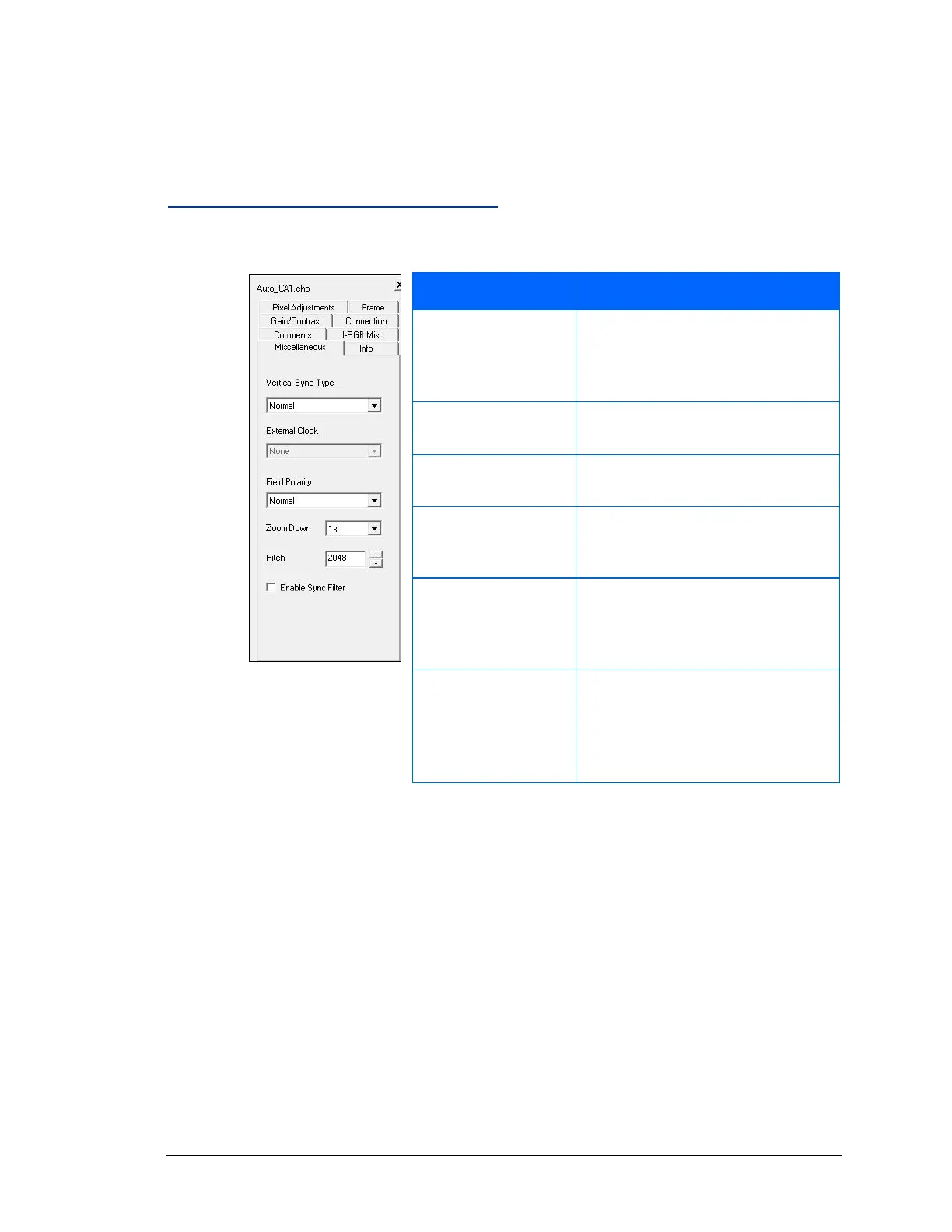
Changing the Miscellaneous Settings
Use the Miscellaneous tab to edit the following video settings:
Figure 89: Miscellaneous
Settings
Specifies the type of sync
information that is available during
the vertical sync and vertical front
porch periods.
For I-Series and AccuStream170
frame grabbers only. Not Used
Specifies the order of the signal
fields.
Old method of scaling for I-Series
and AccuStream170 frame
grabbers. Not Used.
Specifies an absolute width
reserved for one line of video in
frame grabber (i.e. video board)
memory.
Used with the accustream170
series frame grabbers only.
Not supported in the
(AccuStream+, AccuStream HD+
and HD+C series frame grabbers)



 To Next Page