Advanced Settings
70 TIMS MVP™ Setup and Configuration Guide
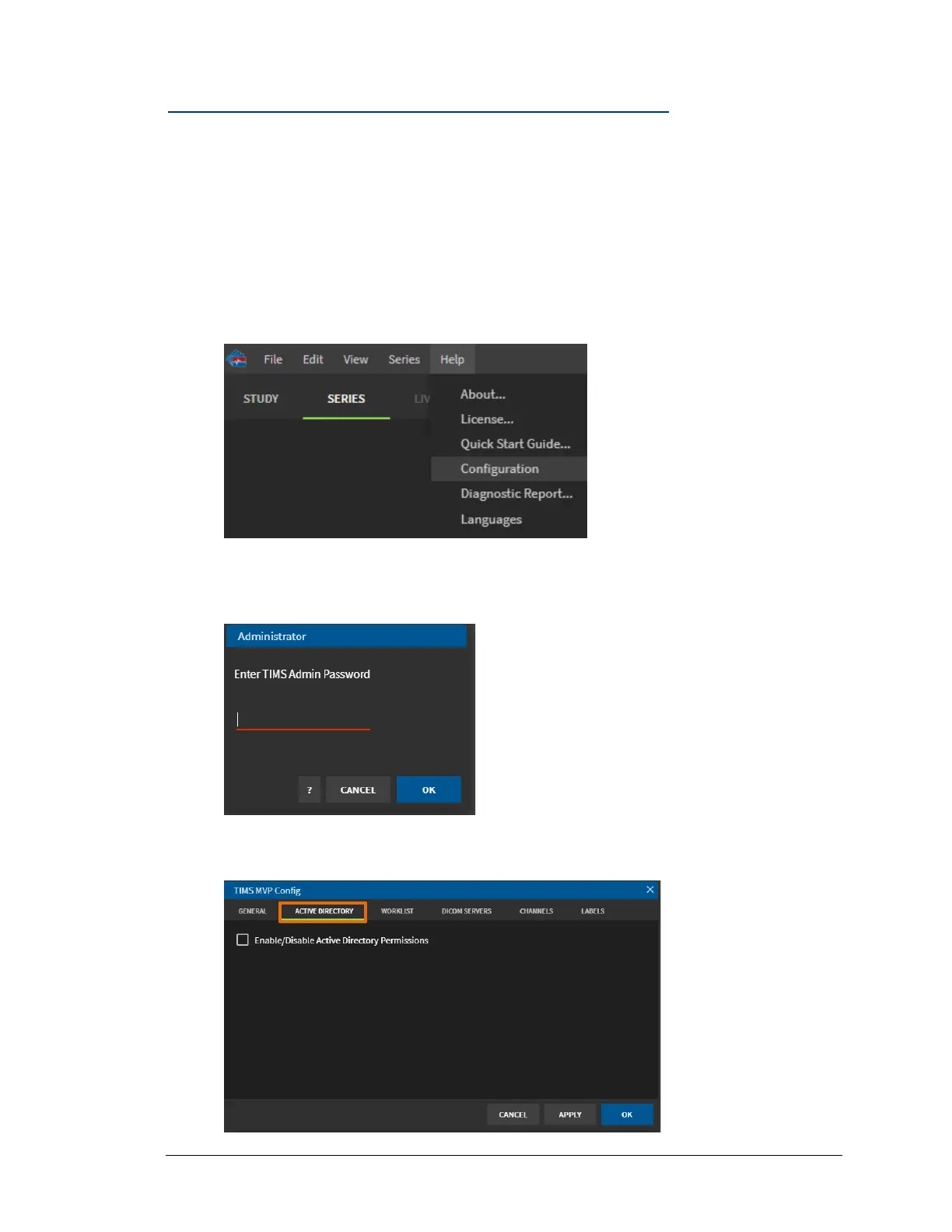
Access Active Directory TIMS MVP™ configuration page
Use Active Directory to encrypt calls that contain user and password information. The
encryption services included in Windows NTLM are used for this purpose. The encryption of
authentication information is enabled by default.
To access the TIMS MVP™ Active Directory configuration page:
1. Start TIMS MVP™.
2. From the Help menu, select Configuration.
:
3. Login into the Configuration page as administrator and click OK.
4. On the Configuration page, select the Active Directory tab. The Active Directory page
appears.



 To Next Page