Getting Started
TIMS MVP™ Setup and Configuration Guide 57
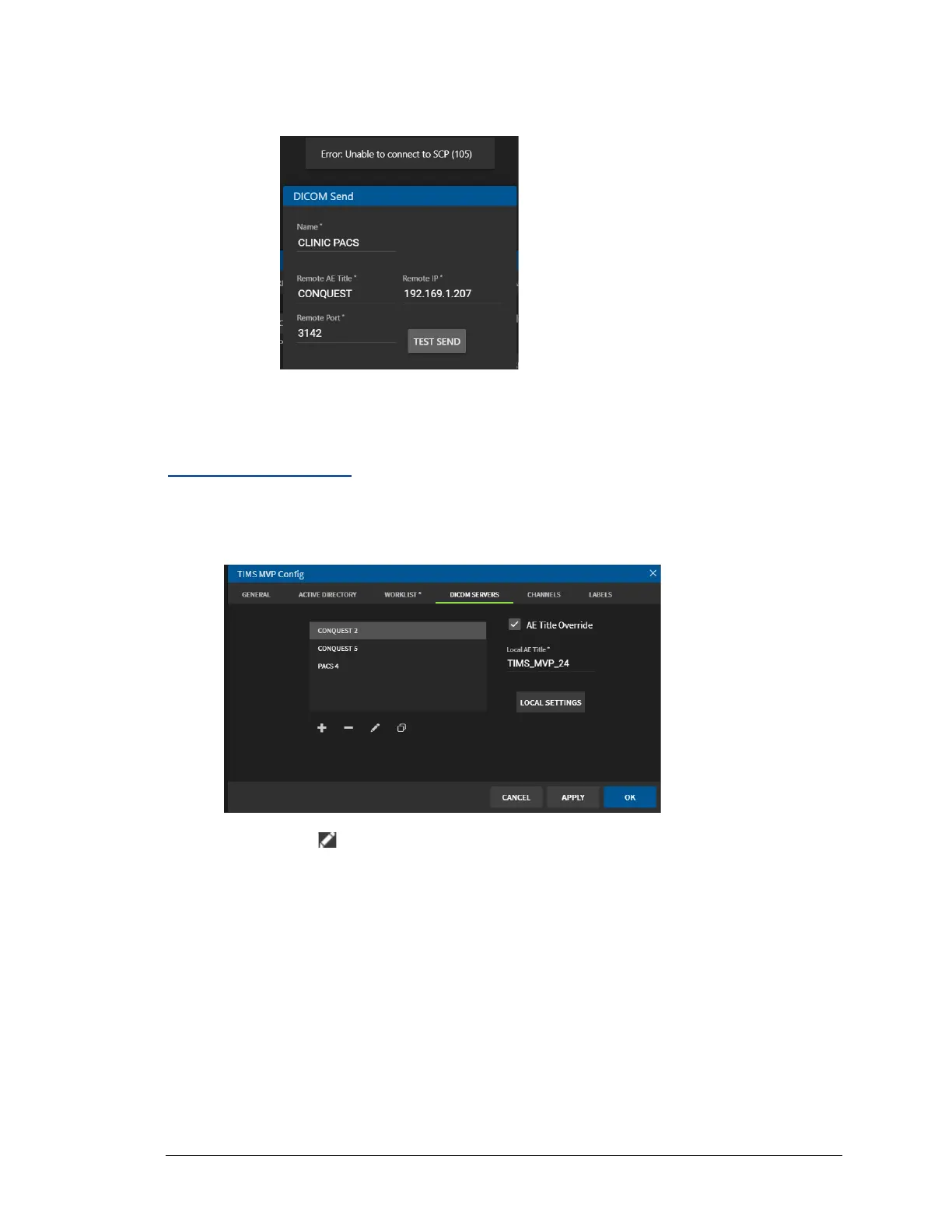
If the test is not successful, you receive an error message, check your settings
and then click TEST SEND again. An example message is show below:
4. Click OK to save after the test(s) succeed.
Edit a DICOM Server
To edit a DICOM Server on TIMS MVP™:
1. Select the DICOM server you want to edit.
2. Click the Edit icon.
3. Edit the settings for the selected DICOM server. For details on each setting, go to step 2
in Add a DICOM Server on page 53.



 To Next Page