Creating a Custom Hardware Profile
TIMS MVP™ Setup and Configuration Guide 97
Blanking Filter: The blanking filter specifies the number of lines at the top and bottom of the
image to ‘ignore’ during the calculations of an Auto-SYNC session.
This is used when the source has some ‘video aberrations’ at the top and bottom of the signal.
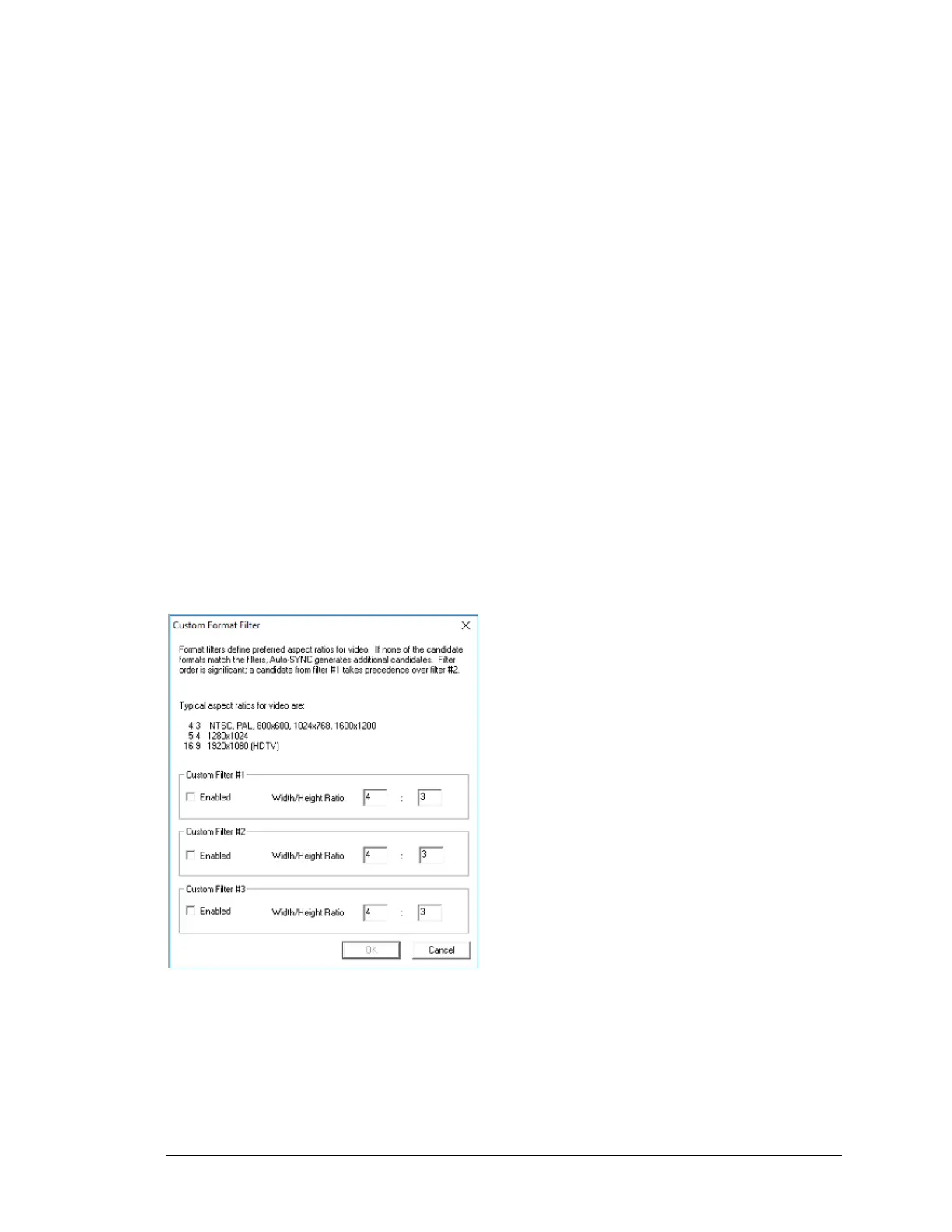
▪ Video Format Filter: Video format filters define the preferred aspect ratios for video.
The selections include:
▪ None (Default)
▪ VESA/VGA
▪ HDTV
▪ Custom
After an initial Auto-SYNC session, if the Aspect Ratio of the image is distorted (for
example, circles in the image are extremely elliptical -- horizontally or vertically), a
custom aspect ratio value can be used to provide better Auto-SYNC results.
When Auto-SYNCing to medical modalities such as 512 x 512 or
1K x 1K video, Auto-SYNC yields better results when the aspect ratio of 1:1 is entered as
a custom format filter.
Example: To set a preferred 1:1 aspect ratio session:
Figure 6: Custom format filter
Note: It is recommended that you do not change these settings unless you have the
experience and knowledge to do so.



 To Next Page