Using Auto-SYNC for Digital Input Connections
218 TIMS MVP™ Setup and Configuration Guide
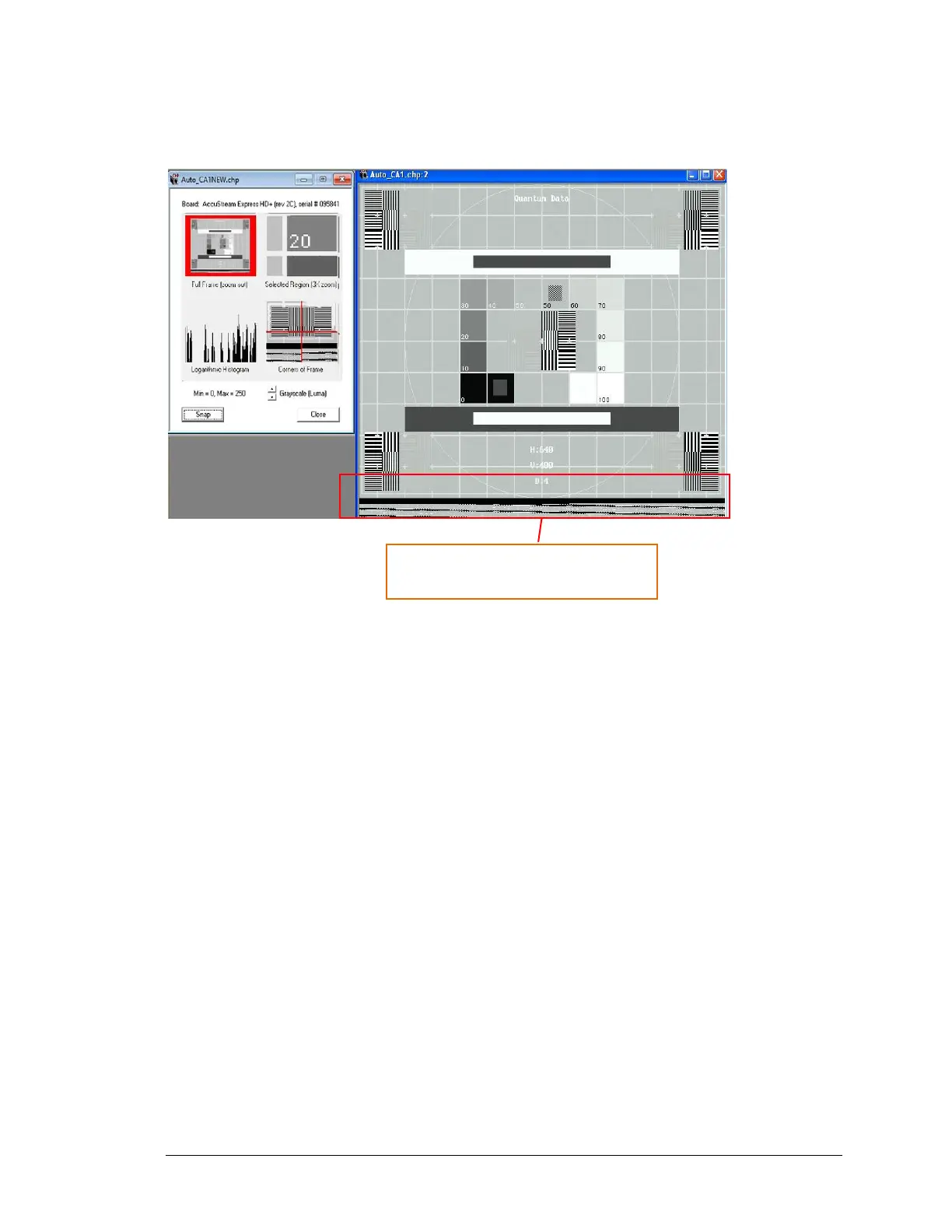
In the next example, the video image is too large and is distorted at the bottom edge.
Figure 117: Example of video image that is not aligned to the bottom edge
To adjust the image, decrease the height to decrease the bottom edge. This will align the video
image to bottom edge.
TIPS:
When making top/bottom framing adjustments:
▪ Adjust the top edge with VBP – increase VBP moves image up; decrease VBP moves image
down.
• Use to clip the top of image
• Use to define vertical AOI position
▪ Adjust bottom edge with height – increase height increases bottom edge; decrease height
decreases bottom edge.
• Use to clip edge of image
• Use to define vertical size of AOI



 To Next Page