TIMS MVP™ System Maintenance
246 TIMS MVP™ Setup and Configuration Guide
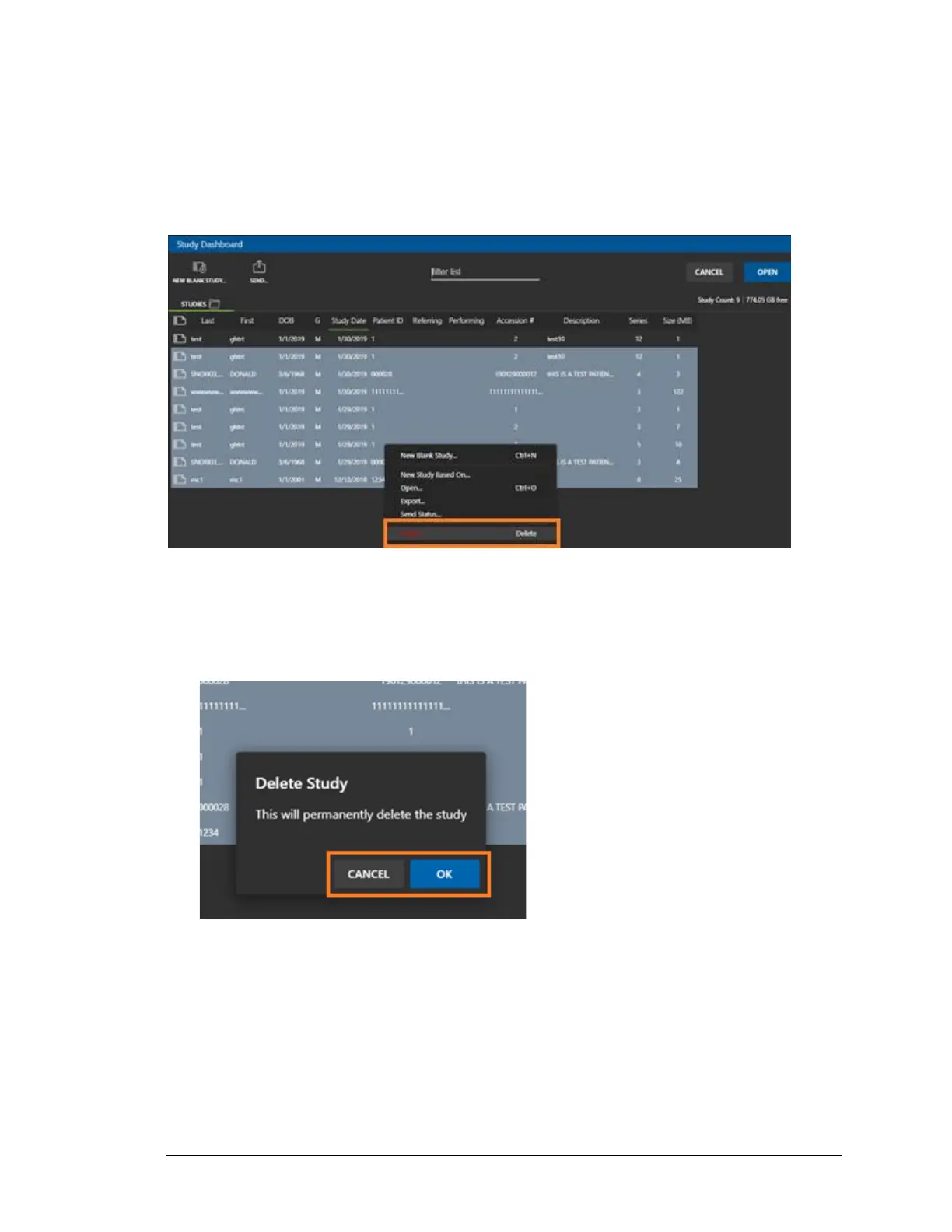
4. After verifying all the studies are on PACS:
a. click on the oldest study located at the bottom of the list.
b. Hold down the ß key and then use the Up Arrow ˜ key to highlight older
studies.
c. Right-click on the list and select Delete.
5. Click Cancel to stop the study deletions or click OK to delete the selected studies.
IMPORTANT: This is a destructive delete. This means you will not be able to recover the
studies in TIMS MVP™ or TIMS Review. However, you will be able to access studies that
have been backed up in PACS or some other system.
6. Return the Study Date column sort to the original setting.
7. Reboot and restart the TIMS MVP™ or TIMS Review system.



 To Next Page