Documenting measurements 6 Data Recorder
DMS Go+ Edition 4 (05/2014) 6-41
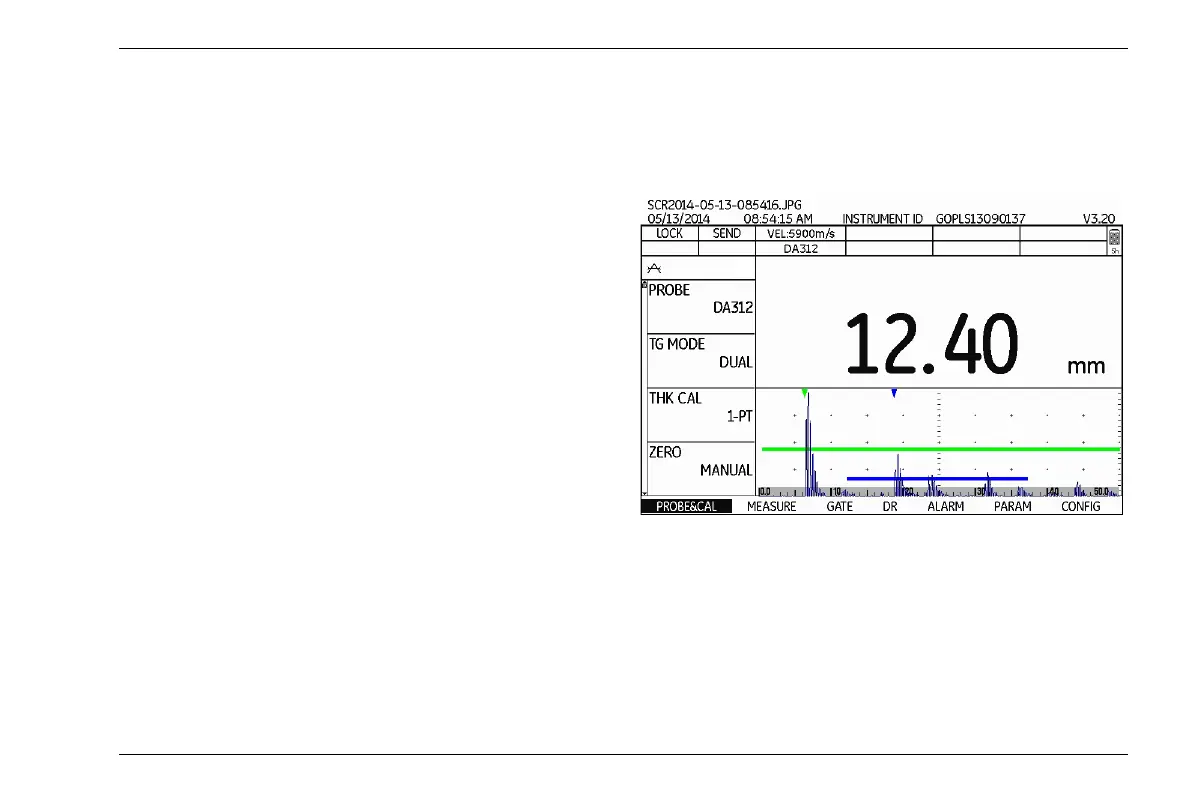
Screen shots
You can save screen shots (images of the current
screen display content) independently of the Data Re
-
corder at any time. These screen shots can likewise be
used for documentation purposes. The following addi
-
tional information about the screen display content is
displayed:
● File name
● Date
● Time
● Serial number of the instrument
● Software version
The name of the screen shot is automatically generated
and is composed of the abbreviation SCR, the date, the
time, and a consecutive number, e.g.
SCR2014-04-28-121523.JPG.
The screen shots are stored in the format JPG in the di-
rectory DMSGO/SNAPSHOT on the memory card.
– Press the function keys 1 and 2 at the same time. The
screen shot is saved. The memory card icon flashes
during saving (
see Section Status display icons,
page 0-5).



 To Next Page