Chapter 6: Receiver Configuration Modules IP Receiver Configuration
© Harmonic Inc. Manual p/n 101543/Ver 1.0 6-33 ProView 2900 Series/SW Version 1.94
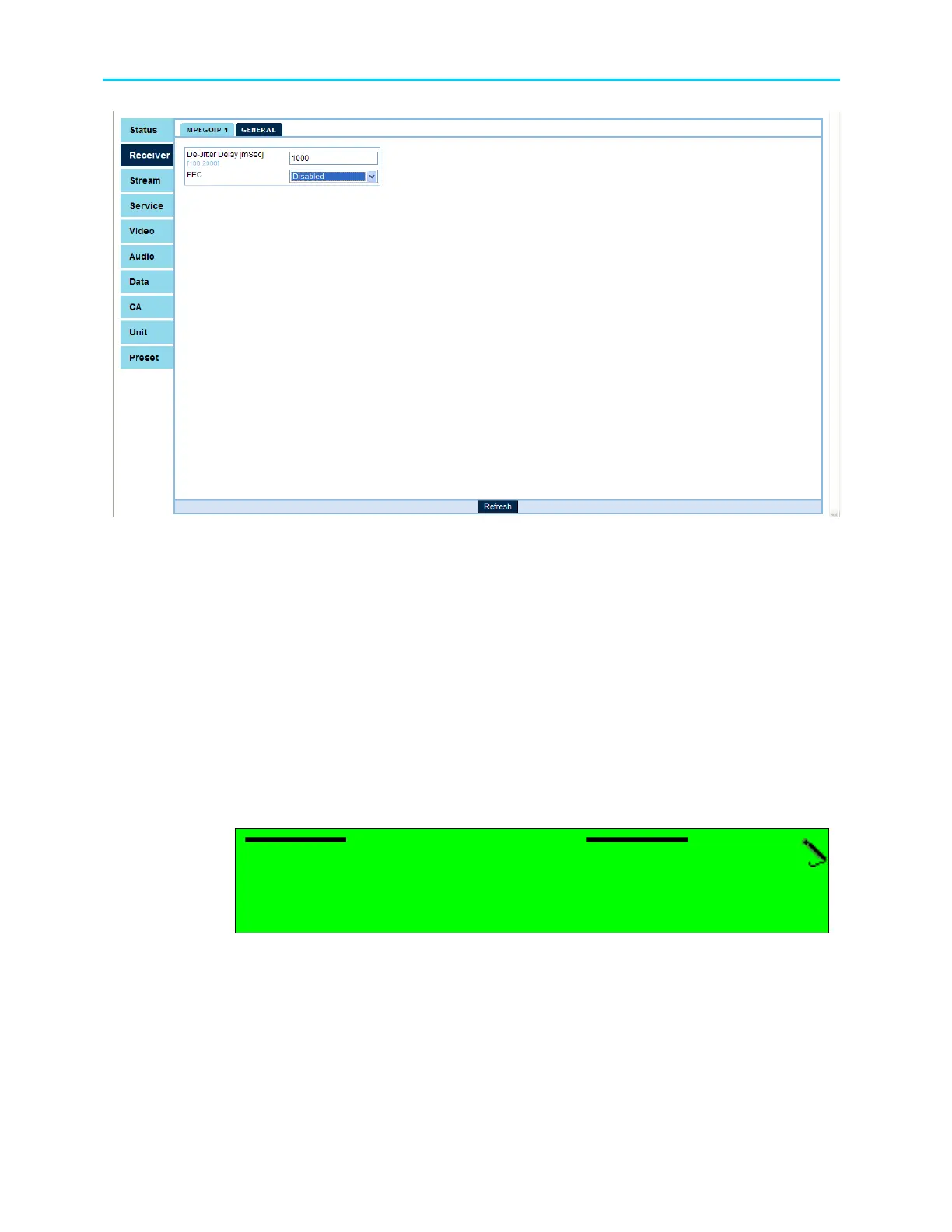
Figure 6-7: DVB-IP Receiver – General Parameters Menu Screen
• Selected Active Port – for selecting the active input port. This port will become active
and remain active unless a redundancy event caused the ProView 2900 to switch to the
other input port.
• Redundancy - enables or disables the ProView 2900 redundancy feature
• Redundancy Delay - for setting the time delay that defines a redundancy event
• De-Jitter Delay - for setting the de-jitter buffer time delay
• FEC – enables or disables the FEC feature
6.3.2.1. Selected Active Port
The Selected Active Port menu is used for selecting the active input port. This port will
become active, and remain active unless a redundancy event caused the ProView 2900 to
switch to the other input port.
Selected Active Port
Selected Active Port Selected Active Port
Selected Active Port
01
0101
01
<01
<01 <01
<01 -
--
- 02>
02> 02>
02>
Available values are 01 and 02.



 To Next Page