Chapter 7: Stream Configuration Menu Stream Filtering Configuration
© Harmonic Inc. Manual p/n 101543/Ver 1.0 7-11 ProView 2900 Series/SW Version 1.94
7.5.2. Filtering Using the Web-Based Management Interface
To use filtering mode through the front panel perform the following:
1. Configure ASI or/and IP outputs to filtering mode. To access the Service
submenus go to:
Stream
General
Output
ASI Output Source
After Filtering or
Stream
General
Output
IP Output Source
After Filtering
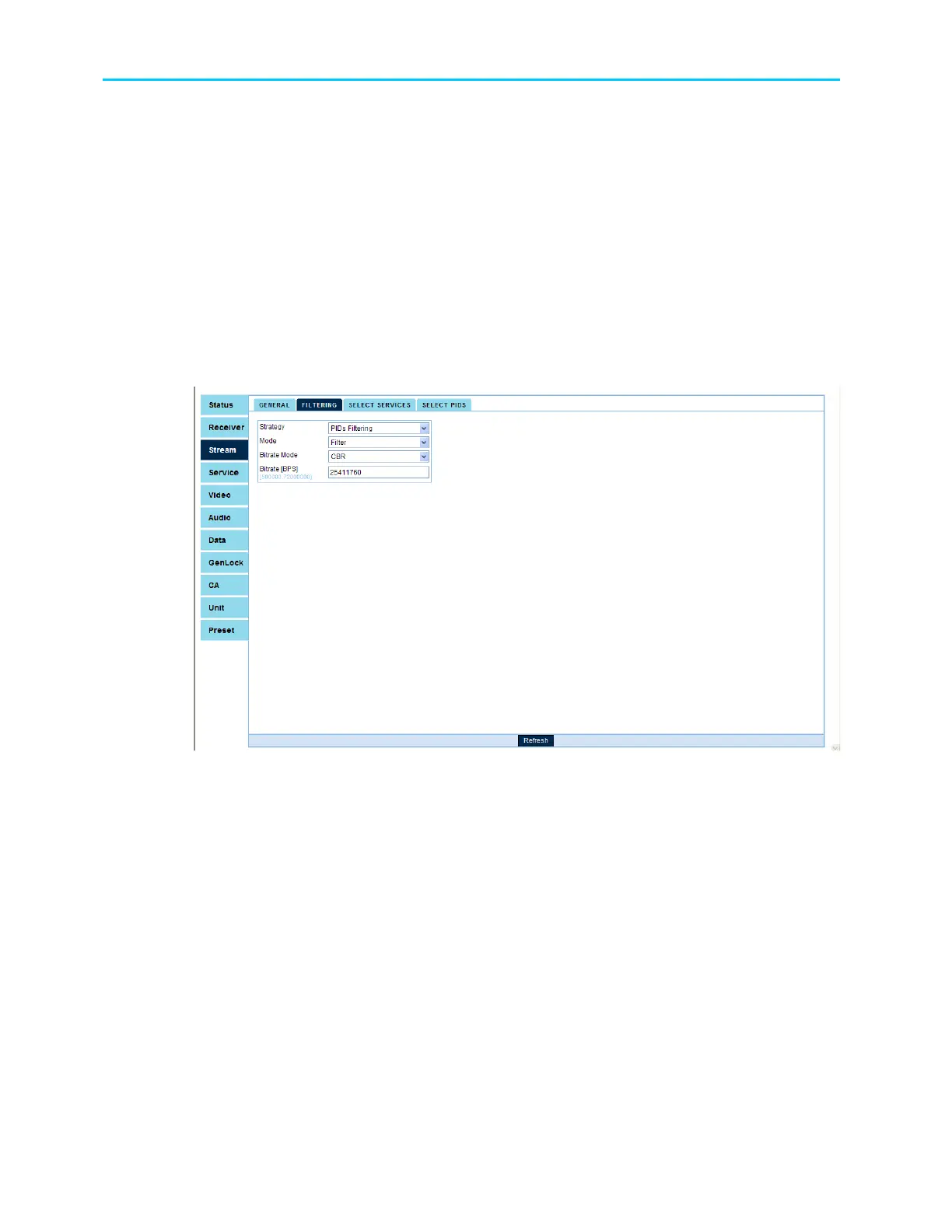
2. Set the following parameters at the Filtering sub menu: Strategy, Mode, Bit-rate
mode and Bit-rate value. To access the Filtering submenu go to:
Stream
Filtering
Figure 7-3 shows the corresponding Filtering Web-Management screen.
Figure 7-3: Filtering Parameters web-management screen
3. In case the service filtering strategy is selected, set the services (see section
7.5.4). To access the Select Services submenu go to:
Stream
Select Services
4. In case the PID filtering strategy is select, set the PIDs (see section 7.5.5).
To access the Select PIDs submenu go to: Stream
Select PIDs



 To Next Page