© Harmonic Inc. Manual p/n 101543/Ver 1.0 E-1 ProView 2900 Series/SW Version 1.94
Appendix E
ProView 2900 Warning Messages
This Appendix details all error notifications available for the ProView 2900. Errors can be
caused by ether hardware or software malfunctions. An error is indicated by the Warning
Leds located right to the front panel screen, followed by an Error Message on the front panel
screen.
E.1 Warning LEDs
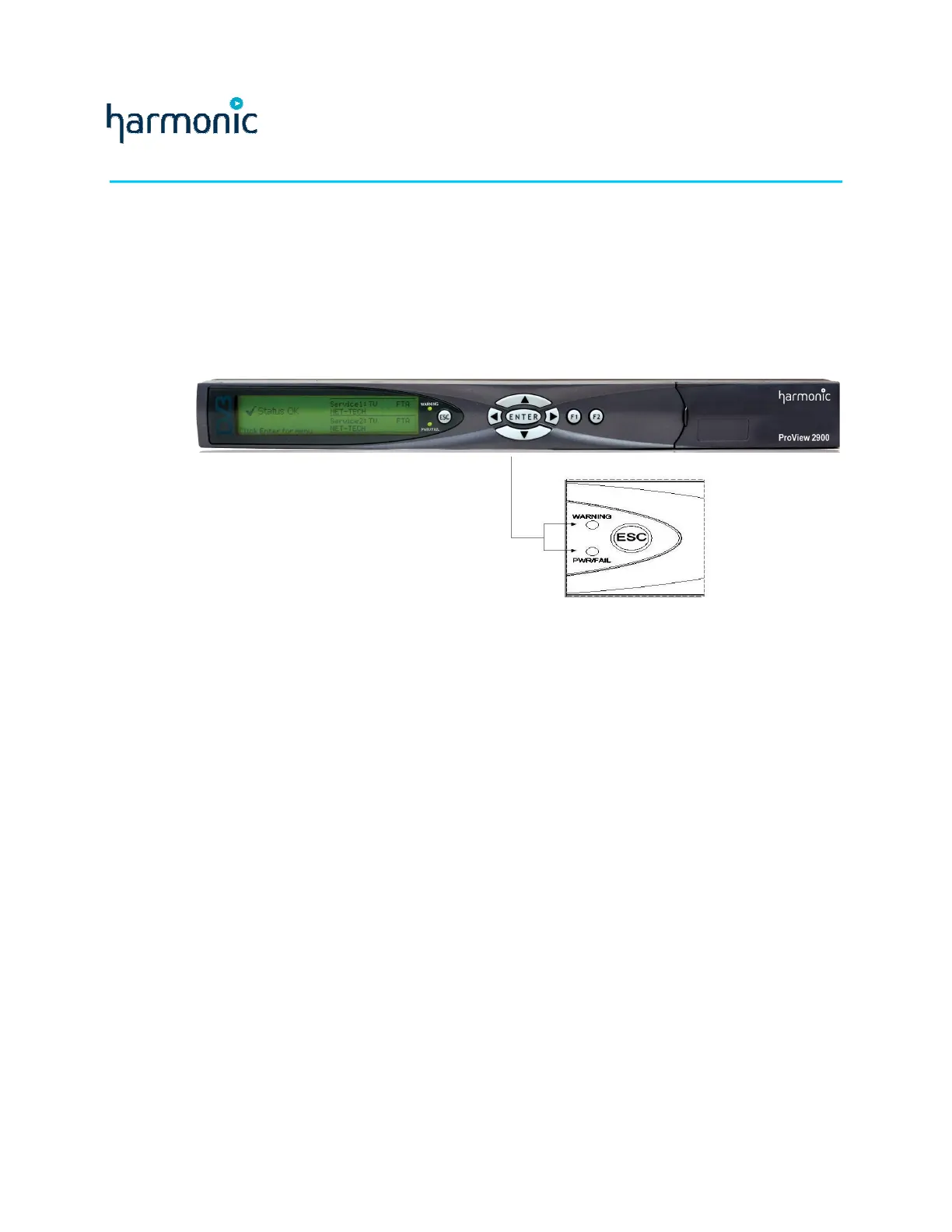
The ProView 2900 provided with two warning LEDs located right to the front panel screen.
These LEDs indicate errors when detected. Figure E-1 shows the warning LEDs as located
on the front panel.
Figure E-1: Front Panel Warning LEDs
The available LEDs are:
• WARNING – indicates any detected error by an orange light.
• PWR/FAIL – indicates hardware errors by a red light.
When the ProView 2900 is properly functioning, both LEDs light green.
E.2 Warning messages
Warning messages appears on the front panel screen when an error is detected. The
warning message briefly describes the level of the malfunction.
Satellite front-end warnings:
• Signal Not Received
• Demodulator Not Sync
• Viterbi Not Sync
• Deinterleaver Not Sync
• Front End Not Locked
IP front-end warnings:
• IP Config' Error
Satellite/IP bit-stream warnings:
• No Sync-0x47 Detected
• PSI Not Detected



 To Next Page