Chapter 14: Unit Configuration Menu Change Password (Web Manager Only)
© Harmonic Inc. Manual p/n 101543/Ver 1.0 14-4 ProView 2900 Series/SW Version 1.94
14.2.2. Soft Reset
This parameter is used for performing a warm reset on the ProView 2900.
Soft Reset
Soft Reset Soft Reset
Soft Reset
1
11
1
OFF
OFF OFF
OFF
2
22
2
ON
ON ON
ON
The available options are On and OFF. Selecting ON option performs a soft reset:
14.3. Change Password (Web Manager Only)
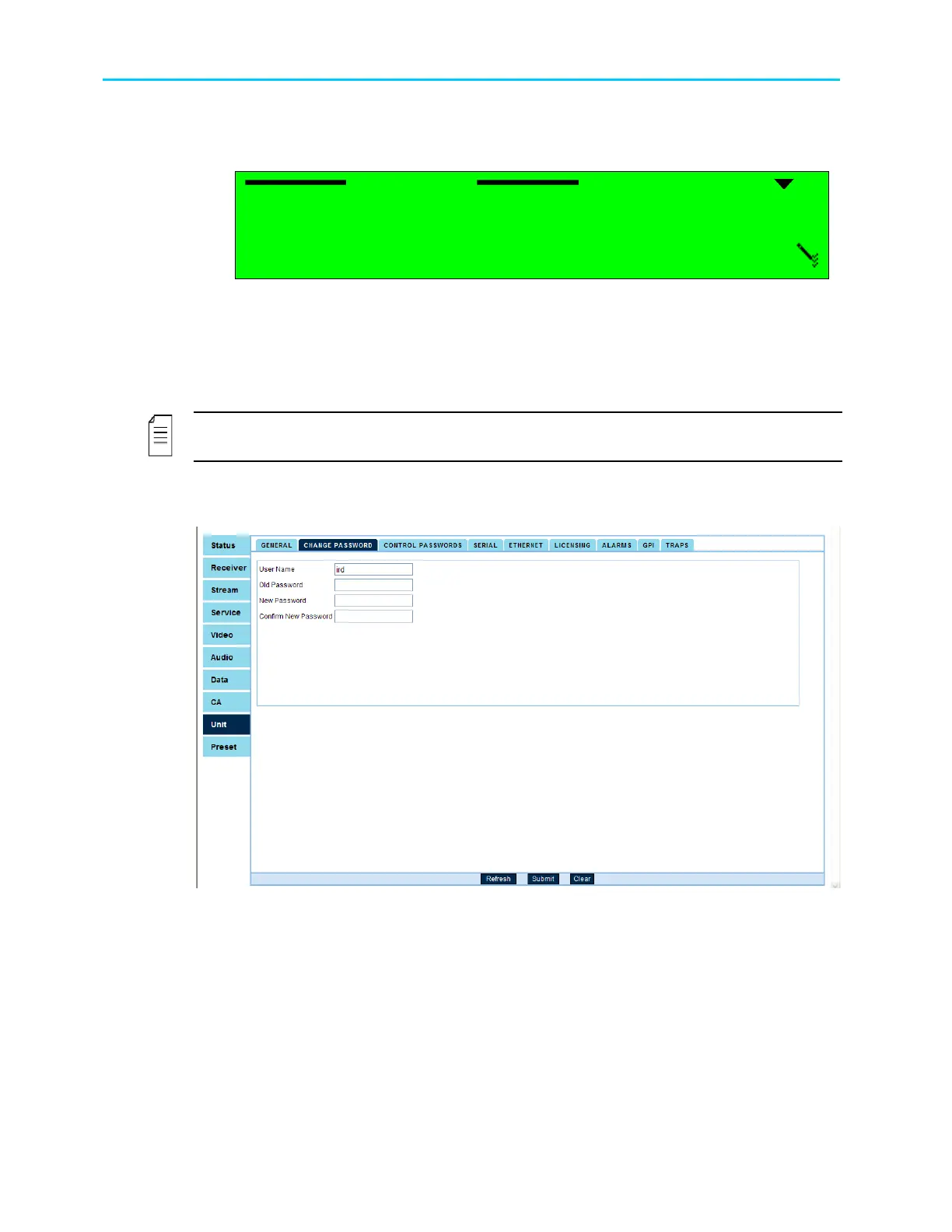
The Change Password menu screen allows changing the access password to the
Web-Management and FTP interfaces.
NOTE
This feature is available through the web-interface only.
To access the Change Password screen, go to Unit
Change Password.
Figure 14-4 displays the Change Password menu screen.
Figure 14-4: Change Password Screen
To change the password: Fill the following fields and press [Submit] to apply:
• User Name – Enter the user name. The current User Name is displayed by
defaults.
• Current Password – Enter the current password.
• New Password – Enter a new password.
• Confirm New Password – Re-enter the new password.



 To Next Page