Chapter 14: Unit Configuration Menu Ethernet Management Port
© Harmonic Inc. Manual p/n 101543/Ver 1.0 14-8 ProView 2900 Series/SW Version 1.94
14.6. Ethernet Management Port
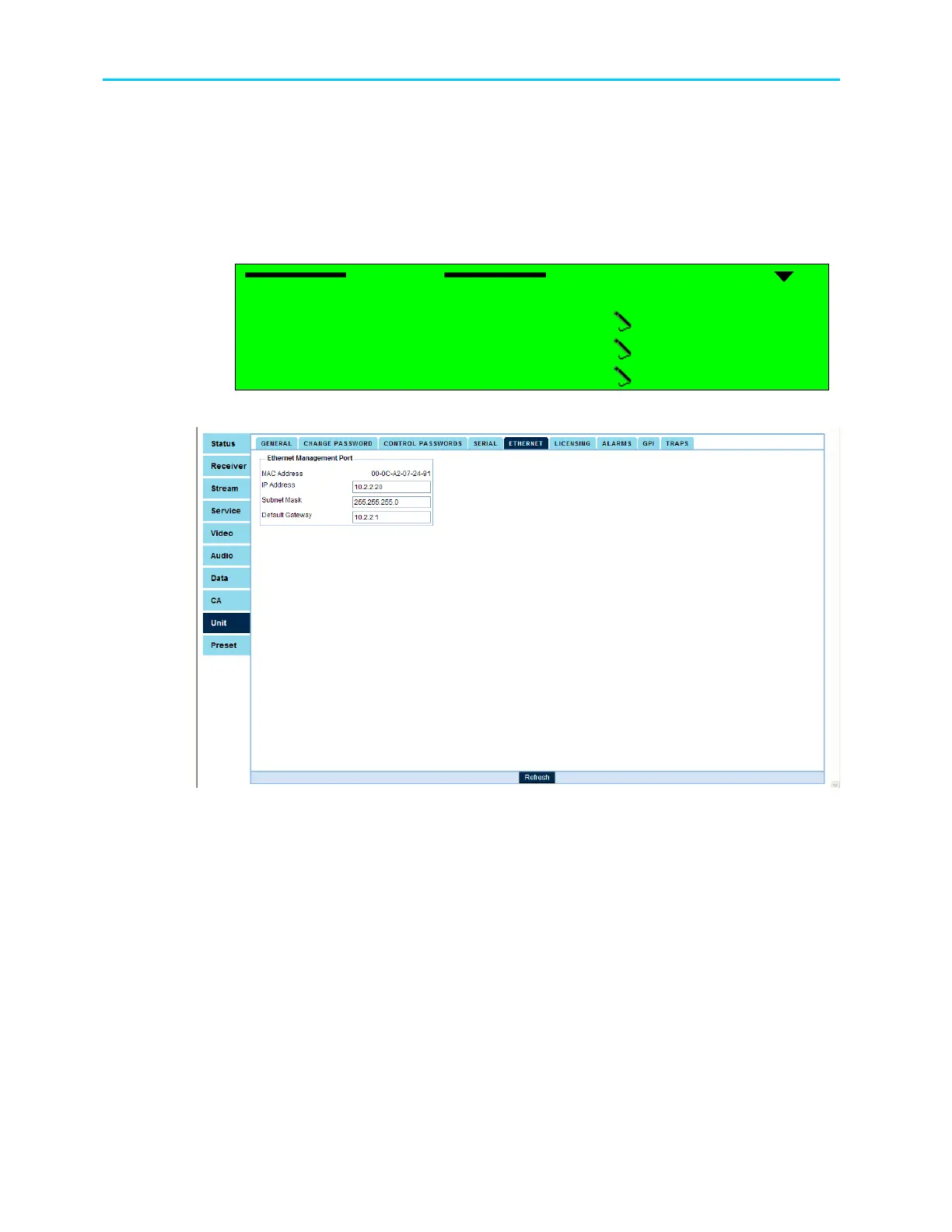
The Ethernet menu allows setting the Ethernet management port parameters.
To access the Ethernet Management Port menu in the front panel control interface go to
Configuration
Unit
Ethernet.
The following figure illustrates the Ethernet menu:
Ethernet
Ethernet Ethernet
Ethernet
1
11
1-
--
-2
22
2-
--
-8
88
8-
--
-3
3 3
3
1 MAC Address
1 MAC Address1 MAC Address
1 MAC Address
00
0000
00-
--
-58
5858
58-
--
-34
3434
34-
--
-25
2525
25-
--
-95
9595
95-
--
-67
6767
67
2 IP Address
2 IP Address2 IP Address
2 IP Address
010.008.000.216
010.008.000.216010.008.000.216
010.008.000.216
3 Network Mask
3 Network Mask3 Network Mask
3 Network Mask
255.255.255.000
255.255.255.000255.255.255.000
255.255.255.000
4 Default Gateway
4 Default Gateway4 Default Gateway
4 Default Gateway
010.008.000.001
010.008.000.001010.008.000.001
010.008.000.001
Figure 14-7 shows the corresponding Unit Ethernet Web management screen.
Figure 14-7: Unit Ethernet Screen
The following paragraphs describe the Ethernet Management Port Configuration parameters.
14.6.1. MAC Address
The MAC Address parameter displays the MAC address of the ProView 2900 management.



 To Next Page