© Harmonic Inc. Manual p/n 101543/Ver 1.0 12-1 ProView 2900 Series/SW Version 1.94
Chapter 12
GenLock Configuration Mneu
This chapter details the GenLock configuration functions provided to the ProView 2900 User.
12.1. GenLock Configuration Menu Tree
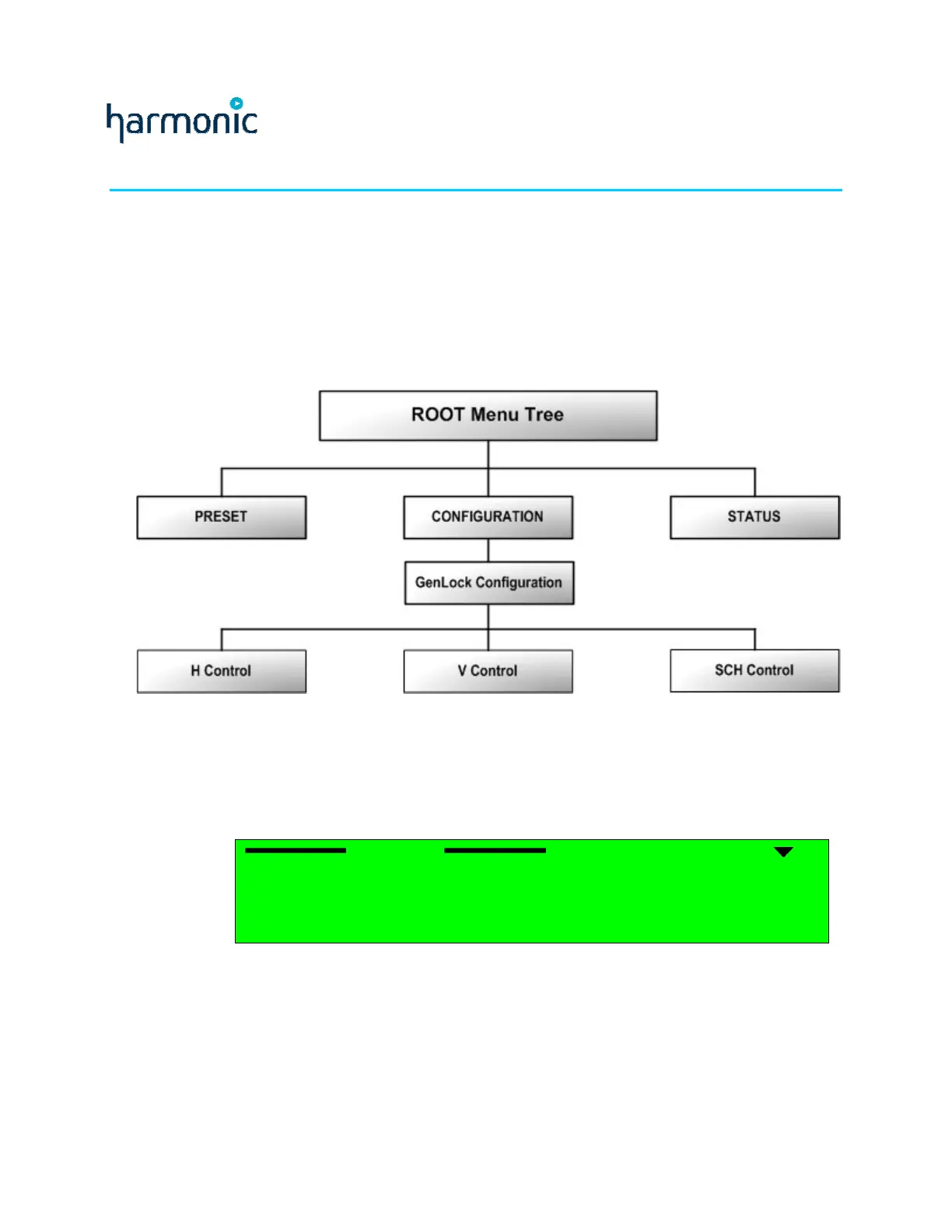
The GenLock configuration menu is used for synchronize the ProView 2900 with an external
video input.
Figure 12-1 displays a tree diagram of the GenLock Configuration Menu.
Figure 12-1: GenLock Configuration Menu Tree Structure
To access the GenLock menu through the front panel, go to:
Root
Configuration
Genlock.
The following figure shows the front panel GenLock configuration menu:
Genlock
GenlockGenlock
Genlock
1
11
1-
--
-2
22
2-
--
-7
77
7
1
1 1
1 H Control
H ControlH Control
H Control
2
2 2
2 V Control
V ControlV Control
V Control
3
3 3
3 SCH Control
SCH ControlSCH Control
SCH Control



 To Next Page