Chapter 10: Audio Configuration Menu Audio Decoder Mode Setup
© Harmonic Inc. Manual p/n 101543/Ver 1.0 10-3 ProView 2900 Series/SW Version 1.94
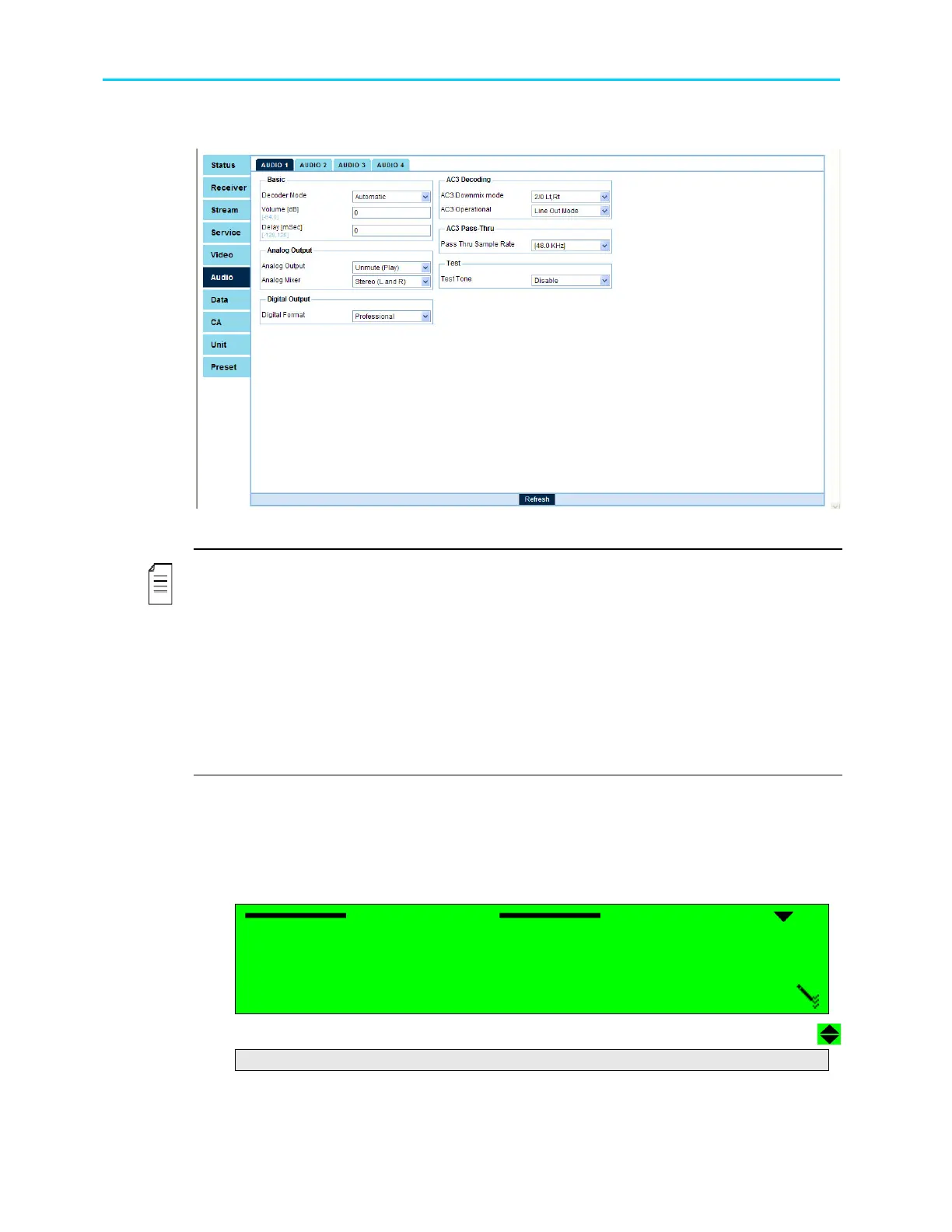
Figure 10-2 displays the corresponding Audio1 Menu (Web Management screen).
Figure 10-2: Audio 1 Menu Screen
NOTES
Although AC3 Downmix Mode, AC3 Operational Mode, and PassThru Sample Rate
parameters can always be accessed from the Audio (1..4) Parameters window, they are
affective only when their corresponding mode is selected in Decoder Mode.
In the Web Management window, AC3 Downmix Mode and AC3 Operational Mode are
effective only when Dolby AC3 is selected in Decoder Mode
In the Web Management, window PassThru Sample Rate is effective only when PassThru is
selected in Decoder Mode.
Digital Format will be supported by the ProView 2900 Web Control interface in the future SW
releases.
The following paragraphs detail the Audio Configuration options.
10.2. Audio Decoder Mode Setup
The Audio Decoder mode option allows the user setting the following parameters for an
Audio channel:
Decoder Mode
Decoder Mode Decoder Mode
Decoder Mode
1
11
1
MUSICAM
MUSICAM MUSICAM
MUSICAM
2
22
2
DOLBY
DOLBY DOLBY
DOLBY-
--
-AC3
AC3AC3
AC3
3
33
3
AC
AC AC
AC3 PASSTHRU
3 PASSTHRU3 PASSTHRU
3 PASSTHRU
4
44
4
LINEAR
LINEAR LINEAR
LINEAR-
--
-PCM
PCMPCM
PCM
5
55
5
AUTOMATIC
AUTOMATIC AUTOMATIC
AUTOMATIC
This menu controls the decoder audio mode; The available options are:



 To Next Page