Chapter 7: Stream Configuration Menu Stream Input
© Harmonic Inc. Manual p/n 101543/Ver 1.0 7-5 ProView 2900 Series/SW Version 1.94
7.2. Stream Input
The ProView 2900 supports a wide range of optional input interfaces, allowing the
ProView 2900 to receive input streams from different sources.
To access the Stream Input Configuration menu in the ProView 2900 Front Panel, go to
Configuration
Stream
Input .
Input
InputInput
Input
1
11
1 Source
Source Source
Source
2
22
2 Type
Type Type
Type
3
33
3 Rate Range
Rate Range Rate Range
Rate Range
4
44
4 Identifier (ISI)
Identifier (ISI) Identifier (ISI)
Identifier (ISI)
00
0000
00
05
05 05
05 ASI Mode
ASI ModeASI Mode
ASI Mode
Burst
BurstBurst
Burst
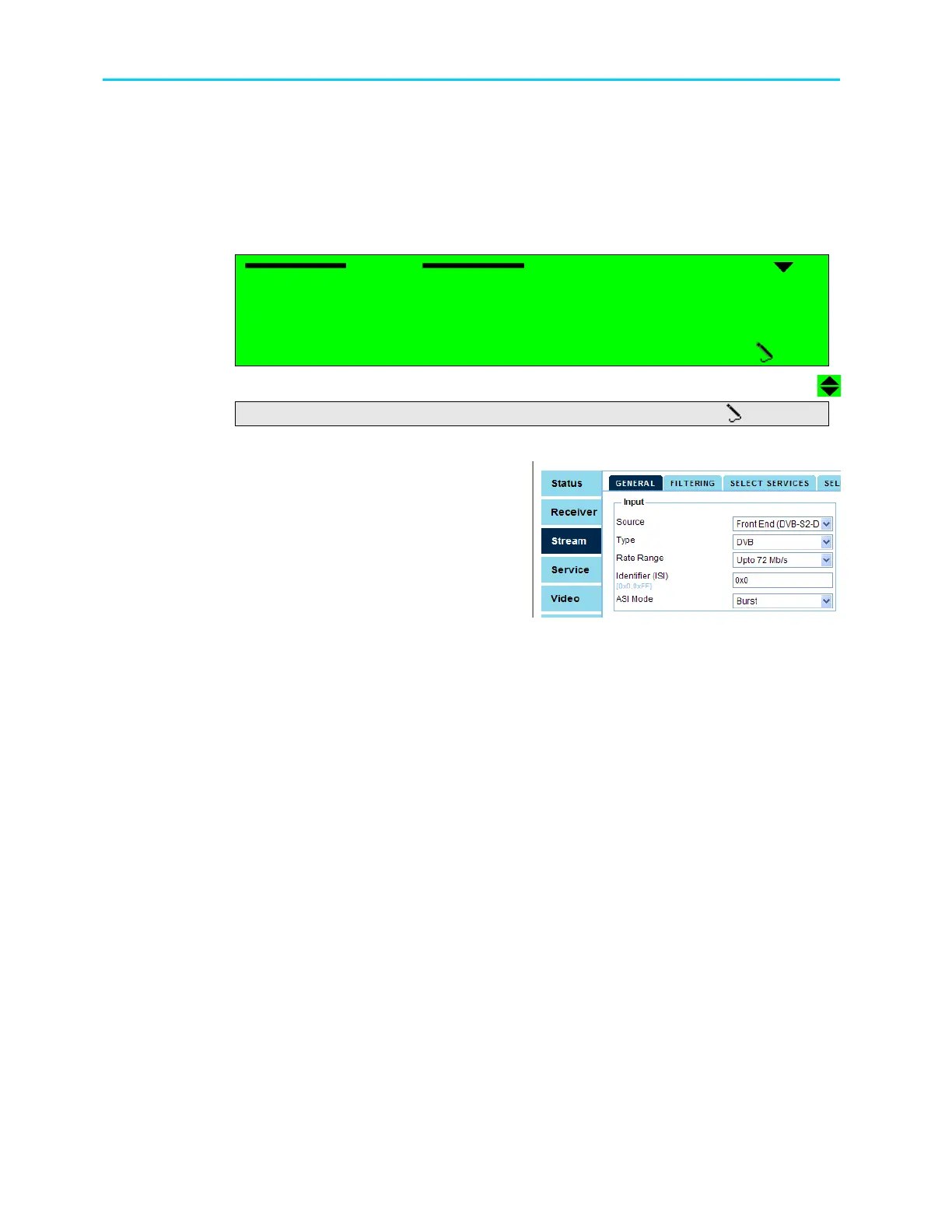
The respective Web Management menu is
provided in the Stream
General
Input
window.
The following options are provided in both interfaces.
• Source, selects the source input stream
• Type, selects between ATSC format and DVB format
• Rate Range, selects the rate range of the ASI input
• Identifier, sets the stream identifier byte for the selected encapsulated stream in a
Multiple Input Streams received by the DVB-S2 front-end receiver.
• ASI Mode, selects the input mode for the stream received over the ASI input.



 To Next Page