Chapter 5: Operation and Management ProView 2900 Status Menu
© Harmonic Inc. Manual p/n 101543/Ver 1.0 5-11 ProView 2900 Series/SW Version 1.94
NOTE
The web does not display a special Configuration Menu. Instead, configuring the encoder
parameters are done from the RVP-2900 Web Management root screen, in which the
previously mentioned menus are displayed as tabs.
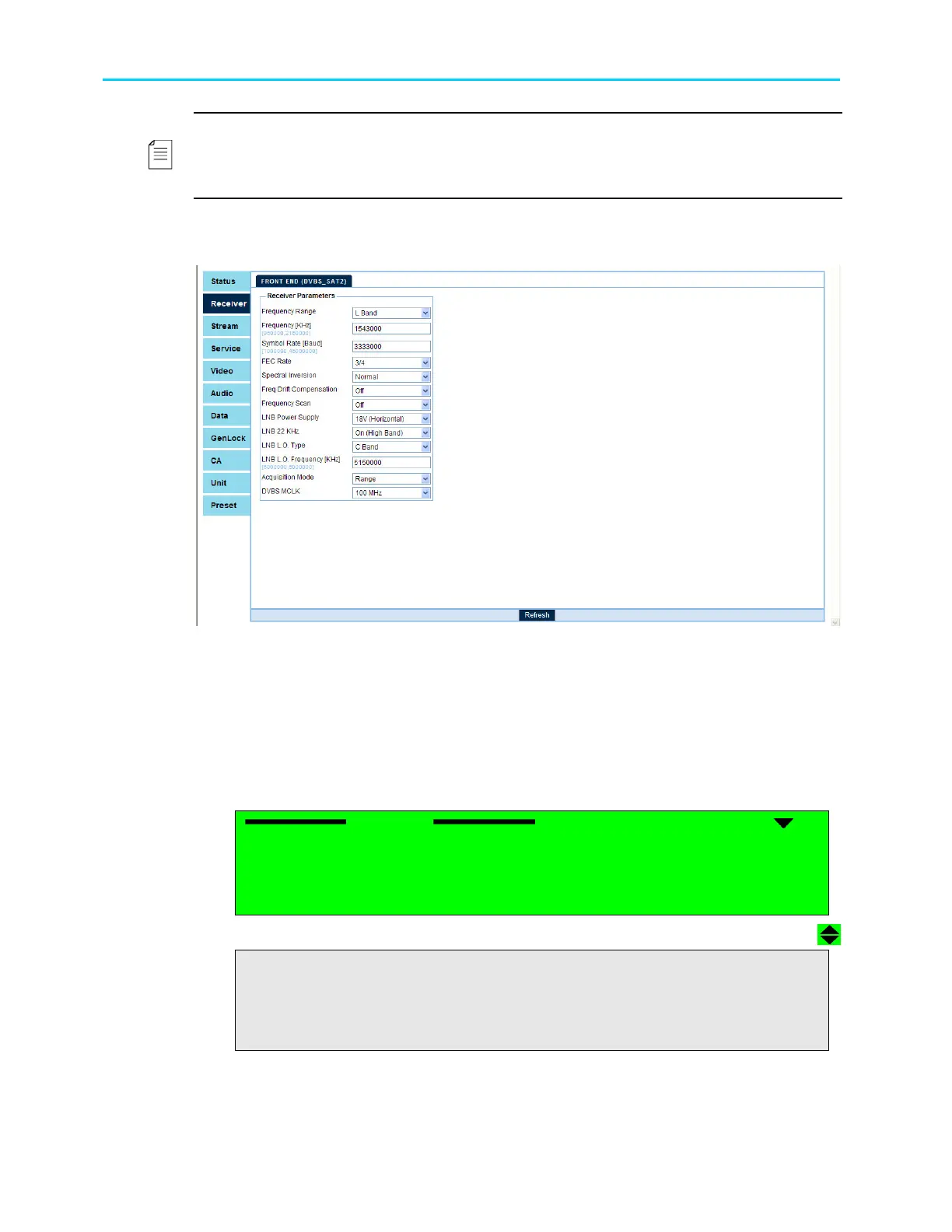
The following example displays the ProView 2900 Web Management screen.
5.4. ProView 2900 Status Menu
The ProView 2900 allows the user to monitor the status of different parameters using the
front panel or the web-management.
To access the ProView 2900 Status menu, select Status from the Root menu.
The ProView 2900 Status menu is displayed in the following menu navigation screen:
Status
Status Status
Status
1
11
1-
--
-3
3 3
3
1
1 1
1 Receiver
ReceiverReceiver
Receiver
2 Stream
2 Stream2 Stream
2 Stream
3 Service
3 Service3 Service
3 Service
4 V
4 V4 V
4 Video
ideoideo
ideo
5 Audio
5 Audio5 Audio
5 Audio
6 Data
6 Data6 Data
6 Data
7
77
7
GenLock
GenLockGenLock
GenLock
8
88
8 Conditional Access
Conditional Access Conditional Access
Conditional Access
9
99
9 Unit
Unit Unit
Unit



 To Next Page