Chapter 14: Unit Configuration Menu Traps Menu (Web Manager Only)
© Harmonic Inc. Manual p/n 101543/Ver 1.0 14-16 ProView 2900 Series/SW Version 1.94
14.9. Traps Menu (Web Manager Only)
Traps are notifications sent by the device without user intervention. The Traps Menu allows
setting up to 5 trap destinations.
NOTE
Trap configuration is available through the Web-Management Interface and CLI.
This manual details trap configuration using the Web Management.
To access the Traps menu thought the web-interface, go to: Unit
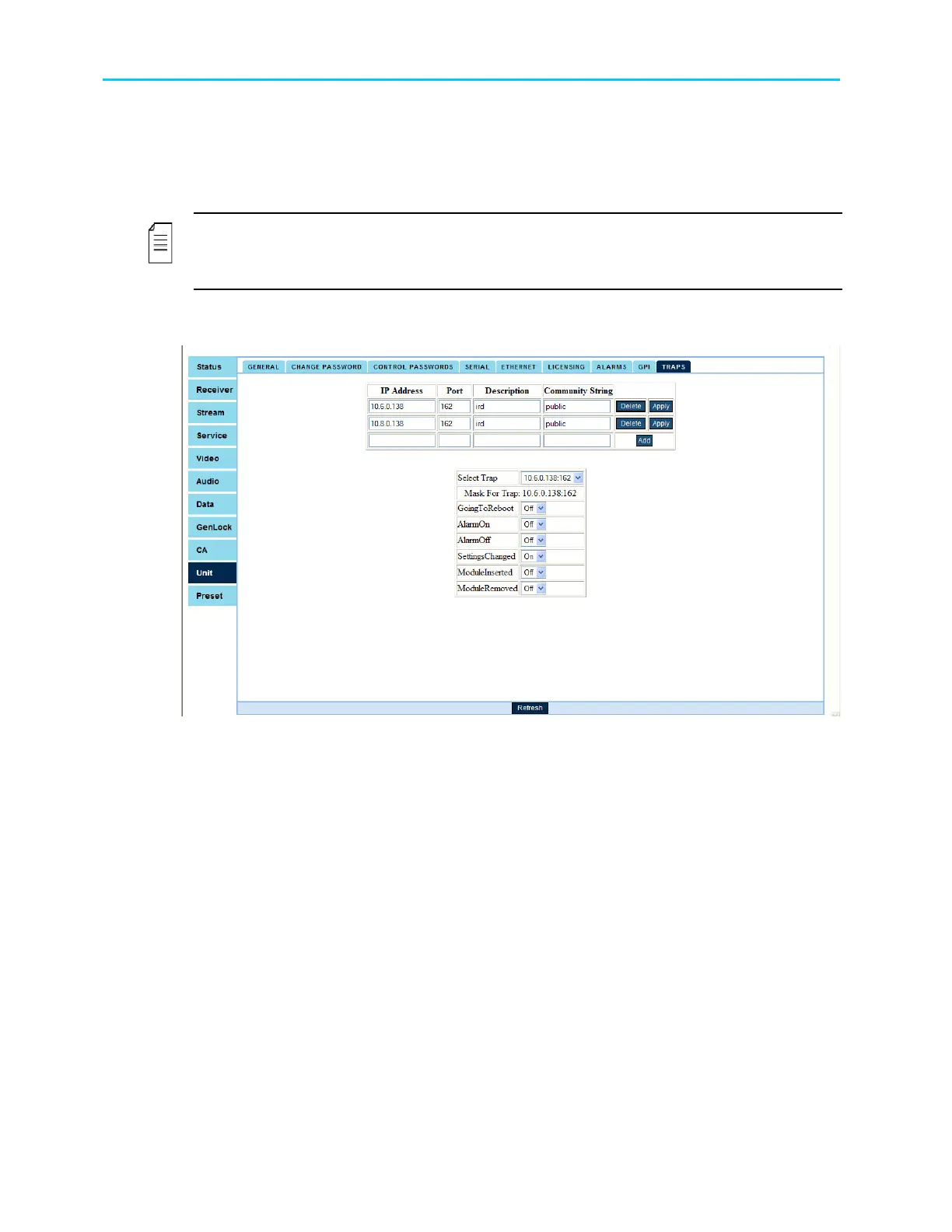
Traps. Figure 14-11
shows the web-interface Traps screen:
Figure 14-11: Web Interface – Traps Screen
The Traps screen displays two tables:
• Trap Destination Table, which includes the following columns:
IP Address – Sets the IP address of the trap destination.
Port – Sets the UDP port number of the tarp destination.
Description – Optional parameter. Displays a string describing the trap destination.
Community String – Optional parameter. Displays a string describing the community of the trap.
This string is included in the trap message.
• Traps Masking Table, which allows setting preferences for each trap shown in the trap
destination table. The Traps Masking Table includes the following parameters:
Select Traps - allows selecting one of the shown in the trap destination table.
Mask For Trap – Shows the alarm's IP address and it's port.
Configuration Parameters: Allows enabling or disabling each of the following MIB parameters:
GoingToReboot, AlarmOn, AlarmOff, SettingChangess, ModuleInserted, and ModuleRemoved.
For details refer to the ProView 2900 MIB User Guidelines.



 To Next Page