Chapter 14: Unit Configuration Menu Dry Contact Menu
© Harmonic Inc. Manual p/n 101543/Ver 1.0 14-15 ProView 2900 Series/SW Version 1.94
14.8.14. Dry Contact Configuration Using the Web-Interface
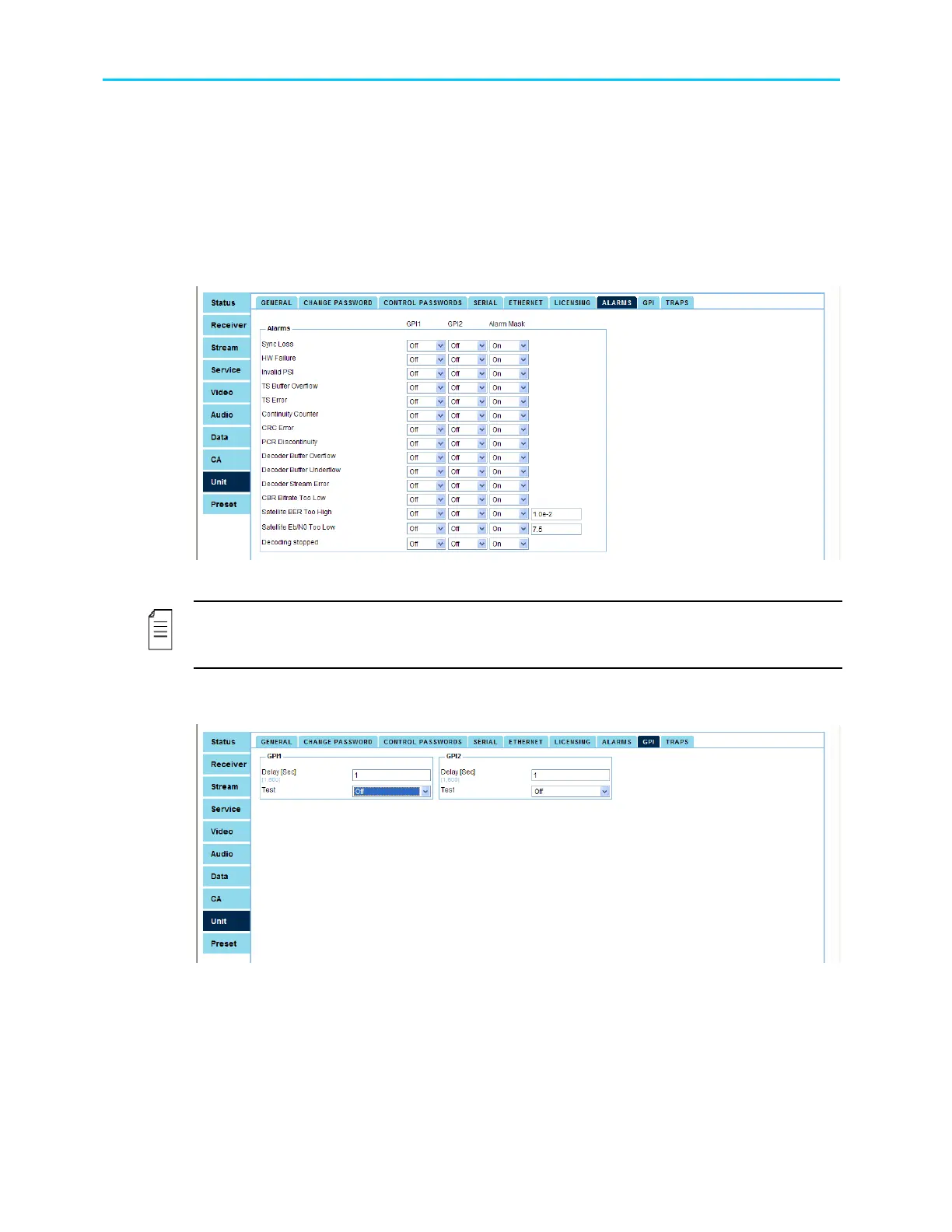
Configuring the dry contact in the Web interface is divided to two different menus:
• Alarms – Allows enabling and disabling the alarms.
• GPI – Allows setting the GPI delay time and tests.
To access the Dry Contact (Alarms) configurations though the web-interface, go to:
Unit
Alarms. Figure 14-9 displays the Alarms web-interface screen:
Figure 14-9: Alarms Web-Interface Screen
NOTE
GPI1, GPI2, and the SNMP alarm can be enabled or disabled for every alarm. However once
the Alarm Mask is disabled then also GPI1 and GPI2 are disabled.
To access the Dry Contact (General) configurations though the web-interface, go to:
Unit
GPI. Figure 14-10 displays the GPI web-interface screen:
Figure 14-10: GPI Web-Interface Screen



 To Next Page