Chapter 9: Video Configuration Menu OSD 1 (and OSD 2) Configuration Options
© Harmonic Inc. Manual p/n 101543/Ver 1.0 9-16 ProView 2900 Series/SW Version 1.94
9.4. OSD 1 (and OSD 2) Configuration Options
The OSD 1 (and OSD 2 in dual decoder ProView 2900) Menu contains parameters for Video
1 and Video 2 (if applicable).
These menus are entered from the ProView 2900 Video Configuration Menu (see Section
Chapter 1). The following screens display the Video 1 and Video 2 menus:
Osd 1
Osd 1 Osd 1
Osd 1
1
11
1-
--
-2
22
2-
--
-4
44
4-
--
-1
1 1
1
1 Monitor Output
1 Monitor Output 1 Monitor Output
1 Monitor Output
ENABLE
ENABLEENABLE
ENABLE
2 Broad
2 Broad2 Broad
2 Broadcast Output
cast Outputcast Output
cast Output
ENABLE
ENABLEENABLE
ENABLE
3 X Position Offset
3 X Position Offset3 X Position Offset
3 X Position Offset
000 [Pixel]
000 [Pixel]000 [Pixel]
000 [Pixel]
4 Y Position Offset
4 Y Position Offset4 Y Position Offset
4 Y Position Offset
000 [Pixel]
000 [Pixel]000 [Pixel]
000 [Pixel]
5 DVB Subtitle Mode
5 DVB Subtitle Mode5 DVB Subtitle Mode
5 DVB Subtitle Mode
NO PAGE FILTER
NO PAGE FILTERNO PAGE FILTER
NO PAGE FILTER
6 TLTX Subtitle Mode
6 TLTX Subtitle Mode6 TLTX Subtitle Mode
6 TLTX Subtitle Mode
DISABLE
DISABLEDISABLE
DISABLE
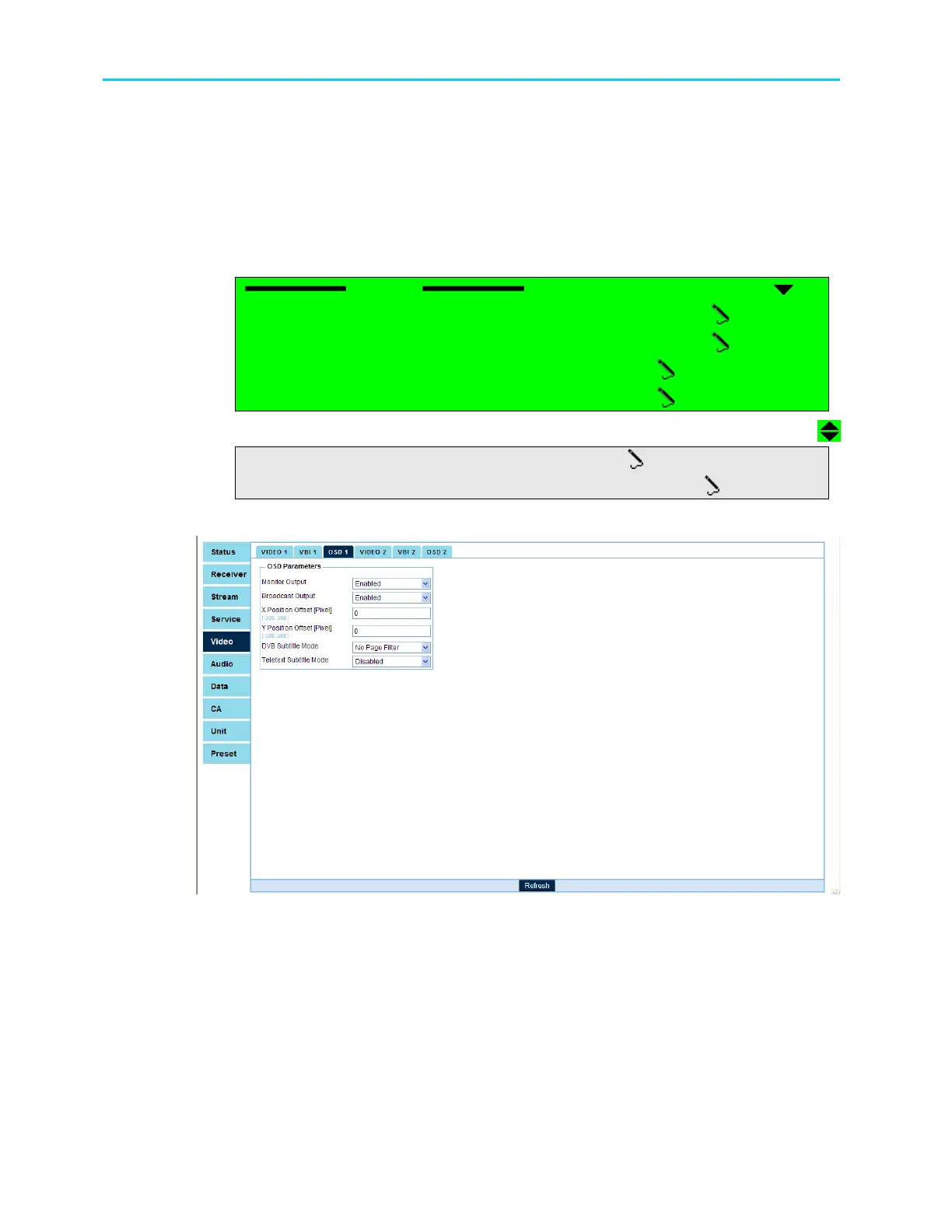
Figure 9-4 displays the corresponding OSD1 Menu (Web Management screen).
Figure 9-4: OSD1 Menu Screen
The following paragraphs describe the OSD 1 (and OSD 2, when supported) parameters:



 To Next Page