Chapter 6: Receiver Configuration Modules DVB-ATM Receiver Configuration
© Harmonic Inc. Manual p/n 101543/Ver 1.0 6-36 ProView 2900 Series/SW Version 1.94
6.4. DVB-ATM Receiver Configuration
This section details the ProView 2900 Front Panel and Web Manager menus that enable
configuring the DVB-ATM receiver in a ProView 2900 DVB-ATM front end device.
The following is the DVB-ATM Receiver Configuration menu as displayed on the
ProView 2900 front panel screen:
General
General General
General
1
11
1-
--
-2
22
2-
--
-1
11
1
1
11
1 Mode
Mode Mode
Mode
DS3
DS3DS3
DS3
2
22
2 VPI Address
VPI Address VPI Address
VPI Address
01
0101
01
2
22
2 VCI Address
VCI Address VCI Address
VCI Address
0020
00200020
0020
4
44
4 FEC
FEC FEC
FEC
ENABLE
ENABLEENABLE
ENABLE
The available options are:
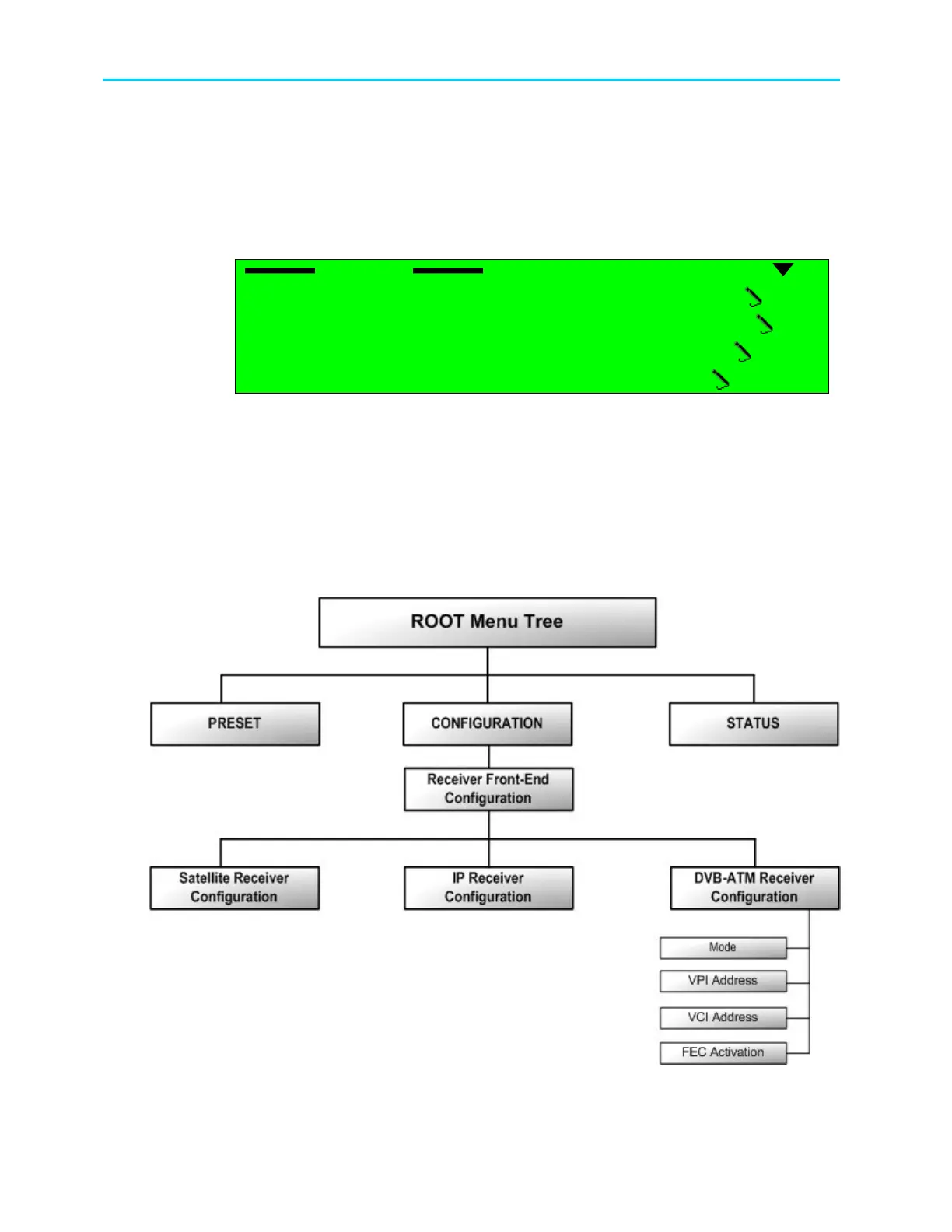
• Mode – this parameter allows the user to set the operational mode of the ATM receiver.
• VPI Address –this parameter allows the user to set the path address for the ATM
receiver.
• VCI Address – this parameter allows the user to set the channel address for the ATM
receiver.
• FEC – this parameter allows the user to enable FEC for the ATM receiver.
Figure 6-8 illustrates the structure of the configuration tree menu for the IP receiver.
Figure 6-8: DVB-ATM Receiver Configuration Menu Tree Structure



 To Next Page