Chapter 12: GenLock Configuration Menu Low Speed Data Port
© Harmonic Inc. Manual p/n 101543/Ver 1.0 11-3 ProView 2900 Series/SW Version 1.94
Low Speed Data Port
Low Speed Data Port Low Speed Data Port
Low Speed Data Port
1
11
1-
--
-2
22
2-
--
-6
66
6-
--
-1
1 1
1
1 Baud Rate
1 Baud Rate1 Baud Rate
1 Baud Rate
115
115115
115200 [Baud]
200 [Baud]200 [Baud]
200 [Baud]
2 Layer Filtering
2 Layer Filtering2 Layer Filtering
2 Layer Filtering
P.E.S Payload
P.E.S PayloadP.E.S Payload
P.E.S Payload
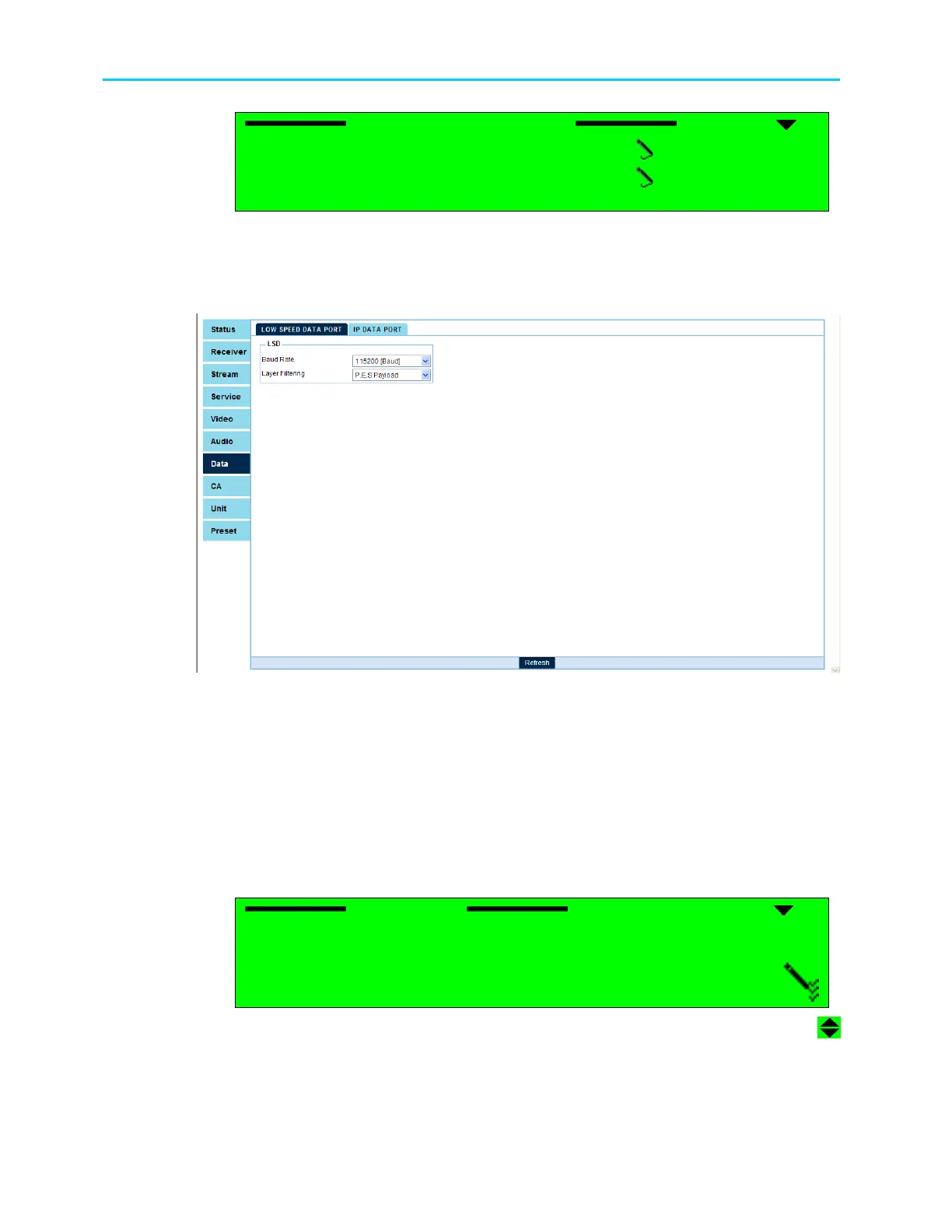
To access the Low Speed Data menu in the ProView 2900 web management window go to
Data
Low Speed Data Port: Figure 10-2 displays the corresponding LS Data Port menu
(Web Management screen).
Figure 11-2: Low Speed Data Configuration Menu
The Low Speed Date Port Configuration Menu provides access to the following parameters:
• Baud Rate, enables selecting the LS data transmission rate.
• Layer Filtering, enables selecting the LS data filtering, determining the type of data to be
transmitted through the LS Data port.
11.2.1. Baud Rate
This parameter enables electing between eight possible LS data transmission rates.
Following is the corresponding front panel screen:
Baud Rate
Baud Rate Baud Rate
Baud Rate
1
11
1
1200 [Baud]
1200 [Baud] 1200 [Baud]
1200 [Baud]
2
22
2
2400 [Baud]
2400 [Baud] 2400 [Baud]
2400 [Baud]
3
33
3
4800 [Baud]
4800 [Baud] 4800 [Baud]
4800 [Baud]
4
44
4
9600 [Baud]
9600 [Baud] 9600 [Baud]
9600 [Baud]



 To Next Page