Chapter 2: Introduction Mechanical Structure
© Harmonic Inc. Manual p/n 101543/Ver 1.0 2-12 ProView 2900 Series/SW Version 1.94
2.3. Mechanical Structure
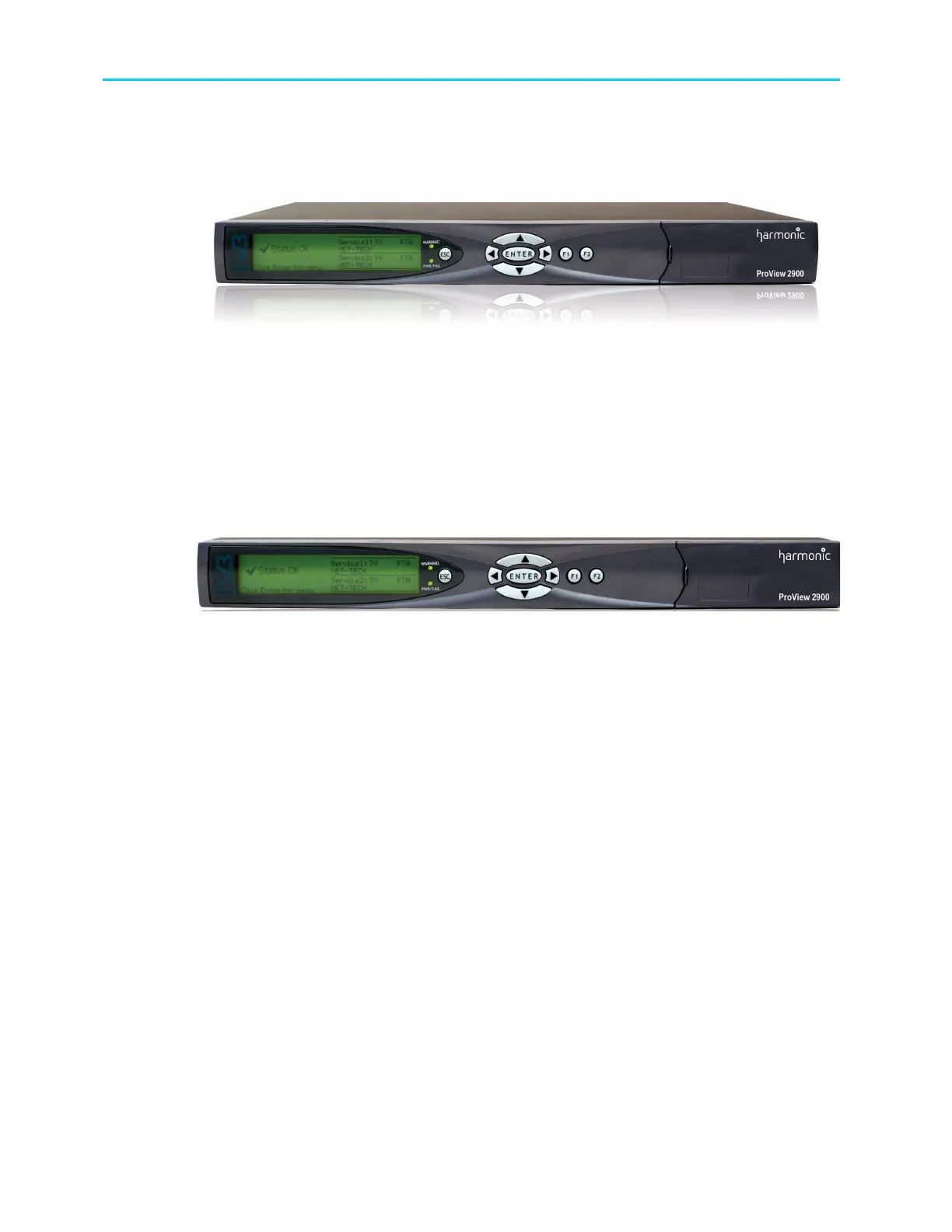
The ProView 2900 is housed in a rugged industrial enclosure, 1RU by 19" (rack mount).
Figure 2-11: ProView 2900 Unit – General View
2.3.1. Front Panel
The front panel allows control using a four-way touch pad, [Enter] key, [Esc] key, and two
programmable [F1]/[F2] keys. Operational commands and parameters are displayed on a
graphical LCD. The four-way touch pad allows parameter modification and scrolling through
the embedded VBI menus. Two LEDs show the WARNING and PWR/FAIL status (see Figure
2-12).
Figure 2-12: ProView 2900 Front View
2.3.2. Front-Ends
ProView 2900 supports the following interfaces:
DVB-S Single L-Band input
DVB-S Dual L-Band input
DVB-DSNG Dual L-Band input
DVB-S2 Dual L-Band input
MPEG over IP (MPEGoIP) dual input
G.703 E3 single input with Loop-through
ASI-In Decoder only (except for ProView 2960)
In this manual all rear panels are displayed with the DVB-S interface. Each model has
standard features and interfaces as well as features requiring active software licenses.



 To Next Page