Chapter 12: GenLock Configuration Menu IP-Out-Port Configuration Menu
© Harmonic Inc. Manual p/n 101543/Ver 1.0 11-6 ProView 2900 Series/SW Version 1.94
To access the IP Out Port menu in the ProView 2900 web management window go to
Data
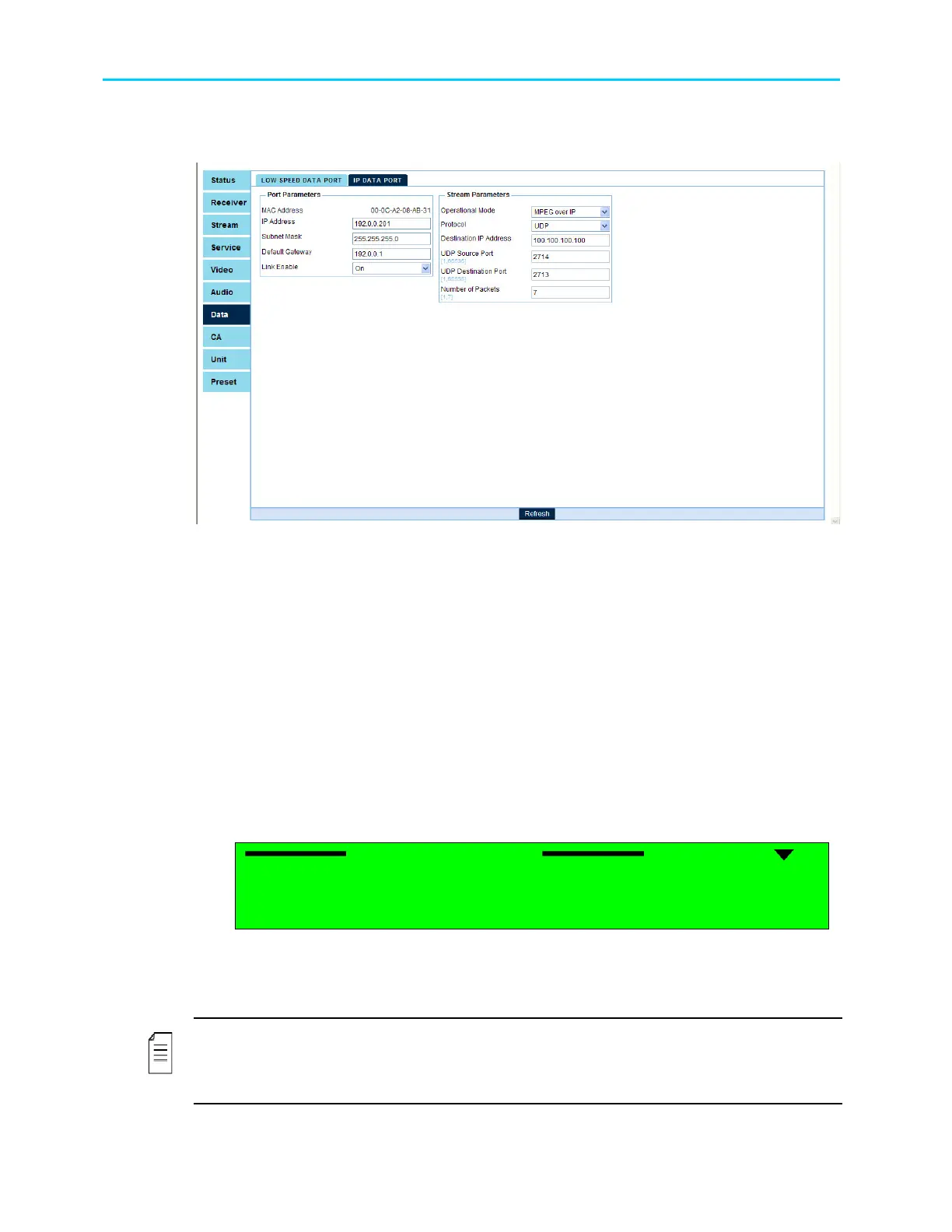
IP Data Port: Figure 11-3 displays the corresponding IP Data Port menu.
Figure 11-3: IP Data Port Menu Screen
The IP Data Port Window in the Web Manager provide access to set-up all IP Out-Port
parameters, grouped differently than the Front Panel menu:
• Port Parameters, including the IP Address (see paragraph 11.3.3), the Subnet Mask
address (see paragraph 11.3.4), the Default Gateway address (see paragraph 11.3.5),
and the Link Enable control (ON/OFF switch).
• Stream Parameters, including the Operational Mode (see paragraph 11.3.1), the
Protocol format (see paragraph 11.3.3), the Destination IP Address (see paragraph
11.3.6), the UDP Source Port (see paragraph 11.3.3), the UDP Destination Port (see
paragraph 11.3.8), and the Number of Packets thransmited (see paragraph 11.3.3).
11.3.1. Operational Mode
The Operational Mode screen displays the currently active mode of operation and allows
setting the mode using the following Select Value screen:
Operational Mode
Operational Mode Operational Mode
Operational Mode
1
11
1
MPEGoIp
MPEGoIp MPEGoIp
MPEGoIp
2
22
2
MPE
MPE MPE
MPE
The available options are:
• MPEGoIp – MPEG-over-IP mode
• MPE – IP data (MPE de-capsulation)
NOTE
When Operational mode is set to MPEG-over-IP, all other items in the IP-Out-Port menu must
be configured. When Operational mode is set to MPE, then the IP address, Subnet Mask,
and Default Gateway items must be configured.



 To Next Page