Chapter 13: CA Configuration Menu BISS Mode
© Harmonic Inc. Manual p/n 101543/Ver 1.0 13-5 ProView 2900 Series/SW Version 1.94
13.3. BISS Mode
The ProView 2900 supports the following encryption modes:
• Even-Odd Encryption (‘Harmonic private’ mode)
• BISS Mode 1
• BISS-E Clear Session Word
• BISS-E with Injected ID
• BISS-E with Buried ID
These BISS options operate according to the EBU-UER Tech 3292 manual.
Even-Odd Encryption is a Harmonic-developed encryption option that uses both an even and
an odd key. This is another encryption option that is available for the operator.
The following screen displays the BISS menu navigation screen:
BISS
BISS BISS
BISS
1
11
1-
--
-2
22
2-
--
-7
77
7-
--
-2
22
2
1 TV1
1 TV11 TV1
1 TV1
2 TV2
2 TV22 TV2
2 TV2
3 General
3 General3 General
3 General
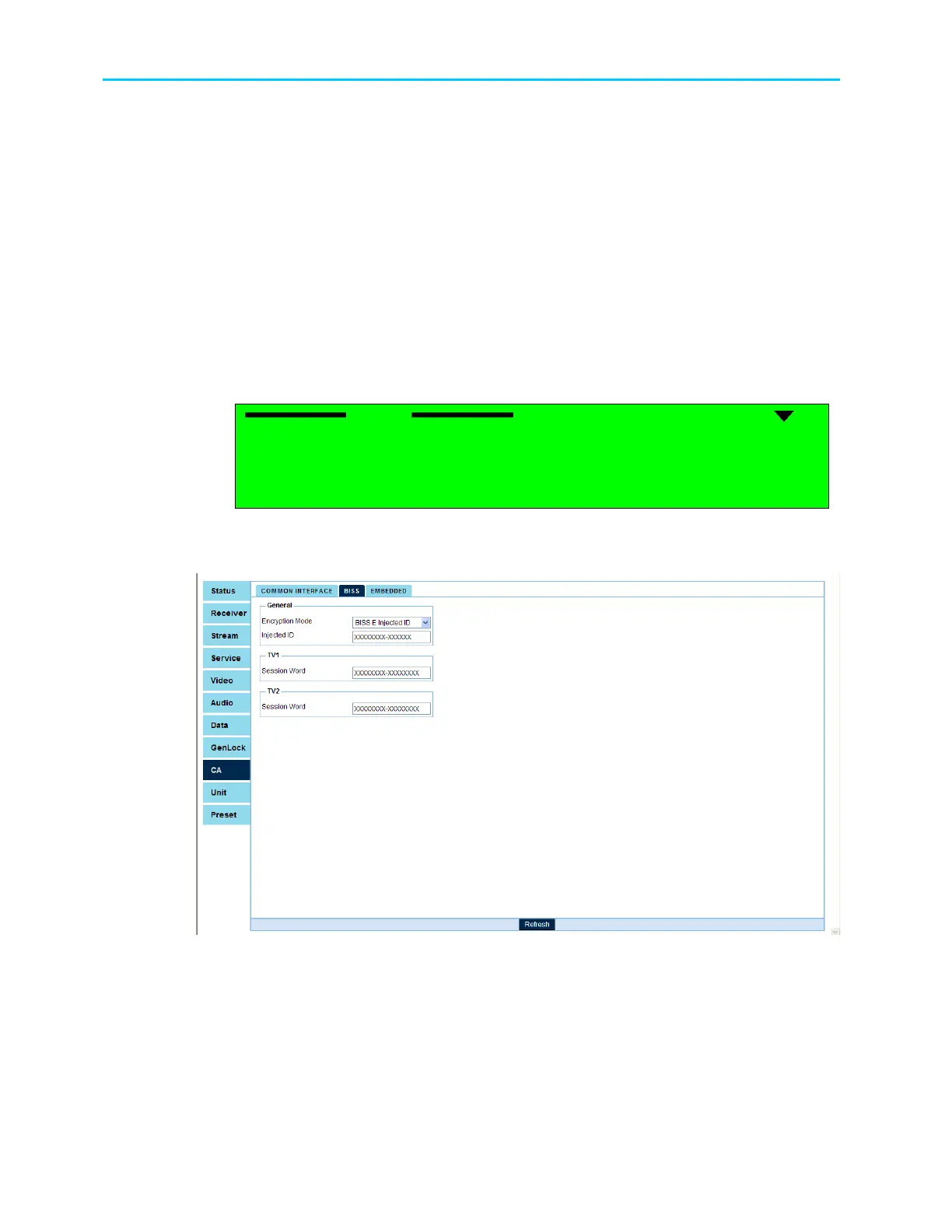
To access the BISS configuration screen through the web-interface go to CA
BISS tab.
Figure 13-4 shows the web-interface BISS screen:
Figure 13-4: Web Interface BISS Screen
The BISS Menu parameters are:
• TV(1..2) - Enables the operator to set Encryption Keys values of the selected CA mode
• General – Allows the operator to select between the different encryption modes



 To Next Page