Chapter 4: ProView 2900 Control Interfaces Web-Based Management Interface
© Harmonic Inc. Manual p/n 101543/Ver 1.0 4-8 ProView 2900 Series/SW Version 1.94
4.2.1. Controls and Displays
The web-based management is divided into menus and submenus. Each menu's sub-menu
displays (in an explorer window) a list of parameters related to the menu. In case of any
additional parameters, such as advanced configuration parameters, another parameter-
section is displays in the explorer window.
The web-based management is divided into display sections for an easy orientation and to
offer a user-friendly control interface. The following paragraphs detail the different sections:
4.2.1.1. Title
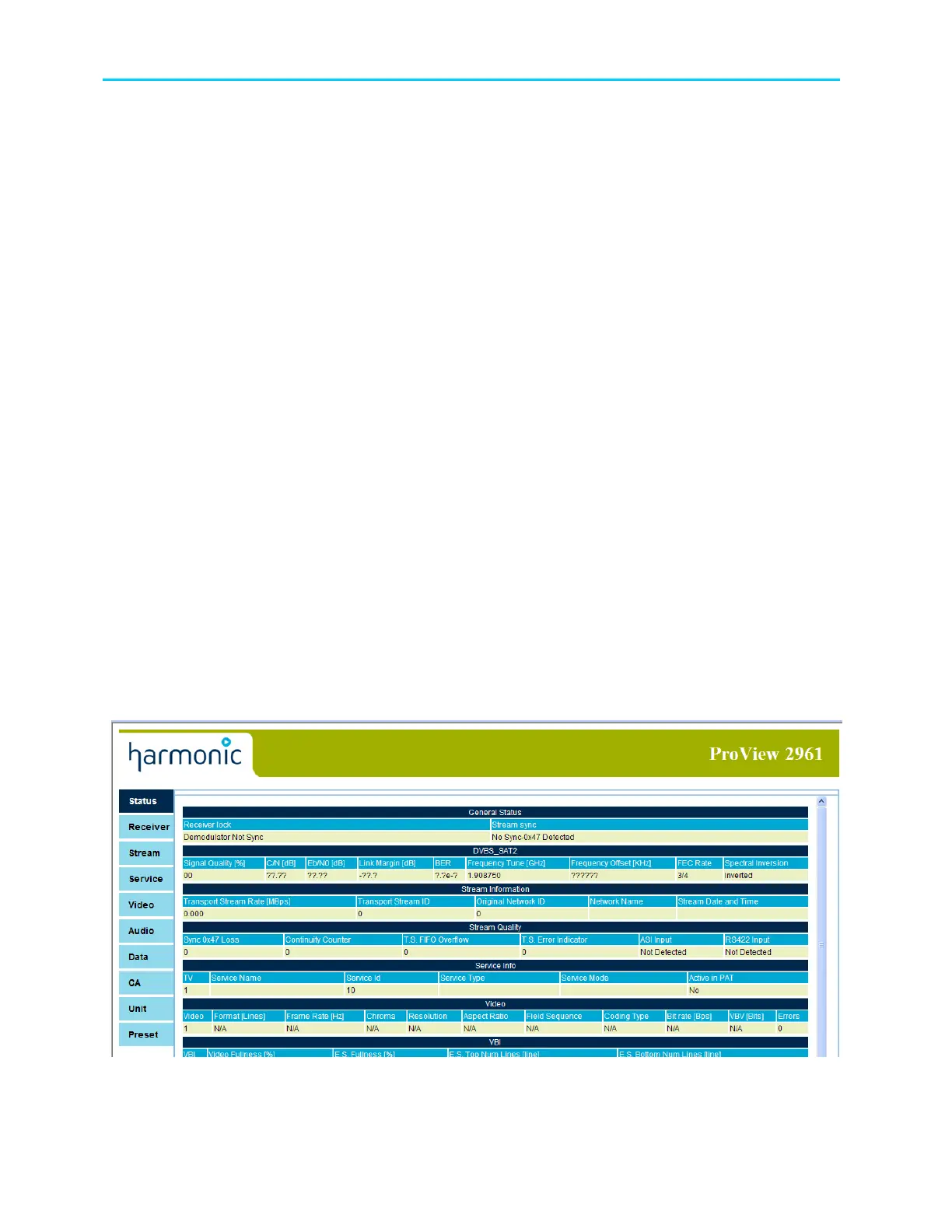
A static title to the web-based management, displays the Harmonic logo and the device's type
(ProView 2961, see example in Figure 4-2).
4.2.1.2. Menu and Sub-Menu Tabs
The tabs surround the explorer window section (see the following paragraph). The menu tabs
are displayed at all times. The sub-menu tabs are dynamic, and change according to the
selected menu. For example, 'Service' main menu holds the 'TV 1', 'Prefered Language'
and other tabs, allowing the user to select respective configuration menus. (See tabs
example in Figure 4-2).
The main-menu tabs are light-blue tabs that allow the user to select one of the main menus in
the ProView 2900 (such as Video, Audio, Unit, and so on). The main-menu tabs are listed at
the left-side of the explorer-window section. A selected main-menu tab changes its color from
light-blue to darker blue. The sub-menu tabs are light-blue tabs that allow the user to select
one of the specific sub-menus available in the selected menu.
4.2.1.3. Status Menu
The Status menu, located under the 'Status' tab, displays a read-only table. The table details
information regarding the various services provided by the unit (see Figure 4-3).
Figure 4-3: ProView 2900 Web-Based Management Status Menu (Example)



 To Next Page