Chapter 8: Service Configuration Menu General Configuration
© Harmonic Inc. Manual p/n 101543/Ver 1.0 8-11 ProView 2900 Series/SW Version 1.94
8.7. General Configuration
The Service General Configuration menu defines the ProView 2900 service selection strategy
(either automatic or user-defined). It also allows the operator to instruct to the CAM
(Conditional Access Module) which ES to decrypt.
To access the General Configuration menu, in the front panel control interface go to
Configuration
Service
General Configuration.
The following is the front panel General Configuration screen:
General
General General
General Configuration
Configuration Configuration
Configuration
1
11
1-
--
-2
22
2-
--
-3
33
3-
--
-7
77
7
1 Service Strategy
1 Service Strategy1 Service Strategy
1 Service Strategy
AUTO. Call 1st'
AUTO. Call 1st'AUTO. Call 1st'
AUTO. Call 1st'
….
….….
….
2 Service CAS Open
2 Service CAS Open2 Service CAS Open
2 Service CAS Open
DECODED PID’S
DECODED PID’SDECODED PID’S
DECODED PID’S
….
….….
….
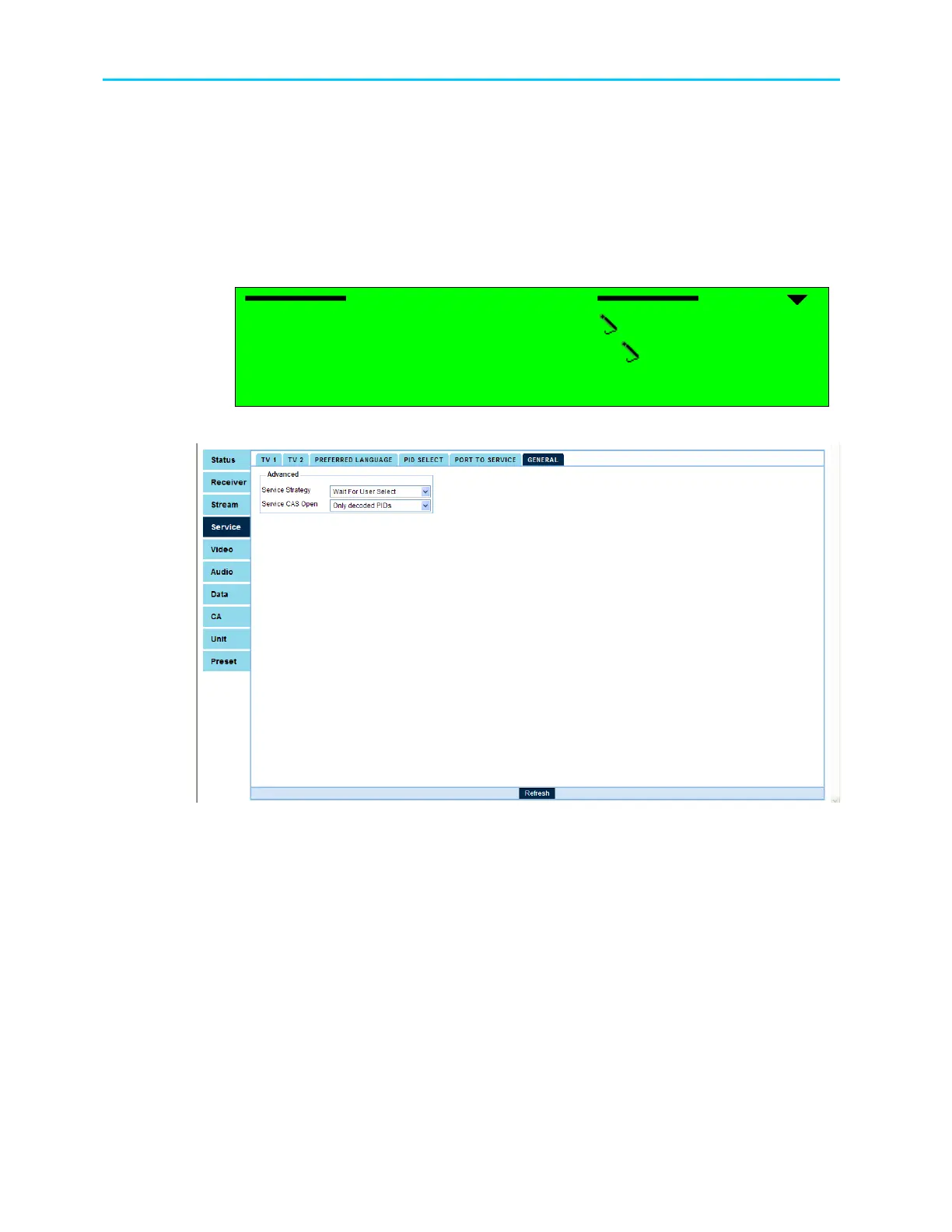
Figure 8-7 displays the corresponding General Service menu (Web Management screen).
Figure 8-7: General Service Menu Screen
The General Configuration Parameters are:
• Service Strategy
• Service CAS Open



 To Next Page